Portable X-ray Units
Service Manual
SM-1076R2
23
3.2.3 CALIBRATION OF mA GAIN
mA Gain should be calibrated before performing the
autocalibration process.
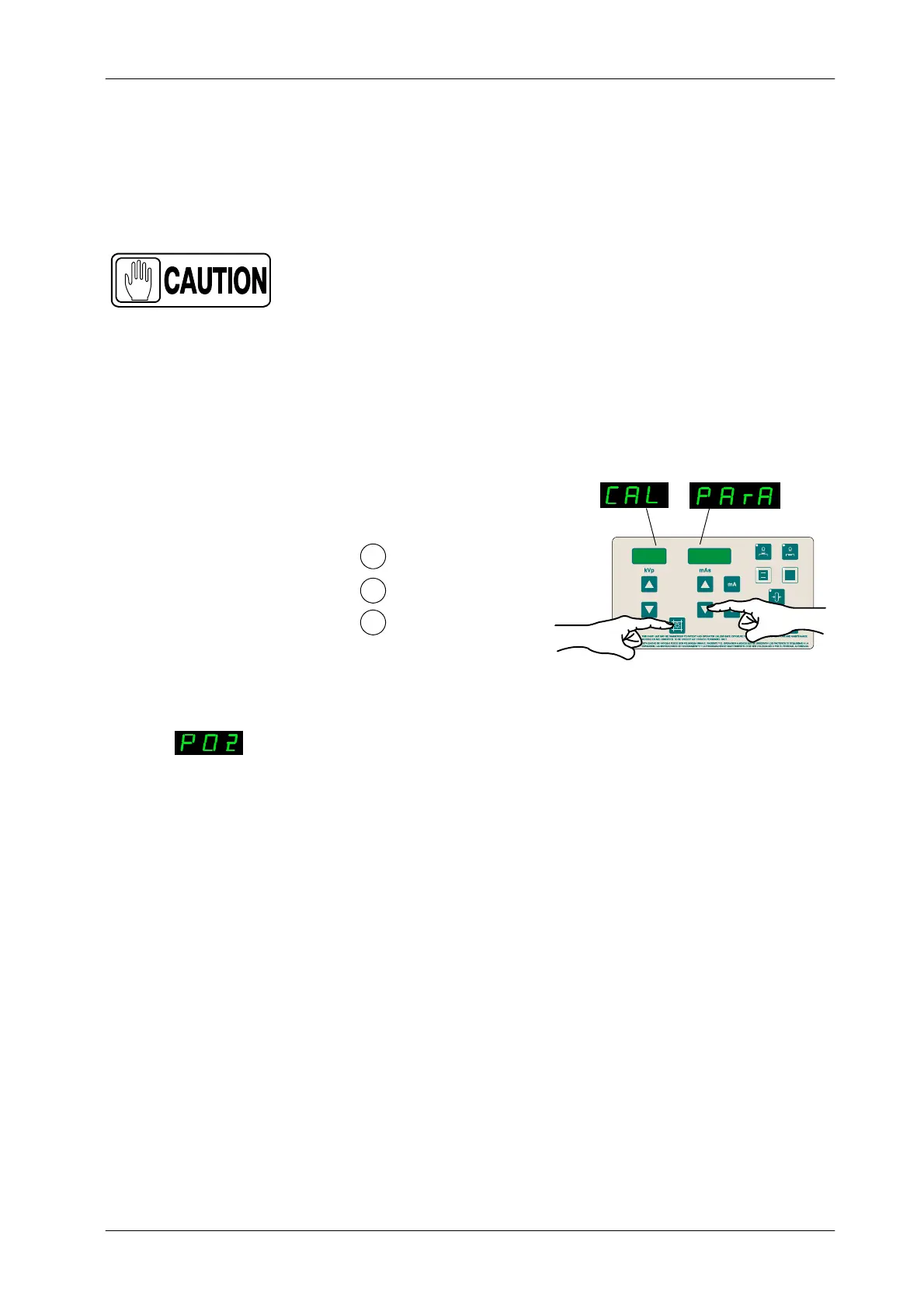
1. To enter Calibration Menu, press and hold “Collimator Light”
push-button and then press and release “mAs Decrease” push-button
(two beeps sound). (CAL PArA) appears on the displays while
“Collimator Light” is pressed. Then release “Collimator Light”
push-button. The kVp Display shows P01 and one of the Focal Spot Leds
blinks.
1
2
Press and hold Collimator Light
Press and release mAs Decrease
Release Collimator Light
3
mAs
kVp
2. Select menu P02 by pressing the “kVp Increase” push-button (kVp
Display shows P02).
3. Press “Collimator Light” to enter calibration of mA Gain (P02).
4. The Unit automatically selects: 40 kVp, 20 mA, 100 ms, and Large focal
Spot. Select on the kVp Display the Filament Current value (previously
calibrated) by pressing “mA” or “s” push-buttons.
kVp



 To Next Page