Portable X-ray Units
Service Manual
SM-1076R2
24
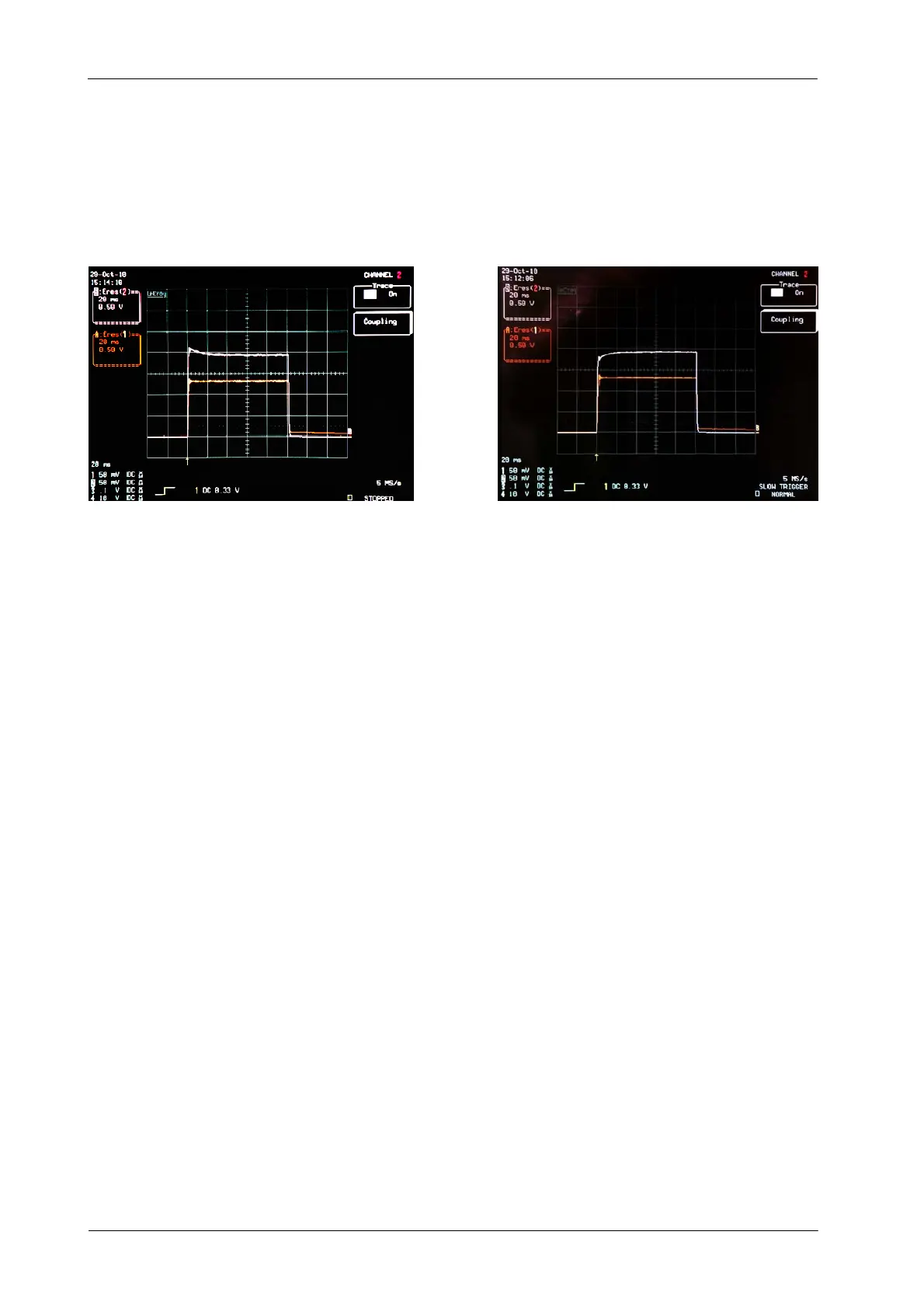
5. Make an exposure and measure mA signal value with the Oscilloscope.
Verify that mA signal is flat and noiseless, make sure that the signal is
balanced before it arrives to 20 ms.
The white line represents the mA Signal
a
b
The signal in both cases (a and b) is balanced before it arrives to 20 ms
6. If the signal is not balanced before it arrives to 20 ms, change the “Ifil”
(Filament Current) value with mA and s and repeat the exposure until the
signal is flat before 20ms as shown in the previous picture.
7. Enter mA read value in the mAs Display pressing “mAs Increase” or “mAs
Decrease” push-buttons.
8. Save the value by pressing “Reset” push-button. The mAs Display shows
mA Gain value during two seconds (this value represents the Gain
correction automatically applied, 200 is the reference value).
9. Press “Collimator Light” to exit menu P02.
10. To exit Calibration Mode, press and hold “Collimator Light” push-button
and then press and release “mAs Decrease” (two beeps sound). Then
release “Collimator Light” (kVp and mAs parameters are shown).
P03 and up are not used menus.
Note .



 To Next Page