Portable X-ray Units
Service Manual
SM-1076R2
13
2.3 SERVICE APPLICATIONS IN THE TOUCH SCREEN CONSOLE
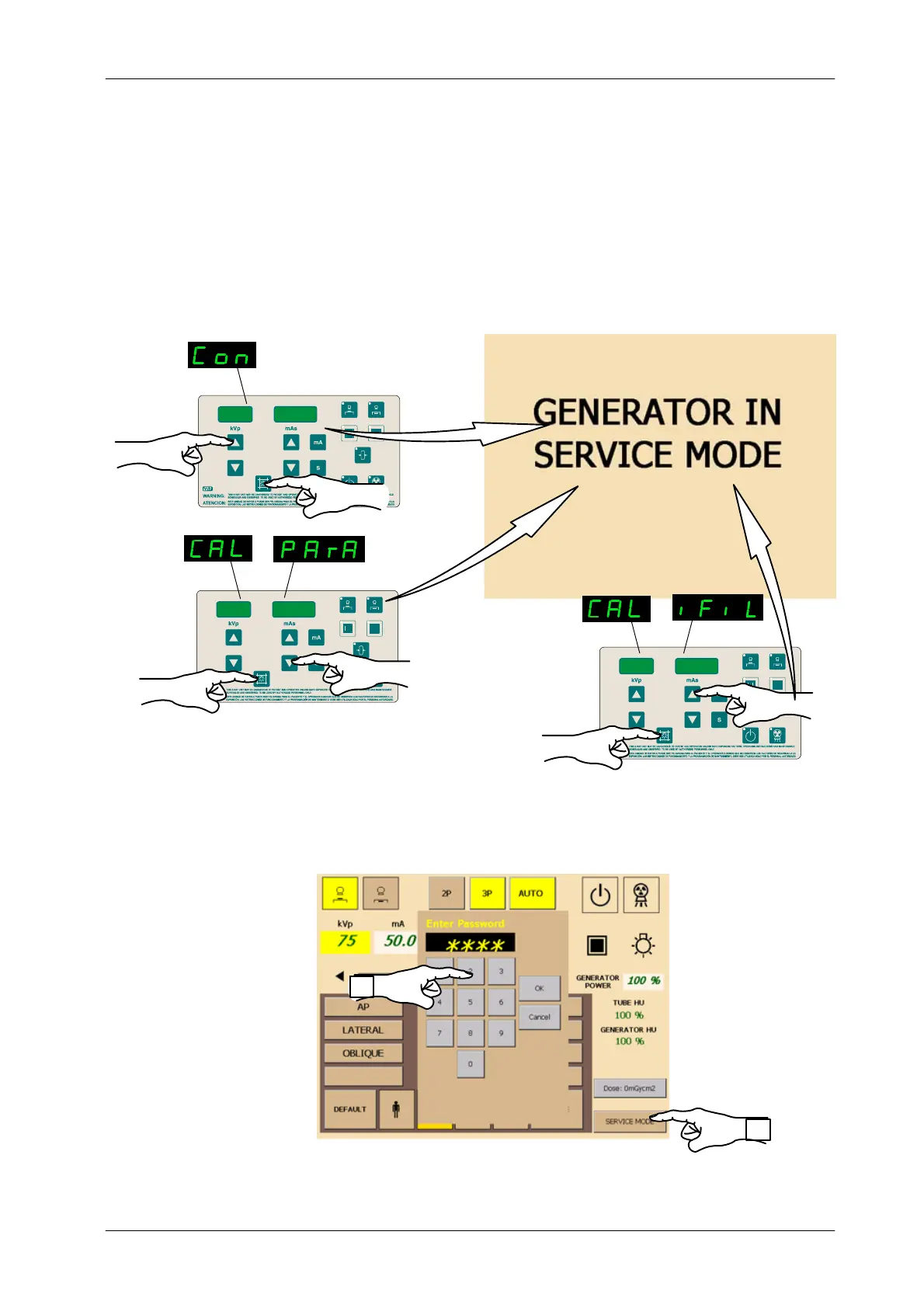
The configuration and calibration processes are the same for all the Portable
X-ray Units but some units with Trolley incorporate a Touch Screen that displays
information in a different way.
When the Unit is being configured or calibrated, the touch screen displays:
kVp
kVp
kVp
mAs
In order to access to the Service Applications in the touch screen, touch the
button “Service Mode” and insert the password “ 2434”.
Insert Password “2434”
1
2


 To Next Page