Portable X-ray Units
Service Manual
SM-1076R2
77
5.3.3 LOWER COVER
1. T urn the Unit Off and Disconnect it from mains.
2. Place the Unit on a table.
It is not necessary to remove the Handle for covers replacement.
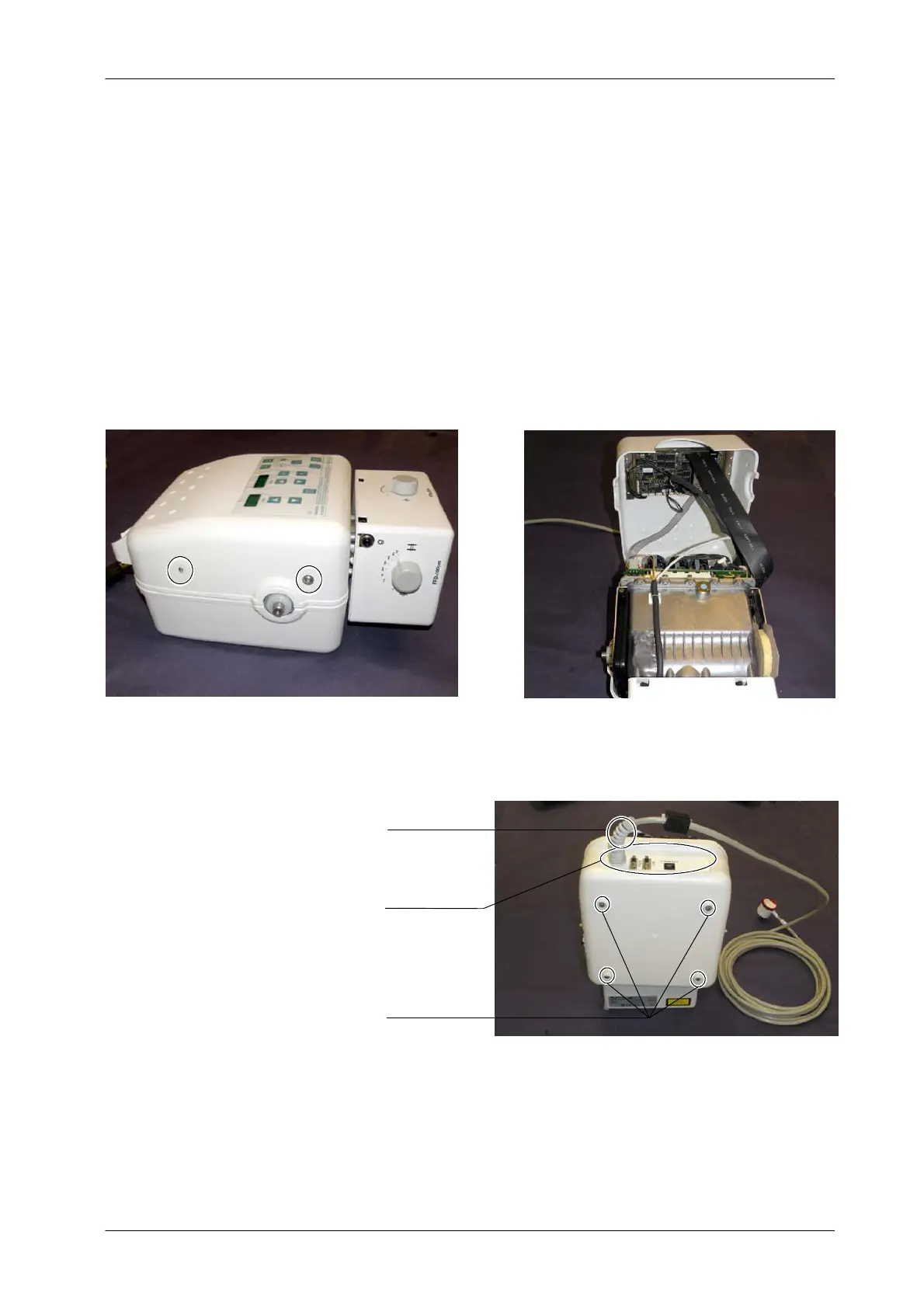
3. Remove the Upper Cover screws and carefully lift the Upper Cover . It is
not necessary to unplug any cable.
4. Remove the four legs located at the Lower Cover.
Four legs
Connectors Panel
Power cable
5. Carefully remove the Lower Cover . Pass the Power cable through the
Connectors Panel window.
6. Replace the cover and assemble in reverse order.
Note .



 To Next Page