AR-M550/M620/M700 SIMULATION 8 - 47
Operation/Procedure
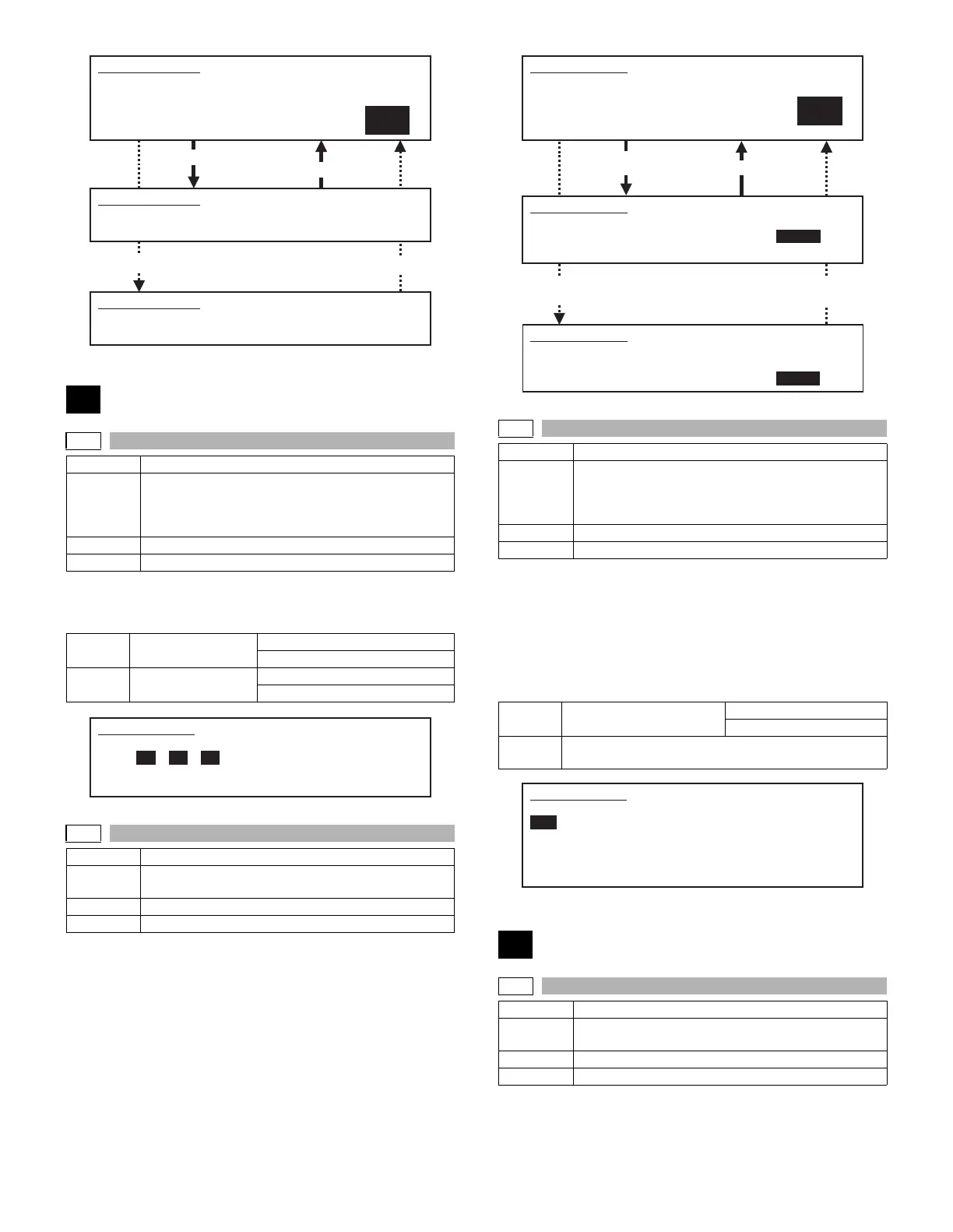
The operating conditions of sensors and detectors are displayed.
The active sensors and detectors are highlighted.
Operation/Procedure
1) Open the document cover and select NO ORIGINAL with 10-key
without placing any document on the document table.
2) Press [START] key.
The sensor level is set without document on the document table.
3) Place an A3 document on the document table, and select A3
ORIGINAL with 10-key.
4) Press [START] key.
The sensor level is set when detection the document.
If the above procedures are not completed normally, "ERROR" is dis-
played. If completed normally, "COMPLETE" is displayed.
Operation/Procedure
The detection output level (A/D value) of the document sensors (PD1 -
PD7) is displayed in real time.
∗ The value in [ ] on the side of each sensor name indicates the
threshold value.
The light receiving value (A/D value) and the threshold value (A/D
value) of PD1 - PD7 are in the range of 1 - 255. The default of thresh-
old value is 128.
Operation/Procedure
1) Select the number corresponding to the setting mode with 10-key.
2) Press [START] key.
3) Press [CUSTOM SETTINGS] key.
Press [START] key. Press [CUSTOM SETTINGS] key.
41
41-1
Purpose Operation test/Check
Function
(Purpose)
Used to check the operation of the document size
sensor and the related circuit. (The operation of the
document size sensor can be monitored with the LCD
display.)
Section Other
Item Operation
OCSW Document cover
status
Open: Normal display
Close: Highlighted
PD1 - 7 Document detection
sensor status
No document: Normal display
Document present: Highlighted
41-2
Purpose Adjustment
Function
(Purpose)
Used to adjust the document size sensor sensing level.
Section Other
Item Operation
SIMULATION 40-12
TRAY3 ADJUSTMENT. SELECT 1-2, AND PRESS START.
1. MAX. POSITION
2. MIN. POSITION
1
SIMULATION 40-12
TRAY3 ADJUSTMENT.
MAX. POSITION ··· COMPLETE (or "ERROR")
Press [CUSTOM SETTINGS] key.
Select 1 and press [START] key.
SIMULATION 40-12
TRAY3 ADJUSTMENT.
MIN. POSITION ··· COMPLETE (or "ERROR")
SIMULATION 41-1
PD SENSOR CHECK..
OCSW PD1 PD2 PD3 PD4 PD5 PD6 PD7
Select 2 and press [START] key.
(Error)
Press [CUSTOM SETTINGS]
key.
41-3
Purpose Operation test/Check
Function
(Purpose)
Used to check the operation of the document size
sensor and the related circuit. (The document size
sensor output level can be monitored with the LCD
display.)
Section Other
Item Operation
OCSW Original cover status Open: Normal display
Close: Highlighted
PD1 - 7 PD sensor detection level The value in [ ] indicates the
adjustment threshold value (SIM41-2 adjustment value).
43
43-1
Purpose Setting
Function
(Purpose)
Used to set the fusing temperature in each operation
mode.
Section Fixing (Fusing)
Item Operation
SIMULATION 41-2
PD SENSOR ADJUSTMENT. SELECT1-2, AND PRESS START.
(PLEASE OPEN THE ORIGINAL COVER.)
1. NO ORIGINAL
2. A3 ORIGINAL
1
SIMULATION 41-2
Press [CUSTOM SETTINGS] key.
Select 1 and
press [START] key.
PD SENSOR ADJUSTMENT.
NO ORIGINAL ··· COMPLETE (or "ERROR at PD1 PD2...")
A3 ORIGINAL ··· INCOMPLETE
SIMULATION 41-2
PD SENSOR ADJUSTMENT.
NO ORIGINAL ··· COMPLETE
A3 ORIGINAL ··· COMPLETE (or "ERROR at PD1 PD2...")
SIMULATION 41-3
PD SENSOR DATA DISPLAY.
OCSW
PD1[128]: 200 PD2[128]: 200
PD3[128]: 50 PD4[128]: 52
PD5[128]: 51 PD6[128]: 50
PD7[128]: 52









 To Next Page