11
GB
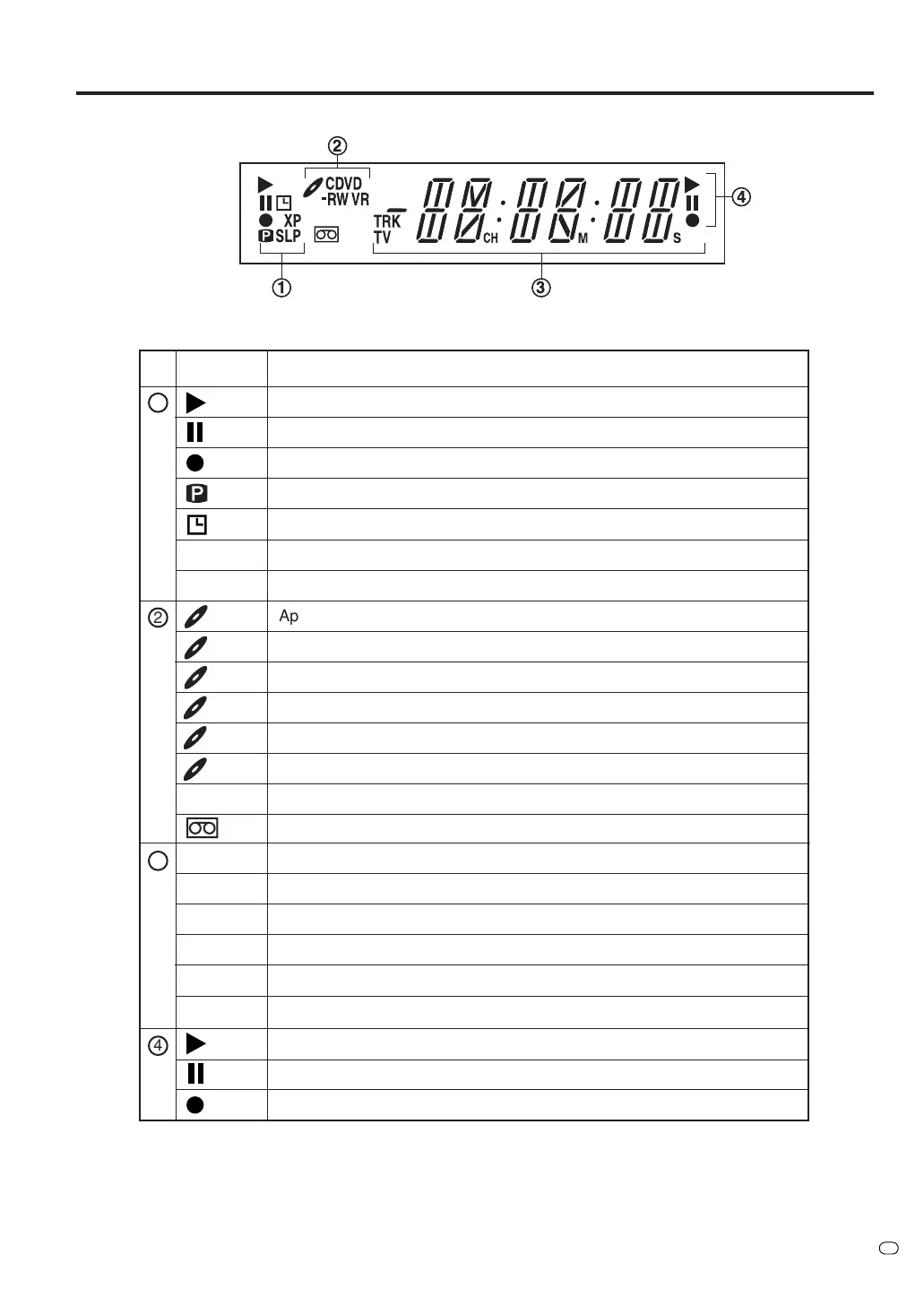
No. Display Description
Lights during video tape playback.
1
Lights during video tape recording.
Video tape is temporarily stopped.
Parts and functions
NOTE:
Some discs may not playback correctly, or chapter number, playback time, etc may not be displayed.
Display window
Progressive scanning mode.
Timer recording display.
!
"
2
4
Appears when a CD is inserted.
Appears when a CD-R is inserted.
Appears when a DVD-Video is inserted.
Appears when a DVD-R is inserted.
Appears when a DVD-RW is inserted.
Appears when a DVD-RW in VR mode is inserted. When the disc is set to video mode, VR does not appear.
Appears when the tuner built into this unit is not selected. When you press TV/VIDEO, TV disappears.
Video tape is in the unit.
Clock display (Colon [ : ] flashes).
Counter display in hour/minute/second for VCR/DVD, minute/second for CD.
TV channel display.
Track number display for CD.
The external input channel (A1, A2, or A3) display.
Lights during playback of DVD and CD. Flashes in auto resume.
DVD or CD is temporarily stopped.
Lights during DVD recording.
CD
CD-R
DVD
DVD-R
DVD-RW
VR
TV
10:00
01H00M00S
2CH
TRK 002
A1/A2/A3
3
4 DVD recording modes. XP, SP, LP or SLP can be selected in turn by pressing the REC MODE/SPEED repeatedly.
2 VCR recording modes. SP or LP can be selected in turn by pressing the REC MODE/SPEED repeatedly.
SP/LP
XP/SP/LP/SLP
Appears when a CD-RW is inserted.
CD-RW



 To Next Page