27
GB
Setting the channel
This VCR/DVD has a built-in tuner to receive TV
broadcast transmissions. Before you record a TV-
Broadcast, you must set and preset all available
channels. This VCR/DVD can preset up to 80 chan-
nels.
Preparation:
•Turn ON the TV and switch the TV to it’s AV channel
(this may be labelled EXT / AUX etc.)
• Select “CHANNEL SETUP”. For the procedure, see
steps 1 to 3 in “Using the SETUP MENU” on page
18.
Automatic station presetting
Select “AUTO TUNING” and press ENTER.
The VCR/DVD will begin searching and storing all the
broadcasting channels available in your area. While this
is happening, “AUTO TUNING” will be shown on the
screen. When the automatic tuning process is complete,
the picture of preset TV channel at CH1 will appear on
the screen.
NOTES:
• TV reception interference or power failure may result
in Automatic station presetting malfunctions. In such
a case repeat the automatic presetting procedure.
If the automatic tuning procedure does not receive
some stations correctly, you can preset the stations
manually (See page 28).
• When the unit is in AV1, AV2 or AV3, you cannot se-
lect “CHANNEL SETUP”. Set the unit in any channel
position to select “CHANNEL SETUP”.
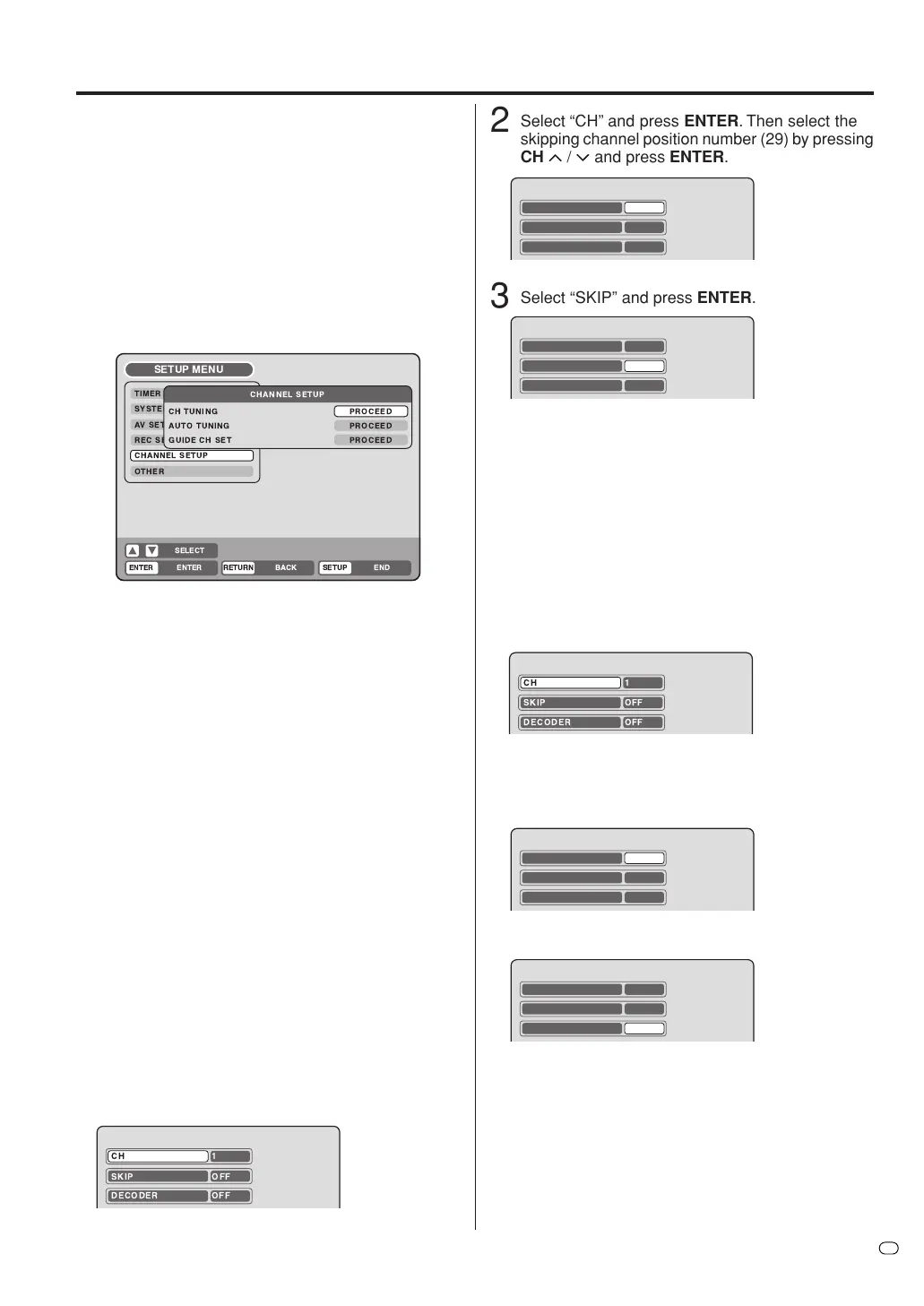
To skip a channel position
You can skip unwanted channels not to be called up by
pressing CH
MM
MM
M
/
??
??
?
.
Example: Skip the channel position 29.
1
Select “CH TUNING” and press ENTER.
2
Select “CH” and press ENTER. Then select the
skipping channel position number (29) by pressing
CH
MM
MM
M
/
??
??
?
and press ENTER.
3
Select “SKIP” and press ENTER.
4
Select “ON” and press ENTER. Now this channel
position is skipped.
NOTE: To cancel skipping, select “OFF” at step 4 above.
CH 29
SKIP OFF
DECODER OFF
CH 29
SKIP OFF
DECODER OFF
DECODER ON/OFF
You can set the DECODER setting for each channel
position.
Example: Set the channel position 5 as decoder on.
1 Select “CH TUNING” and press ENTER.
CH 5
SKIP OFF
DECODER OFF
2 Select “CH” and press ENTER. Then select the
desired channel position number (5) by pressing
CH
MM
MM
M
/
? ?
? ?
?
and press ENTER.
3 Select “DECODER” and press ENTER.
4 Select “ON” and press ENTER. Now this channel
position was set as decoder on.
NOTE: To set to decoder off, select “OFF” at step 4 above.
CH 5
SKIP OFF
DECODER OFF
CH 1
SKIP OFF
DECODER OFF
CH 1
SKIP OFF
DECODER OFF



 To Next Page