53
GB
One-touch Timer Recording (OTR)
The One-touch Timer Recording
feature provides a simple and con-
venient way to make a timed re-
cording.
CH 29
INDEX
CH 29
OTR 0 : 30
OTR 0 : 30
VCR mode
DVD mode
Preparation:
•Turn ON the TV and switch the TV to it’s AV channel (this may be
labelled EXT / AUX etc.)
• Load a recordable DVD or video tape into the unit.
• Press DVD/VCR to select the appropriate mode.
Example: One-touch Timer Recording for 30 minutes.
1
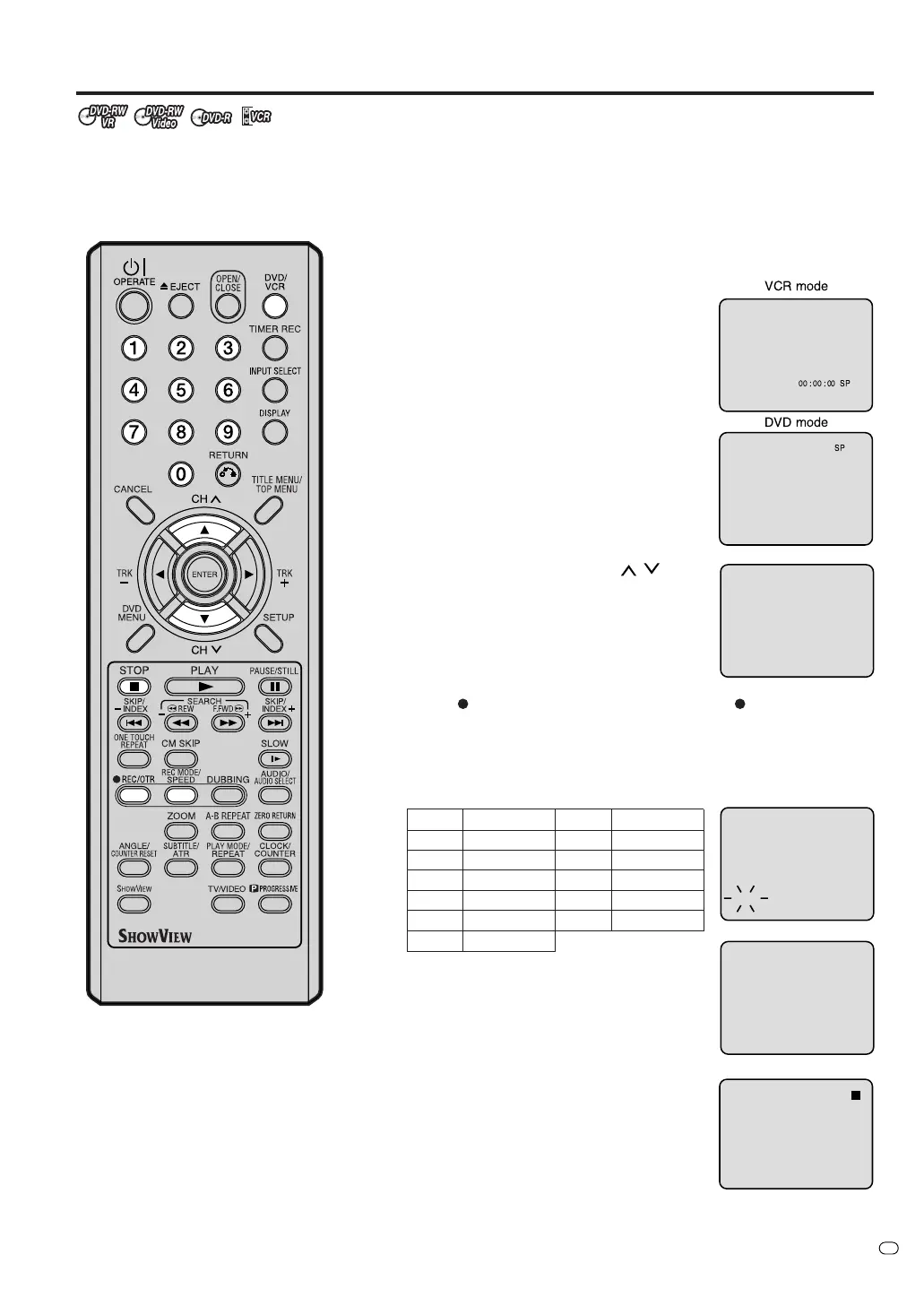
Press REC MODE/SPEED to select the
recording mode.
For more information on recording modes,
see step 1 on page 51.
2
Press numeric keys or CH
/ to se-
lect the channel you want to record.
3
Press
REC/OTR. Each additional press of REC/OTR will in-
crease recording time as shown in the chart below, up to a maxi-
mum of 6 hours. The OTR and recording time will appear on the
screen for approximately 4 seconds.
To cancel OTR
Press STOP or turn off the power.
NOTE:
If you want to watch a DVD during
the VCR OTR, press DVD/VCR to
change to DVD mode. You can now
perform DVD playback. You can also
playback the VCR during DVD OTR.
Press
once
twice
3 times
4 times
5 times
6 times
NORMAL REC
OTR - : - -
OTR 0:30
OTR 1:00
OTR 1:30
OTR 2:00
OTR 3:00
OTR 4:00
OTR 5:00
OTR 6:00
NORMAL REC
Recording time
Press
7 times
8 times
9 times
10 times
11 times
Recording time
TV/VIDEO
00 : 00 : 00 SP
SP
DVD mode
VCR mode



 To Next Page