29
GB
READING
Playback procedure
Preparation:
•Turn ON the TV and switch the TV to it’s AV channel (this may be
labelled EXT / AUX etc.)
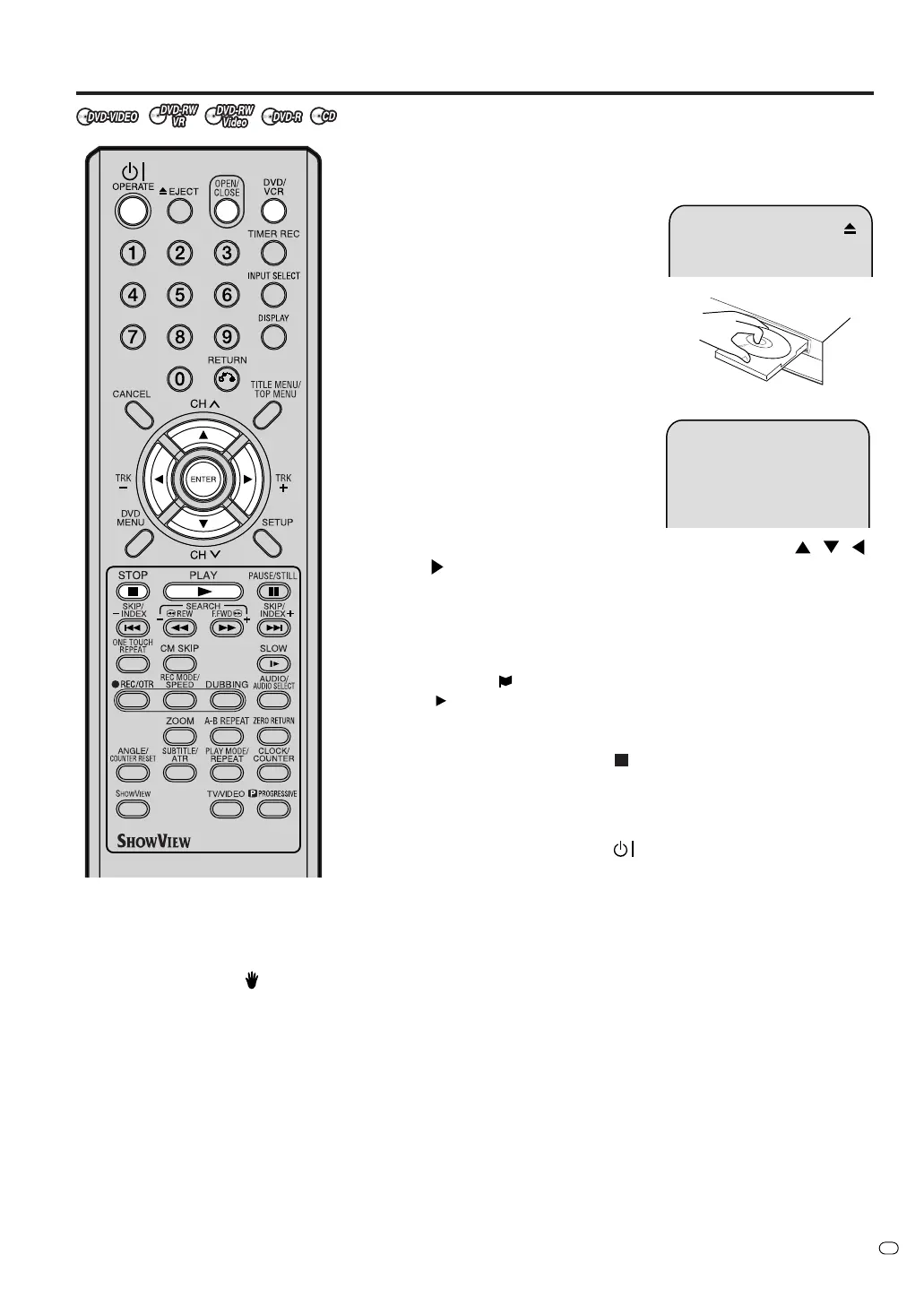
• Press DVD/VCR to select DVD mode. (The DVD indicator will light.)
1
Press OPEN/CLOSE.
The disc tray will open.
2
Place a disc onto the tray.
Hold the disc, position it with the
printed label side up, align it with
the guides, and place it in its proper
position.
3
Press OPEN/CLOSE to close the
disc tray.
“READING” appears on the screen
and some discs start playback au-
tomatically.
•A menu screen may appear on
the TV screen, if the disc has a menu feature. Press
, , ,
or ENTER to operate a menu feature.
4
Press PLAY to start playback.
5
Press STOP to end playback.
• The VCR/DVD memorises the stopped point, depending on
the disc. “
” appears on the screen for approx. 4 seconds.
“
” keeps blinking in the display until the playback is stopped
completely. Press PLAY to resume playback (from the scene
point).
• If you press STOP again (“
” appears on the screen), the VCR/
DVD will clear the stopped point.
6
Press OPEN/CLOSE.
The disc tray opens.
Remove the disc and press
OPERATE.
The disc tray closes automatically and VCR/DVD turns off.
NOTES:
• If a non-compatible disc is loaded, “INCORRECT DISC”, “REGION CODE ERROR” or “PARENTAL ERROR”
will appear on the TV screen according to the type of loaded disc. Check your disc again (See pages 7 and 20).
• Some discs may take a minute or so to start playback.
•A prohibition symbol “
” may appear at the upper right of the screen. This symbol means either the feature you
tried is not available on the disc, or the VCR/DVD can not access the feature at this time. This does not indicate
a problem with the VCR/DVD.
• When you set a single-faced disc label downwards (ie. the wrong way up) and press PLAY or OPEN/CLOSE,
“READING” will appear and then it will change to “NO DISC”.
• Some playback operations of DVDs may be intentionally fixed by software producers. Since this VCR/DVD
plays DVDs according to the disc contents the software producers designed, some playback features may not
be available. Also refer to the operation manual supplied with the DVD.
• When playing DTS-encoded Music CDs, excessive noise will be heard from the analog stereo outputs. To avoid
possible damage to the audio system, the consumer should take proper precautions when the analog stereo
outputs of the VCR/DVD are connected to an amplification system.
• Most discs labelled “Non PC/MAC CD Format” will not playback on this VCR/DVD.
TV/VIDEO



 To Next Page