67
GB
Editing a playlist
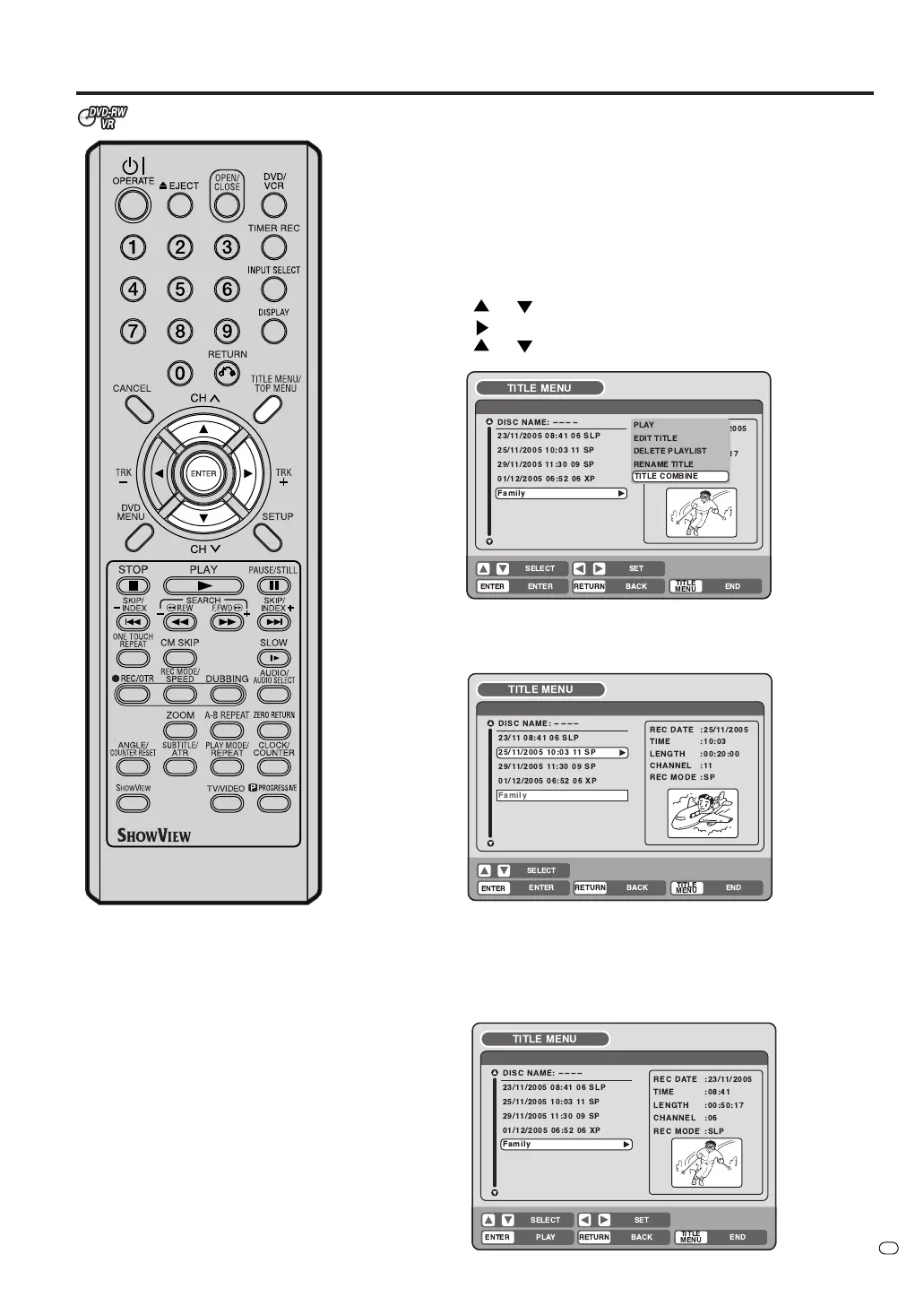
Combining the title
You can create a playlist by combining several original titles or playlists.
To combine titles, it is necessary to create a playlist first. By combining
the titles in the playlist, a playlist where several titles are combined is
created.
1
Press TITLE MENU/TOP MENU to display the title menu.
2
Select the playlist where you want to combine the titles.
• Press
or to select the playlist.
• Press
to display the editing menu of the playlist.
• Press
or to select “TITLE COMBINE”.
3
Press ENTER.
Select the title that you want to combine from the title menu.
4
Press ENTER.
Following the playlist, the selected title is combined.
The several titles were combined so that the total recording time is
displayed.
TV/VIDEO
!
"#$ %
'( )
(
*
+
+
*
*
!"#
%&
&
'
!"
#$%!&
() *
)
+



 To Next Page