74
GB
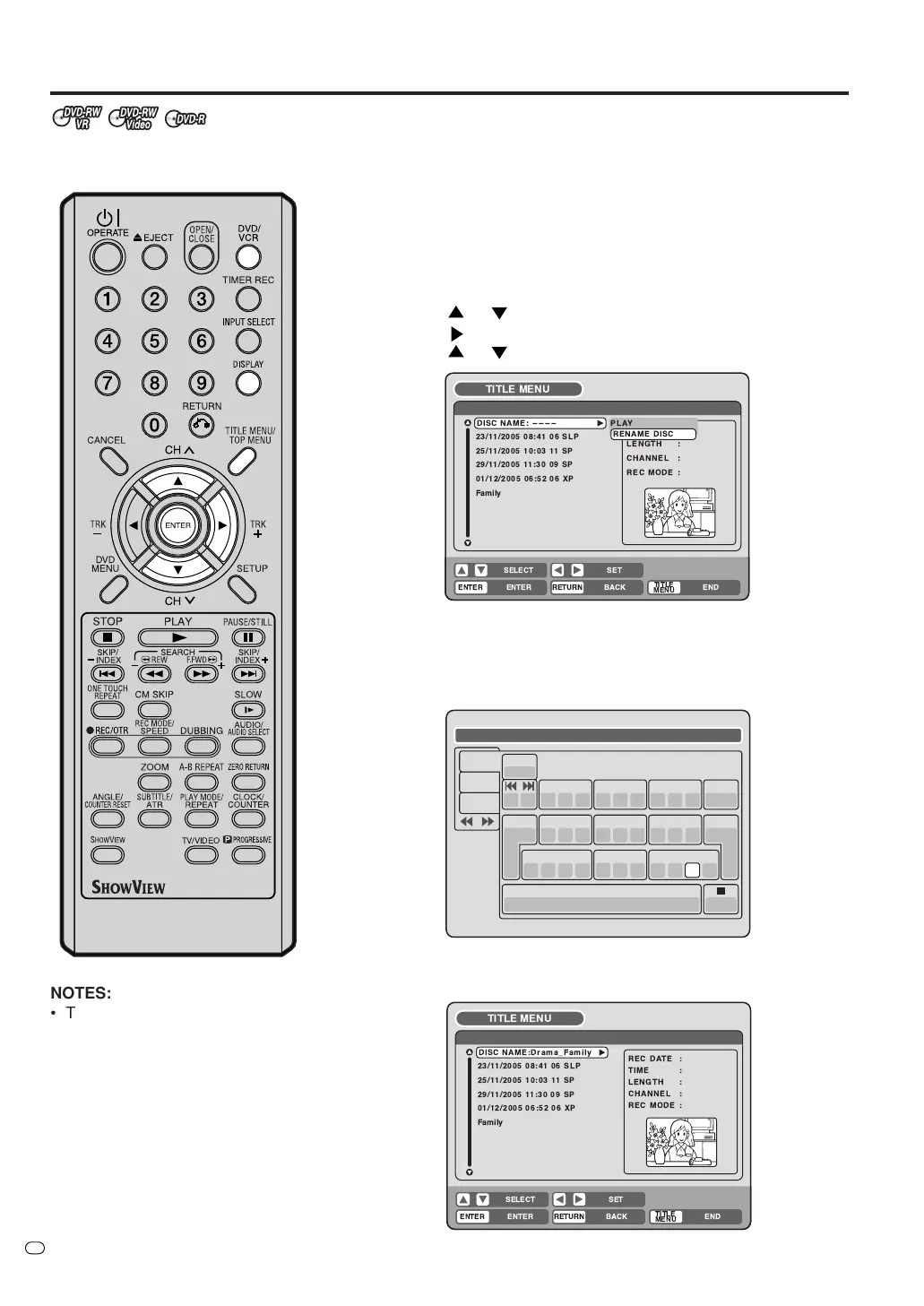
Changing a disc name
You can change a disc name from
the title menu.
Preparation:
•Turn ON the TV and switch the TV to it’s AV channel (this may be
labelled EXT / AUX etc.)
• Load the recorded DVD disc.
• Press DVD/VCR to select DVD mode. (The DVD indicator will light.)
Changing a disc name
1
Press TITLE MENU/TOP MENU to display the title menu.
2
• Press
or to select “DISC NAME”.
• Press
to display the editing menu.
• Press
or to select “RENAME DISC”.
3
Press ENTER.
The keyboard screen will appear.
4
Use the keyboard screen to enter the disc name.
Drama_Family
Numbers
Signs
Letters
1
( -< > #
2
a b c
3
d e f Back
Exit
Caps
0
4
g h i
5
j k l
6
m n o
7
qp r s
8
t u v
9
w x y z
CANCEL
RETURN
DISPLAY
OK
DISPLAY
OK
Space bar
5
Press DISPLAY to return the title menu.
TV/VIDEO
NOTES:
• The disc name can be a maximum
of 30 characters. Long names will
be shortened in the title menu.
• For more information on using the
keyboard screen, see “Using the
keyboard screen” (page 75).
!"
"
$ %
$
!! &
$!&$!$ '(
!
!
!!
&
!$
!
!
#!$
$
%
!! &
!& ! '(
!
!
!!
&
!



 To Next Page