65
GB
Editing a playlist
Erasing a scene (Edit title)
You can erase an unnecessary scene from the created playlist.
When you want to erase the scene from the playlist, the scene is not
erased from the original title.
1
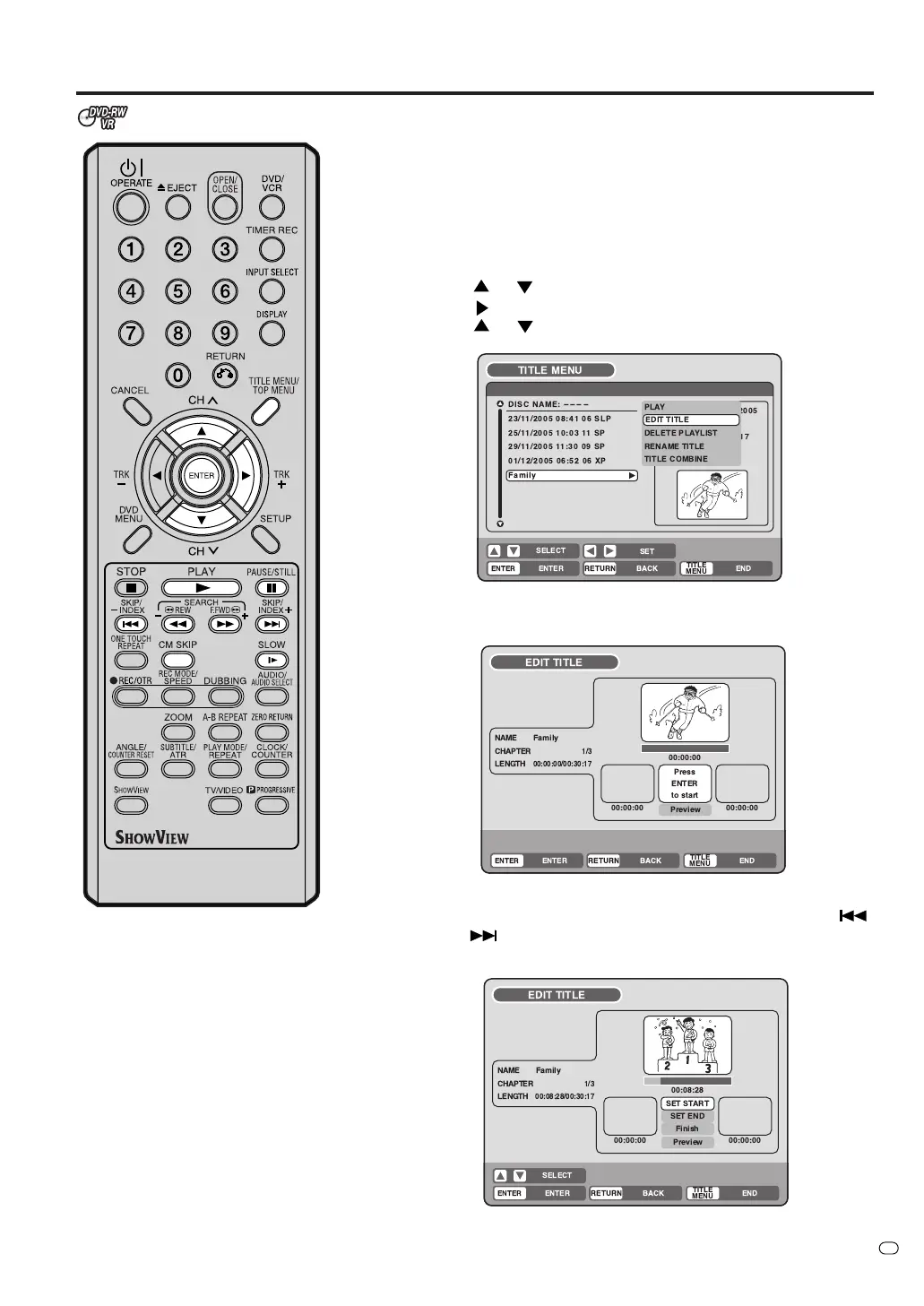
Press TITLE MENU/TOP MENU to display the title menu.
2
Select the playlist where a scene you want to erase is included.
• Press
or to select the playlist.
• Press
to display the editing menu of the playlist.
• Press
or to select “EDIT TITLE”.
3
Press ENTER.
The EDIT TITLE screen appears.
4
Press ENTER to playback the playlist on the EDIT TITLE screen.
•You can use any operation button (F.FWD, REW, SKIP
,
SKIP
, PLAY, PAUSE/STILL, SLOW, CM SKIP) for playback
to search the starting point of the scene you want to erase.
TV/VIDEO
!"#
%& '
&
(
)
(%
)
(
! "
##
$% #$$
!"
#
$%&
'#
%&$(



 To Next Page