31
GB
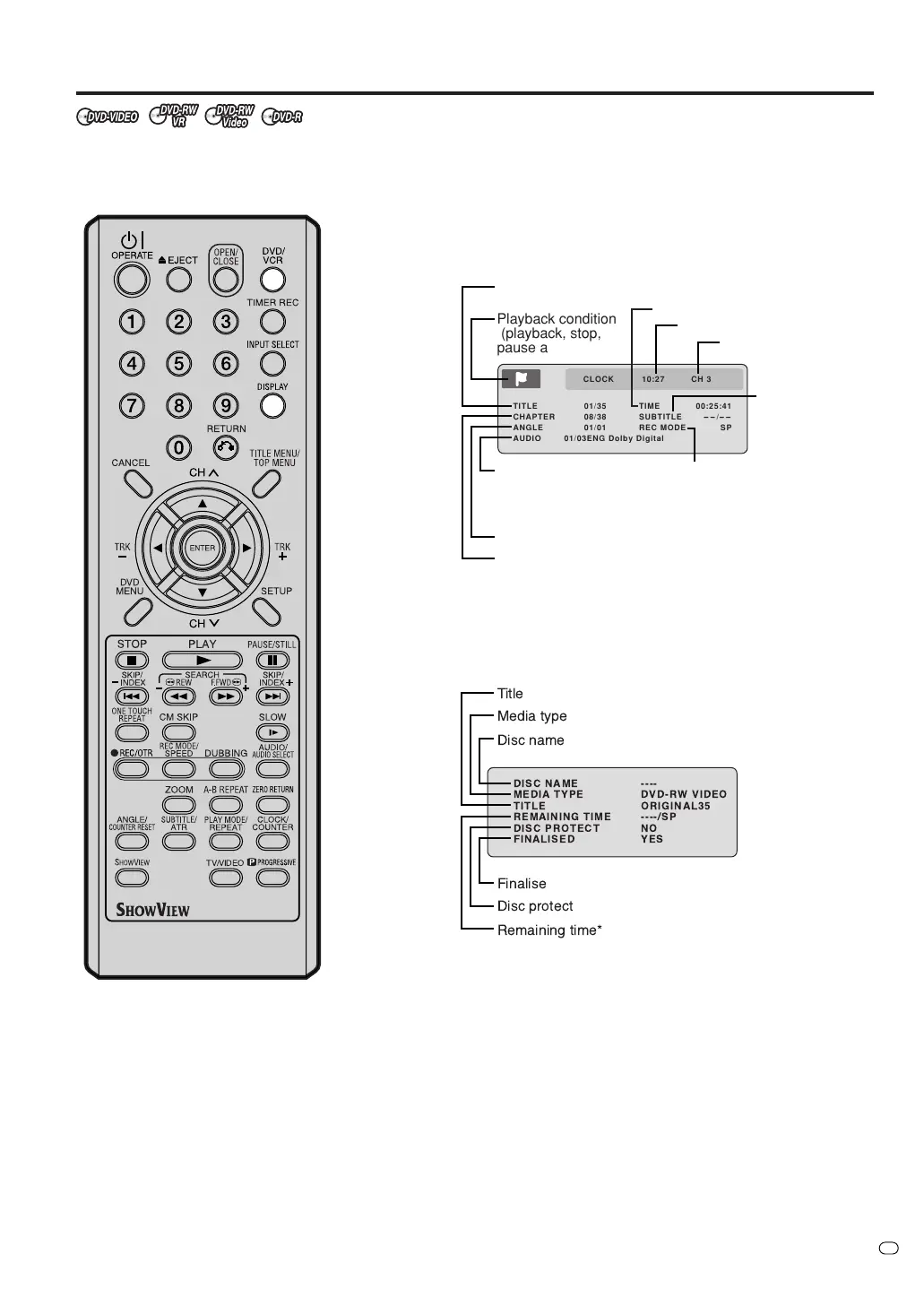
Checking media information
Various information on the loaded
disc can be displayed on the TV
screen.
NOTES:
• The displayed information varies
with the type of media.
• Some information may not appear
due to media type or operating
conditions.
• In the stop mode, some informa-
tion does not appear.
Preparation:
•Turn ON the TV and switch the TV to it’s AV channel (this may be
labelled EXT / AUX etc.)
• Load the disc.
• Press DVD/VCR to select DVD mode. (The DVD indicator will light.)
1
Press DISPLAY.
Media information will appear.
2
Press DISPLAY while the media information above is displayed.
The second display for media information will appear.
*The remaining time displayed during recording may be different
from the actual remaining time. When you want to check the cor-
rect remaining time, stop recording and display the media infor-
mation again.
3
Press DISPLAY again while the media information above is dis-
played. The media information will disappear.
TV/VIDEO
TITLE 01/35 TIME 00:25:41
CHAPTER 08/38 SUBTITLE
--
/
--
ANGLE 01/01 REC MODE SP
AUDIO 01/03ENG Dolby Digital
CLOCK 10:27 CH 3
Playback condition
(playback, stop,
pause and record)
The number of
audio languages
and present
language
Playback elapsed time
Current
subtitles
language
Recording mode
The number of titles and present title number
Present channel
Present time
The number of angles and present angle number
The number of chapters and
present chapter number



 To Next Page