63
GB
TV/VIDEO
Editing a playlist
You can create and edit the playlist
based on the original title.
NOTES:
•A playlist can only be created with
a DVD-RW in VR mode. You can-
not create a playlist with a DVD-
RW in Video mode, nor with a
DVD-R.
• If the disc includes more than 10
titles, you can move to the next or
previous page. (See page 30.)
Preparation:
•Turn ON the TV and switch the TV to it’s AV channel (this may be
labelled EXT / AUX etc.)
• Load the recorded DVD-RW (VR).
• Press DVD/VCR to select DVD mode. (The DVD indicator will light.)
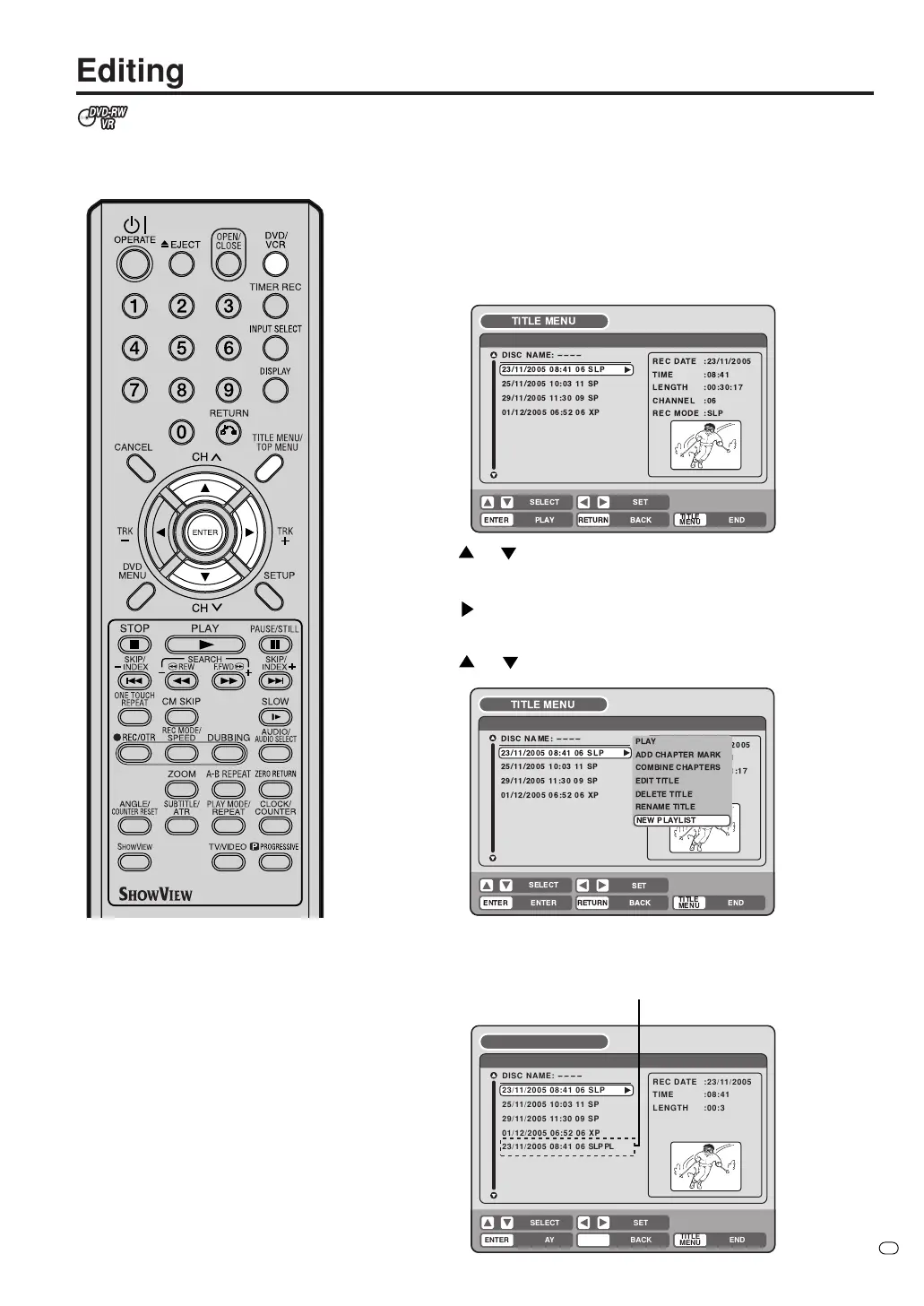
Creating a playlist
1
Press TITLE MENU/TOP MENU.
The title menu will appear.
2
Press
or to select the original title which will be used as the
base of a playlist.
3
Press
.
The editing menu of original title will appear.
4
Press
or to select “NEW PLAYLIST”.
5
Press ENTER.
The editing menu closes and the created playlist appears at the
bottom of the list.
!"
!"
$% &
%
'
RETURNPLAY BACK
SET
END
SELECT
TITLE
MENU
ENTER
DISC NAME:
----
Title 1
25/11/2005 10:03 11 SP
29/11/2005 11:30 09 SP
01/12/2005 06:52 06 XP
23/11/2005 08:41 06 SLP PL
23/11/2005 08:41 06 SLP
REC DATE :23/11/2005
TIME :08:41
LENGTH :00:30:17
CHANNEL :06
REC MODE :SLP
TITLE MENU
Created playlist
!
!
#$ %
&
$
' $
( &
( &



 To Next Page