EasyManua.ls Logo

Sharp DV-RW270S - Erasing a Playlist

Sharp DV-RW270S
92 pages
Print Icon
To Next Page IconTo Next Page
To Previous Page IconTo Previous Page
Loading...
68
GB
Editing a playlist
Erasing a playlist
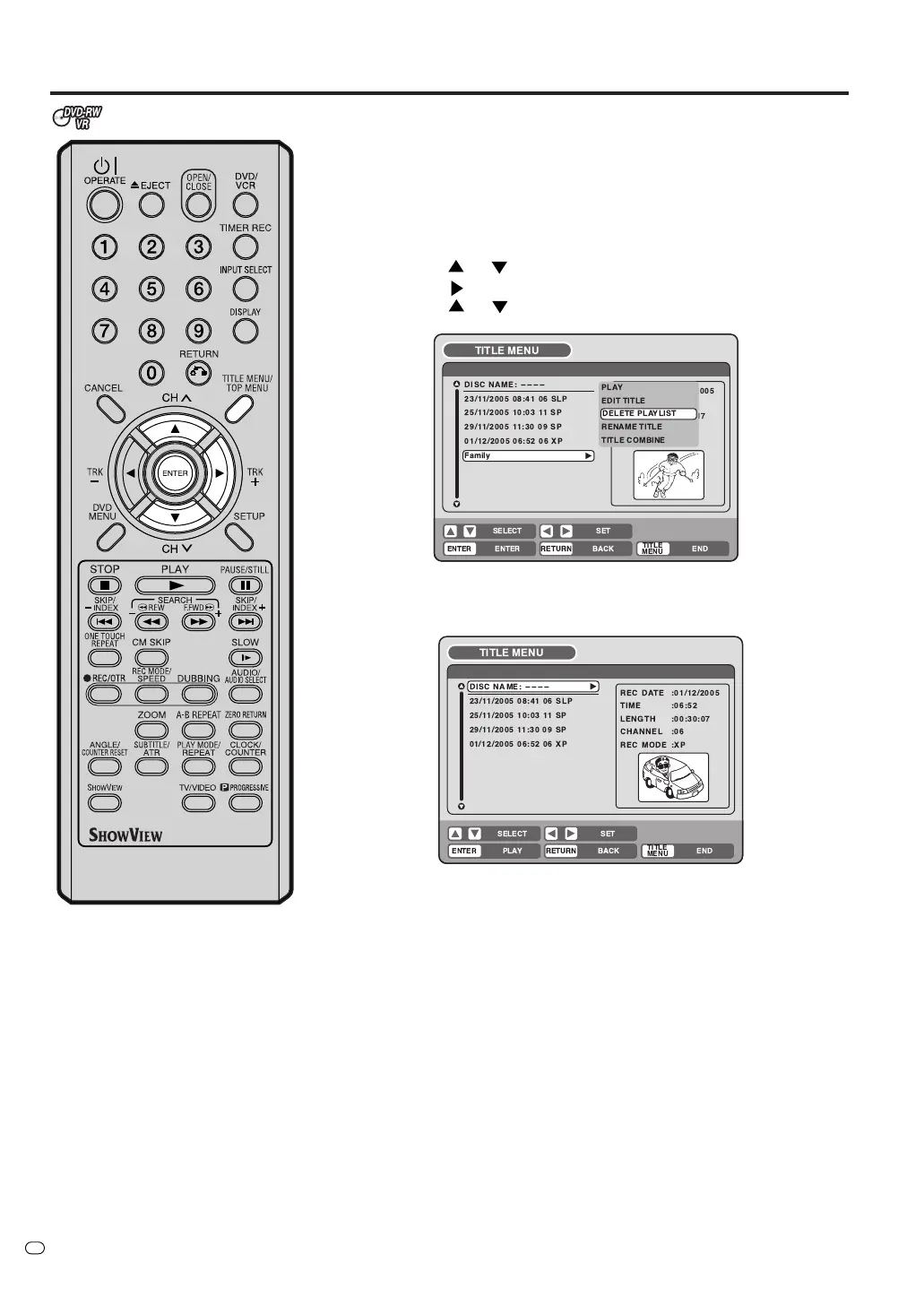
You can erase the created playlist. If you erase the playlist, the original
title will not be erased.
1
Press TITLE MENU/TOP MENU to display the title menu.
2
Select the playlist that you want to erase.
• Press
or to select the playlist.
• Press
to display the editing menu of the playlist.
• Press
or to select “DELETE PLAYLIST”.
3
Press ENTER.
The selected playlist will be erased.
TV/VIDEO
 






 

   
  
   
   
 !"#
  
 
%& '
& 
 ( 
 
)
 
 (%
 
 (
 )
 






 

   
  
   
   
  
 
 ! "
! 
 # 
 

Table of Contents