37
GB
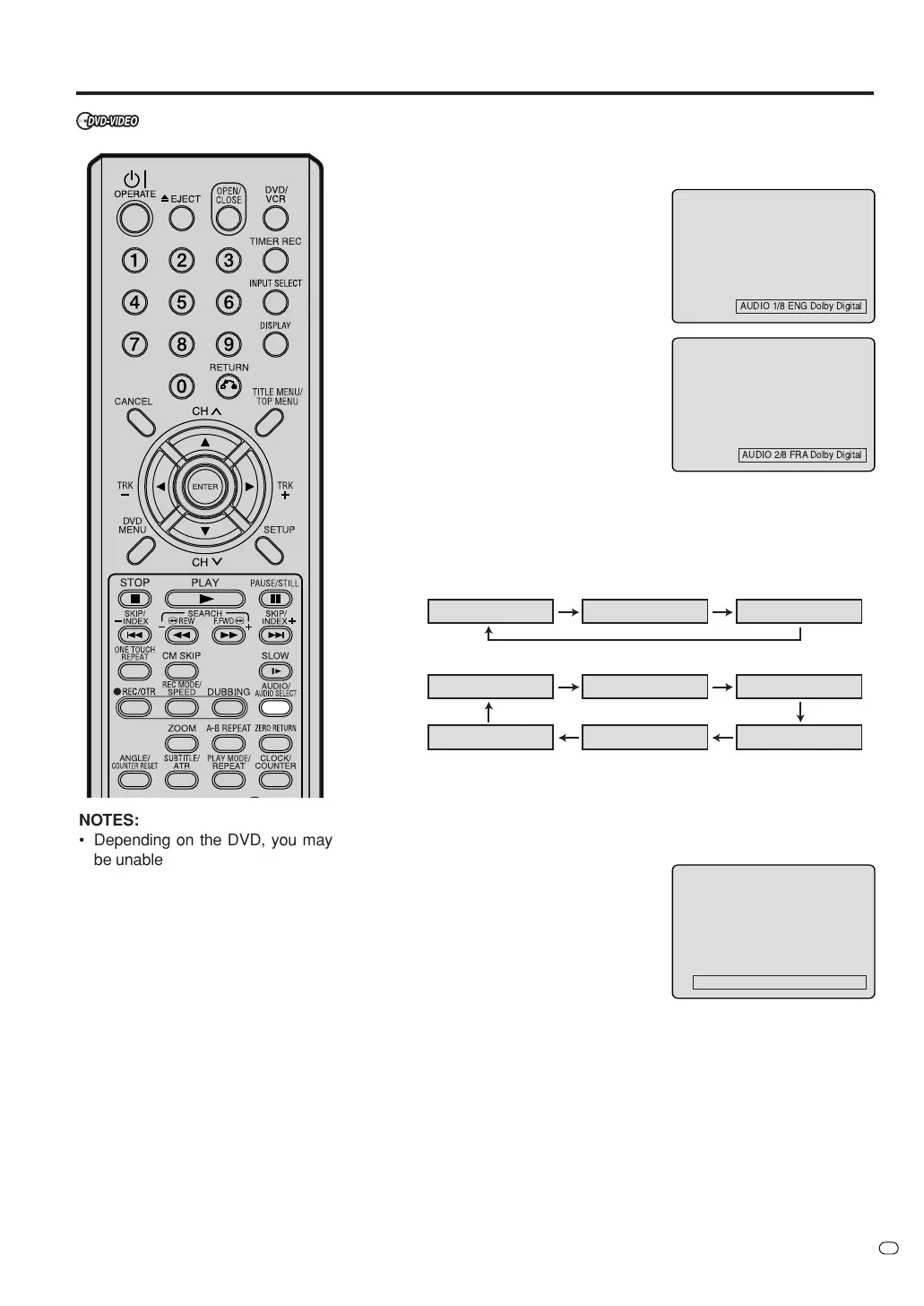
Changing soundtrack language / Karaoke playback
NOTES:
• Depending on the DVD, you may
be unable to select the soundtrack
language by pressing AUDIO/AU-
DIO SELECT even if the DVD has
some soundtracks. In this case,
please select it on the DVD MENU
screen.
• If the wanted language is not heard
after pressing the button several
times, the language is not recorded
on the disc.
• The vocal output feature is used
during playback of Dolby Digital
(multi-channel) recorded DVD
KARAOKE discs. This feature
allows you to turn off vocal audio
tracks, or restore them for
background accompaniment.
• When playing Karaoke, connect
appropriate audio equipment
such as an amplifier to this unit.
Changing soundtrack language
You can select the language when you play a multilingual disc.
1
Press AUDIO/AUDIO SELECT
during playback.
The current soundtrack language
will appear.
2
Press AUDIO/AUDIO SELECT
repeatedly until the desired lan-
guage is selected.
The on screen display will disap-
pear after a few seconds.
Karaoke playback
You can turn the vocal on or off recorded on the DVD KARAOKE.
During DVD KARAOKE disc playback,
press AUDIO/AUDIO SELECT repeat-
edly until the required setting is se-
lected.
Vo. ON : The primary vocal is
output when it is recorded
on the disc.
Vo. OFF : The primary vocal is not
output.
NOTES :
• Some Karaoke discs may not have the vocal on/off function.
• The on screen display will disappear after a few seconds.
AUDIO LR AUDIO L AUDIO R
AUDIO 1/2 LR AUDIO 1/2 RAUDIO 1/2 L
AUDIO 2/2 R AUDIO 2/2 LRAUDIO 2/2 L
33
33
3In case of VIDEO CD playback
Audio type will change as follows each time you press AUDIO/
AUDIO SELECT.
VIDEO CD
S-VCD
AUDIO 1/2 Vo. OFF Dolby Digital



 To Next Page