26
GB
Setting the recording / Setting the other
AUTO CHAPTER
You can automatically make chapter marks on the DVD
to be recorded.
Select “AUTO CHAPTER” and select the interval be-
tween chapter marks from the below.
OFF: The automatic chapter is not used.
5 MIN: The interval is set to 5 minutes.
10 MIN: The interval is set to 10 minutes.
15 MIN: The interval is set to 15 minutes.
30 MIN: The interval is set to 30 minutes.
INDEX PICTURE
You can set the time that the thumbnail image is regis-
tered in the title menu of DVD-RW (VR mode).
Select “INDEX PICTURE” and select from the below.
0 SEC: The image 0 second after a recording start
is registered.
1 MIN: The image 1 minute after a recording start
is registered.
3 MIN: The image 3 minutes after a recording start
is registered.
5 MIN: The image 5 minutes after a recording start
is registered.
NOTE:
You cannot select the thumbnail image for Video mode.
BILINGUAL RECORDING
In case of the recording of a bilingual program to a disc
with video format, you can select the recording sound.
L CH: to record with left channel
R CH: to record with right channel
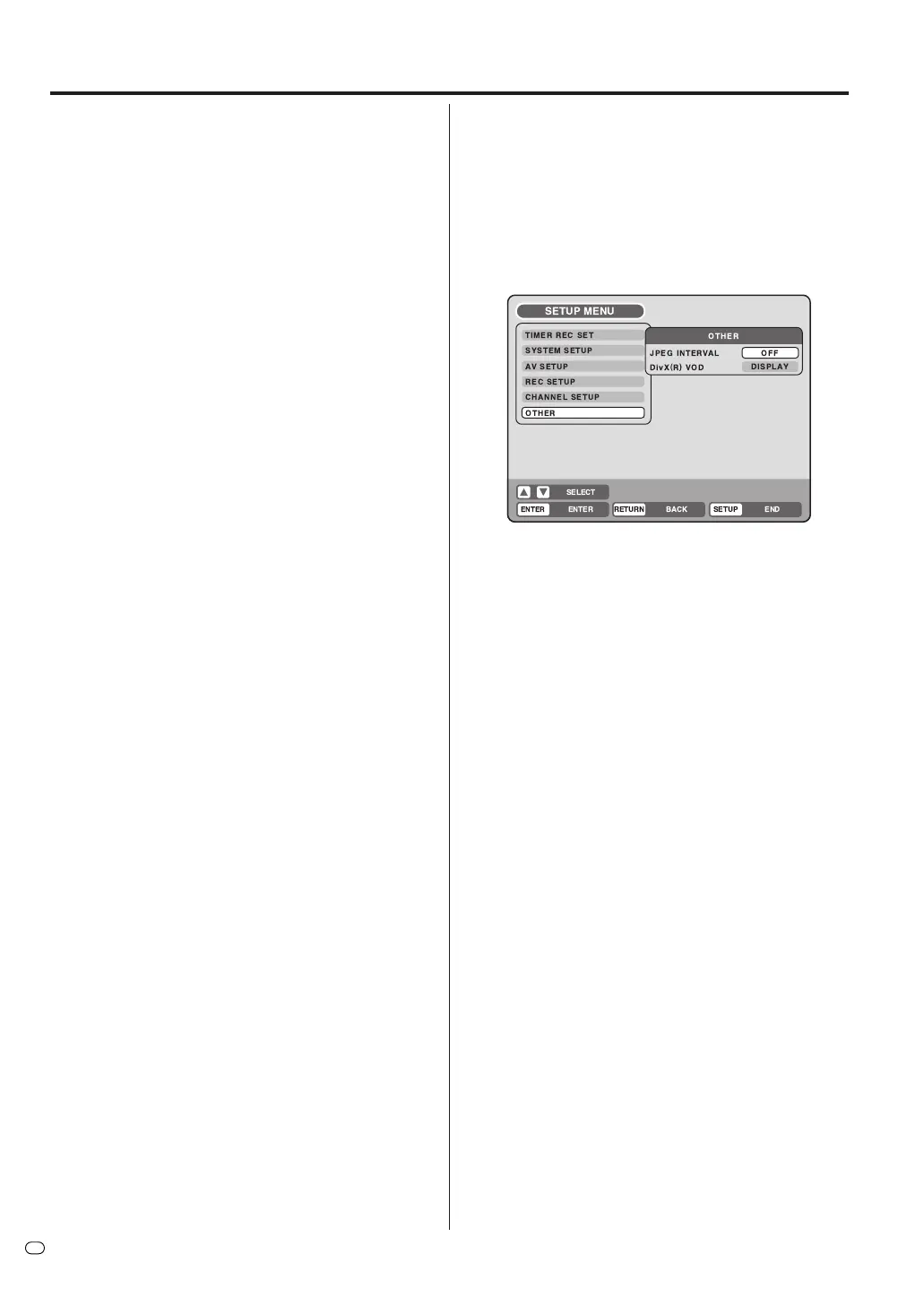
You can set the switching interval between played
back images in the slide show mode. And, you can
display the registration code of DivX
®
VOD.
Preparation:
•Turn ON the TV and switch the TV to it’s AV channel
(this may be labelled EXT / AUX etc.)
• Select “OTHER”. For the procedure, see steps 1 to 3
in “Using the SETUP MENU” on page 18.
JPEG INTERVAL
You can select the interval time for JPEG slide show
(page 42).
Select “JPEG INTERVAL” and select the switching in-
terval between images from the below.
OFF: The slide show mode is not used.
5 SEC: The interval is set to 5 seconds.
10 SEC: The interval is set to 10 seconds.
15 SEC: The interval is set to 15 seconds.
DivX
®
VOD
This unit is designed and manufactured to support the
DivX
®
VOD (Video On Demand) DRM (Digital Rights
Management). You can display the registration code of
VOD.



 To Next Page