69
GB
Editing an original title
In VR mode, you can edit various
items, whereas in Video mode,
you can only edit the title names.
NOTES:
•You can automatically add a chap-
ter mark in recording. For more in-
formation, see page 26.
• If the disc includes more than 10
titles, you can move to the next or
previous page.
Preparation:
•Turn ON the TV and switch the TV to it’s AV channel (this may be
labelled EXT / AUX etc.)
• Load the recorded disc.
• Press DVD/VCR to select DVD mode. (The DVD indicator will light.)
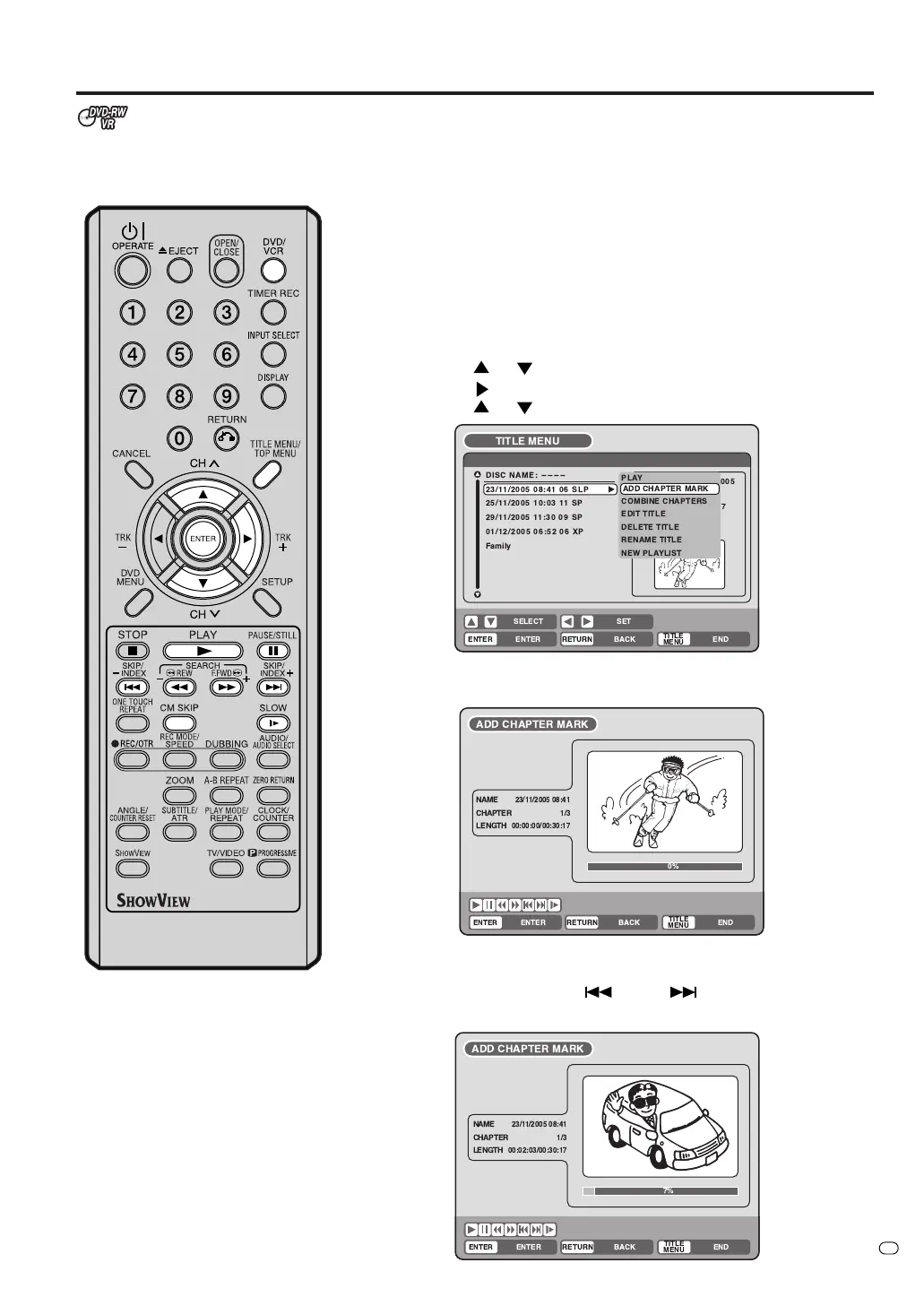
Adding a chapter mark
You can add a chapter mark to the original title. You can add up to 999
chapter marks to one disc.
1
Press TITLE MENU/TOP MENU to display the title menu.
2
Select the original title where a chapter mark is added.
• Press
or to select the original title.
• Press
to display the editing menu of the original title.
• Press
or to select “ADD CHAPTER MARK”.
3
Press ENTER.
The ADD CHAPTER MARK screen will appear.
4
Press PLAY to search a scene where you want to add the chapter mark.
• Search the scene by using any of the following operation buttons
(F.FWD, REW, SKIP
, SKIP
, PAUSE/STILL, SLOW,
CM SKIP) for playback.
TV/VIDEO
!"#
%& '
&
(
)
( &
* )
&



 To Next Page