51
GB
Recording a TV program
Preparation:
•Turn ON the TV and switch the TV to it’s AV channel (this may be
labelled EXT / AUX etc.)
• Load a recordable DVD or video tape into the unit.
• Press DVD/VCR to select the appropriate mode.
1
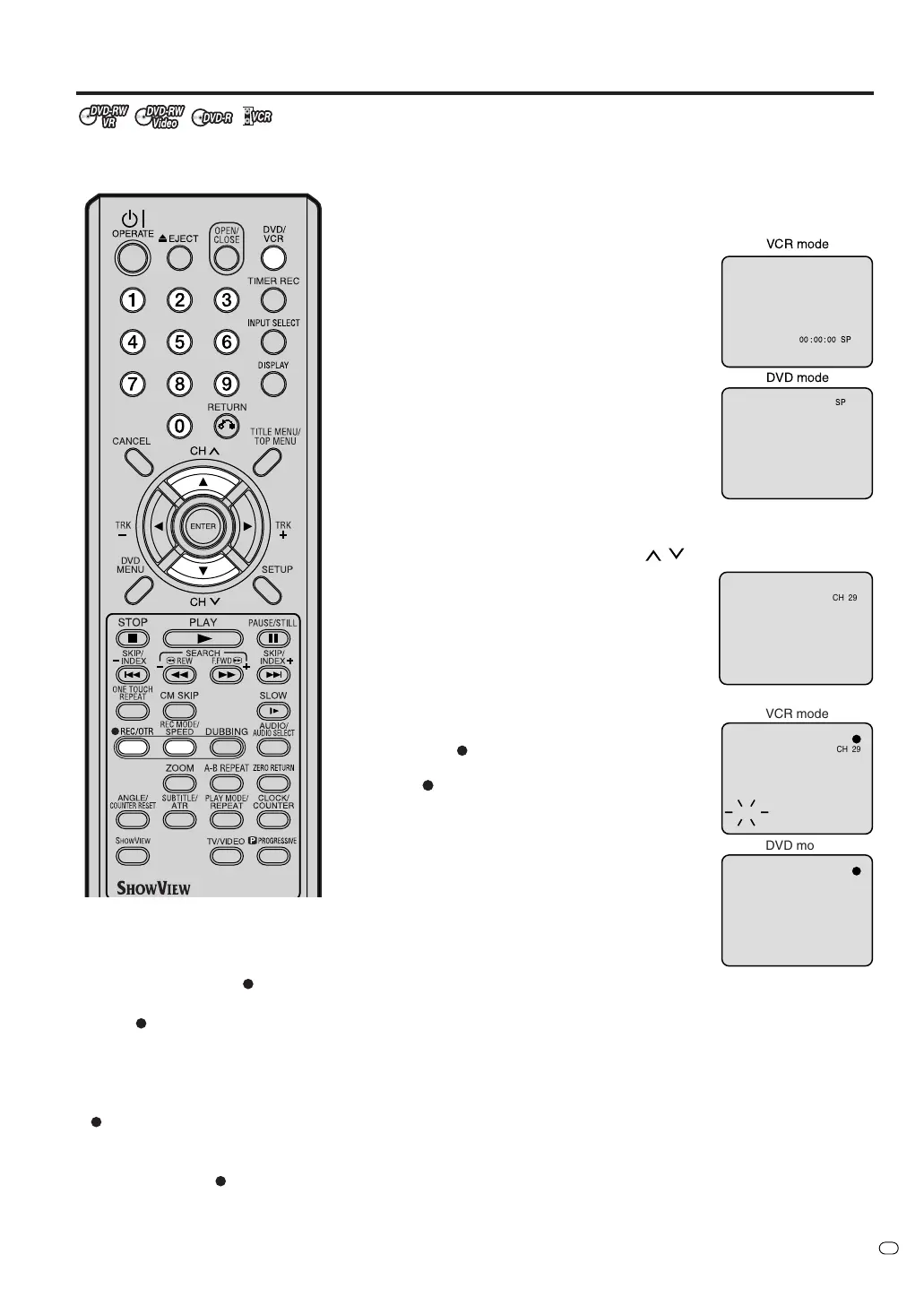
Press REC MODE/SPEED to select the re-
cording mode.
The recording mode will appear on the TV
monitor and change every time REC
MODE/SPEED is pressed.
VCR recording modes: SP/LP
DVD recording modes: XP/SP/LP/SLP
SP is the normal recording mode for video
tapes. LP offers 2 times the recording time
as SP. For more information on DVD re-
cording modes, see page 49.
2
Press the numeric keys or CH
/ to select the channel you
want to recorded.
1~9 : e.g. 5 = press “5”
10~80 : e.g. 29 = press “2” and “9” within
2 seconds.
3
Press
REC/OTR.
“
” appears on the screen for about 4
seconds and recording will start.
NOTES:
• When recording onto a DVD, it
takes approximately 4 seconds
from when you press
REC/OTR
until recording actually starts.
Press
REC/OTR 4 or 5 seconds
before your preferred starting
point.
With a video tape, recording starts
at almost the same time you press
REC/OTR.
• If a cassette tape without an erase
prevention tab is loaded, the tape
will eject when
REC/OTR is
pressed for recording.
You can record programs you watch
on TV onto video tapes or DVDs.
00 : 00 : 00 SP
SP
DVD mode
VCR mode
CH 29
CH 29
VCR mode
DVD mode
INDEX
TV/VIDEO



 To Next Page