46
GB
Cassette tape playback
NOTES:
• This VCR selects the playback
tape speed SP or LP automatically.
•A cassette tape and DVD disc can
be played back simultaneously. If
you press DVD/VCR, the tape
playback and DVD playback alter-
nate with each other on the screen.
Preparation:
•Turn ON the TV and switch the TV to it’s AV channel (this may be
labelled EXT / AUX etc.)
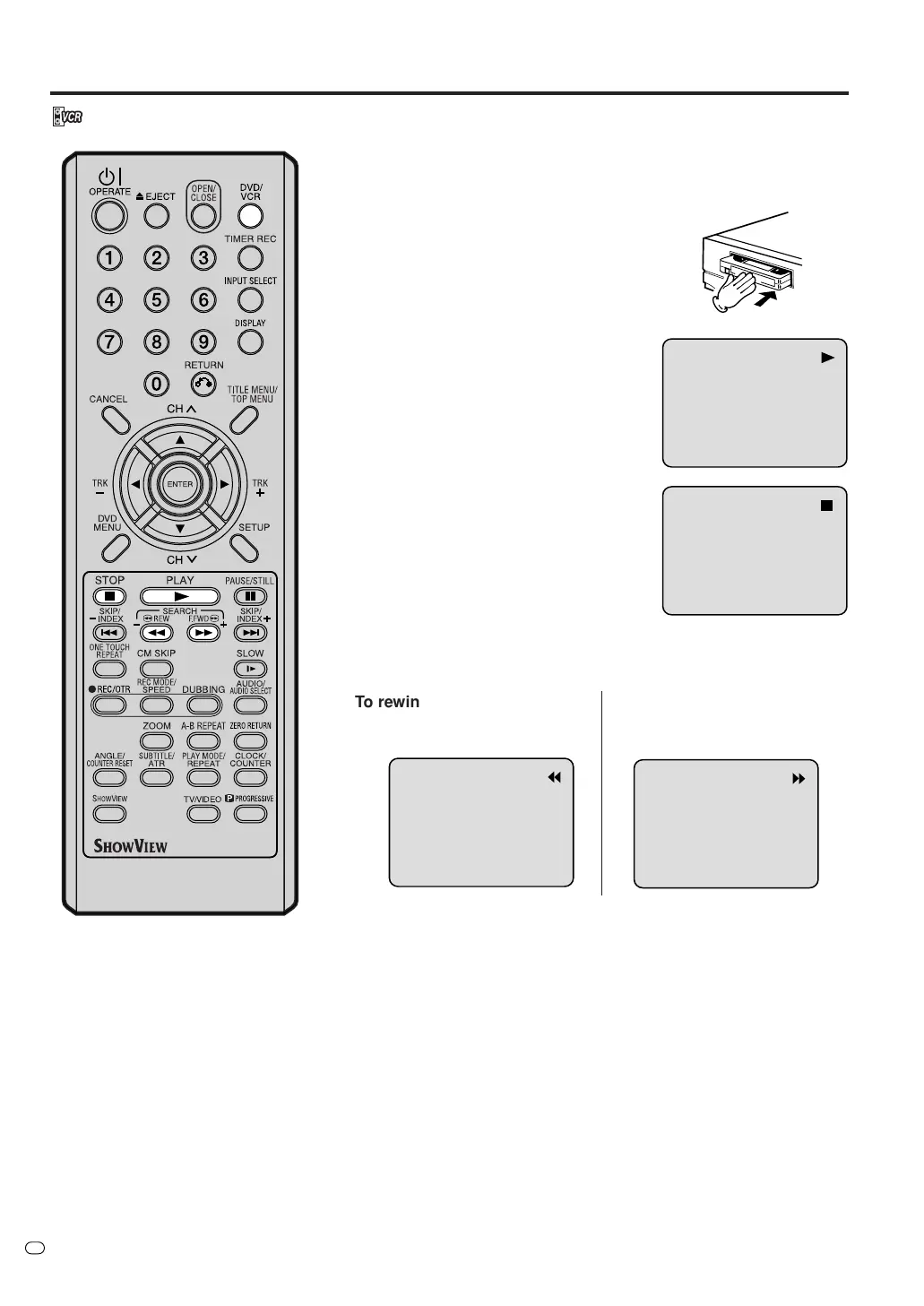
• Press DVD/VCR to select VCR mode. (The VCR indicator will light.)
1
Load a prerecorded tape
(When loading a cassette tape
without the erase prevention
tab, playback will start automatically).
2
To start playback
Press PLAY.
Playback will start.
If the cassette has not loaded, the
cassette indicator on the front
display will blink for approx. 4
seconds.
To stop playback
Press STOP once.
The tape will stop but remain fully
loaded and ready to play.
To rewind the tape or forward it rapidly
Press STOP.
TV/VIDEO
To rewind the tape:
Press REW.
To stop the tape winding, press STOP. Press PLAY to switch directly to
playback (without pressing STOP).
Forward/Reverse picture search mode
When the tape is being wound, you can switch to picture search mode
(see next page). To do this, press REW or F.FWD and hold it down.
The unit will resume the tape winding as soon as the button is re-
leased.
To forward the tape:
Press F.FWD.
NTSC video cassette playback
When using a pre-recorded NTSC video cassette tape, the connected
TV set must be compatible with a 60Hz vertical frequency (sometimes
known as a PAL 60Hz feature). Otherwise the on screen picture will be
affected by vertical rolling. Even if your VCR set is capable of processing
NTSC video signals, the picture may be shortened vertically (appear-
ance of black bars at the top and at the bottom of the TV screen). The
dubbing of a NTSC video cassette tape to a standard PAL VCR is not
possible.



 To Next Page