66
GB
Editing a playlist
TV/VIDEO
NOTE:
There are no problem in omitting
from the procedures for confirming
the scene or adjusting start and end
points.
5
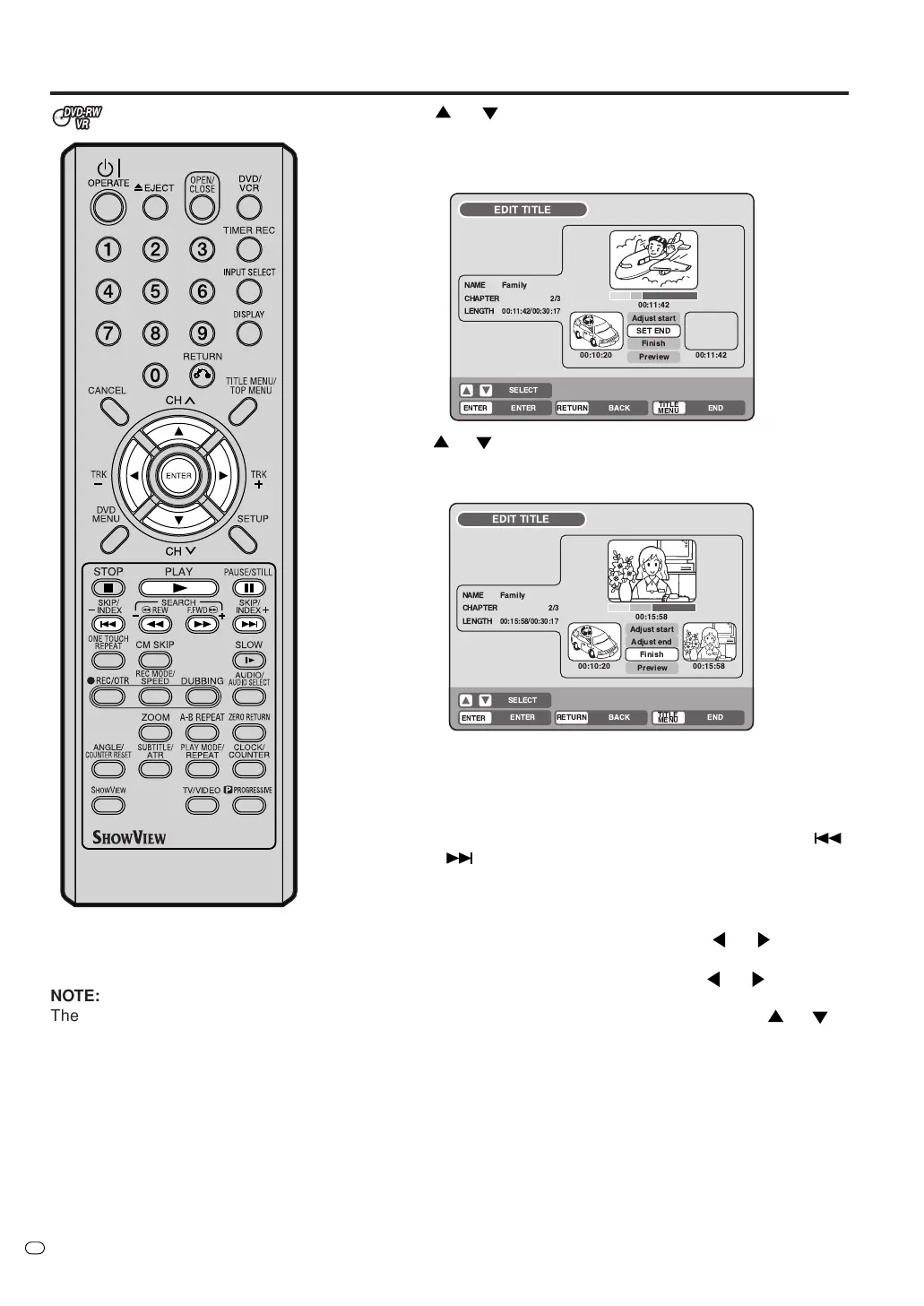
Press
or to select “SET START” at the start point of the
scene that you want to erase and press ENTER. (To set the start
point, search the start point whilst “SET START” is selected).
A still image of the start point appears in the bottom left screen.
6
Press
or to select “SET END” at the end point of the scene
you want to erase and press ENTER.
A still image of the end point appears in the bottom right screen.
7
Checking the erased scenes.
• Select “Preview” and press ENTER. The video which had in-
cluded the erased scene is now played back from start to end
points with erased scenes removed.
•You can use any operation button (F.FWD, REW, SKIP
,
SKIP
, PLAY, PAUSE/STILL) for playback.
8
Adjust the start and end points.
•To adjust the start point, select “Adjust start” and press ENTER.
You can change the start point by pressing
or .
•To adjust the end point, select “Adjust end” and press ENTER.
You can change the end point by pressing
or .
9
If you have confirmed the scene to be erased, press
or to
select “Finish” and press ENTER.
•A chapter mark is automatically added at the location of the
erased scene.
!"#
! %&'
(
)*
+(
)*,
!"
!
!
#$%$&
'()*+ *+#+
'()*+ $,'
,*-



 To Next Page