80
GB
Dubbing using other equipment
Playback unit connection.
The playback unit can be a camcorder or a video recorder. Check each unit’s operation manual for playback
operation. A copy protected video or DVD disc cannot be copied.
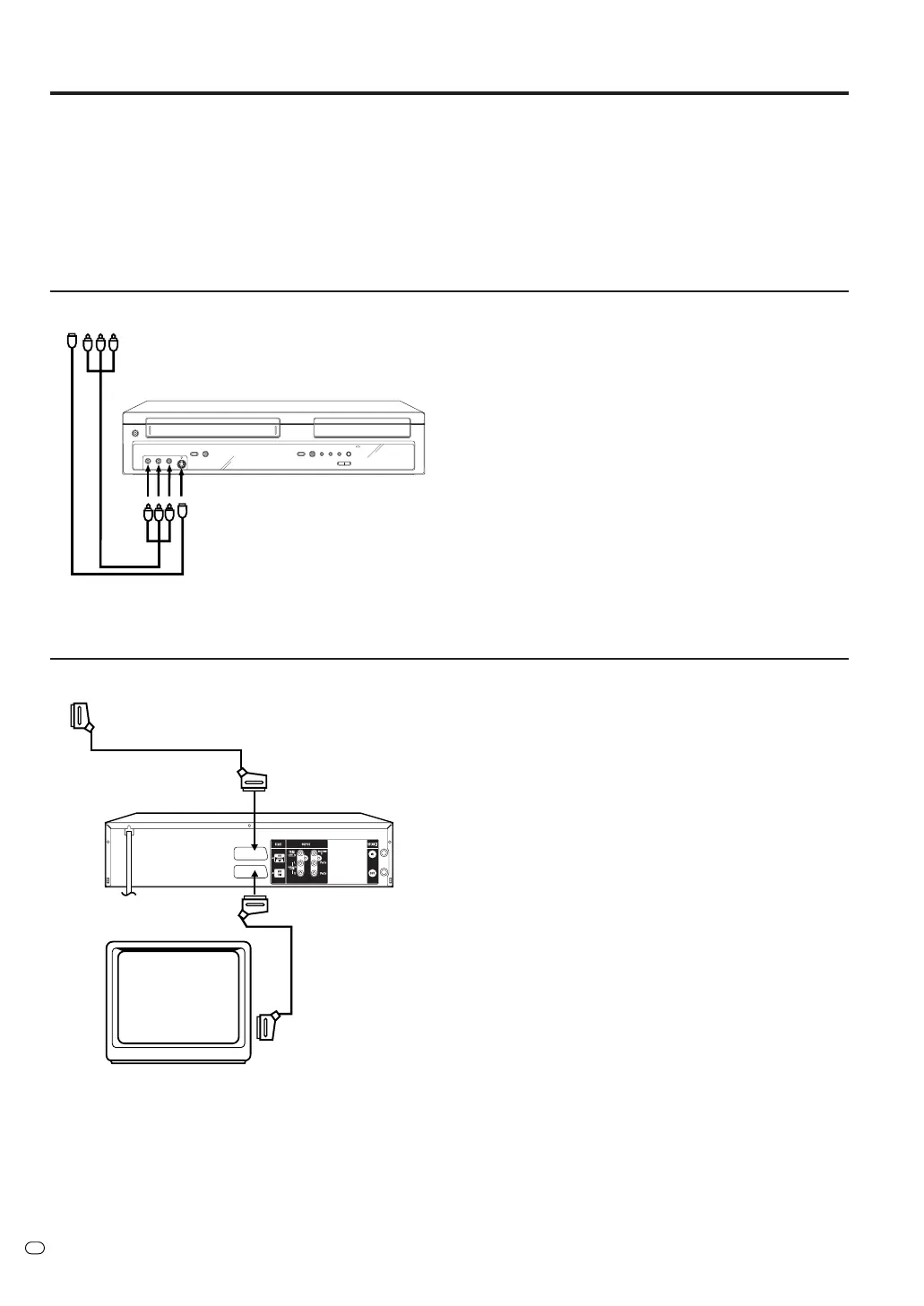
Dubbing using an A/V-cable (or S-Video cable) (not supplied)
To playback unit
Recording unit
A/V-cable (not supplied)
Press INPUT SELECT on the remote con-
trol repeatedly until A3 appears on the front
display.
If the other VCR or camcorder is equipped
using an S-Video output, a superior picture
will be achieved using an S-Video cable
connected to the S-Video-input (AV3) on the
front panel with an S-Video cable. For this
to work, you must select “S-VIDEO” mode
in AV3 INPUT-setting on page 24.
If you select “VIDEO”, only the composite
video signal will be input. (S-Video input sig-
nal will be cut.)
The S-Video input can be used only for re-
cording on the disc. (The S-Video input can-
not be used for recording on the video tape.)
To playback unit
Scart cable
(not supplied)
Scart cable
(supplied)
TV-unit (not supplied)
Dubbing using a scart cable (not supplied)
Press INPUT SELECT on the remote
control repeatedly until A2 appears on the
front display.
Recording unit
S-Video cable (not supplied)
Select “AV” mode in AV2 setting on page 24.
Note:
The dubbing is not possible if “DECODER”
was selected.



 To Next Page