18
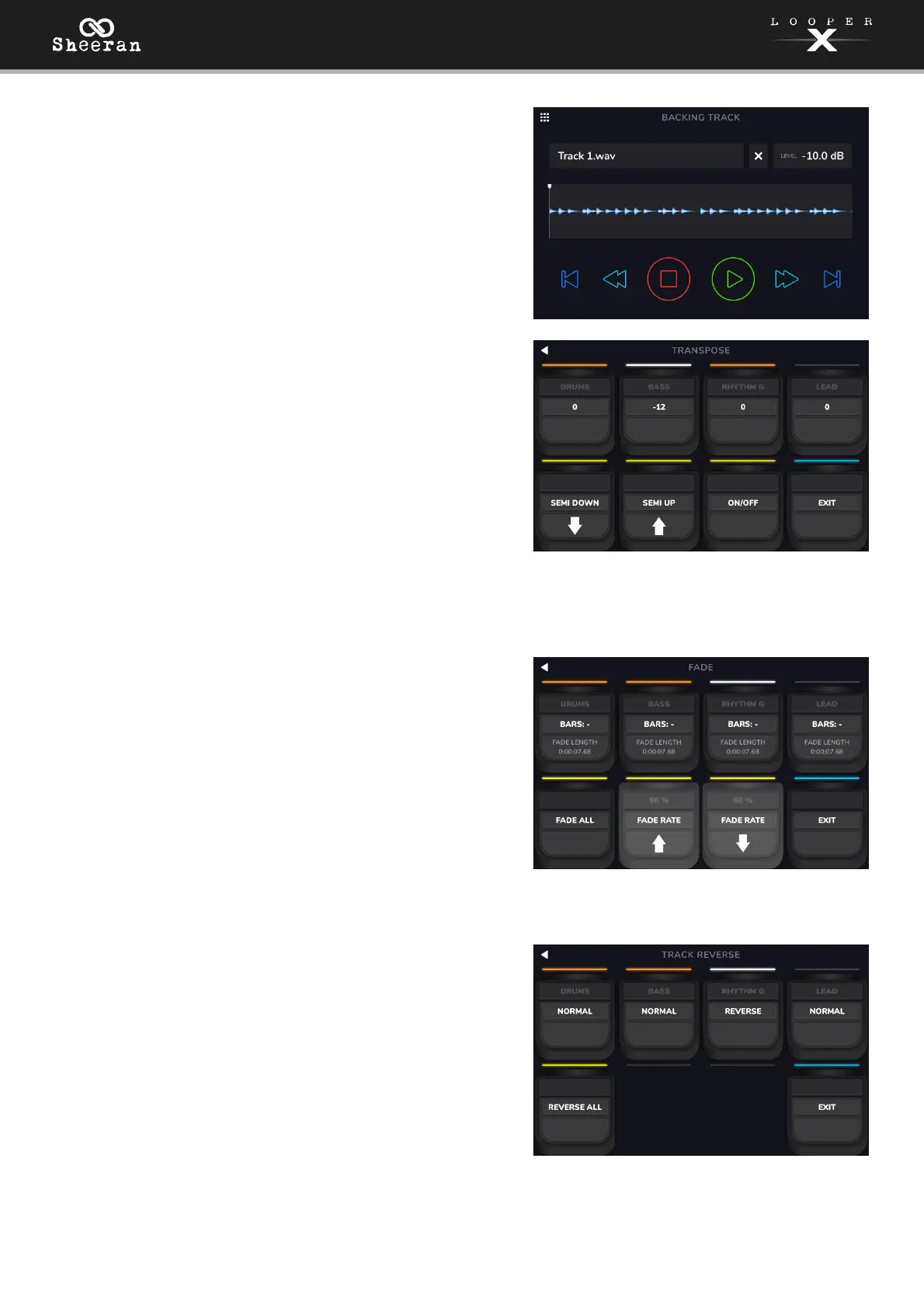
Backing Track:
Select this option to open the Backing Track feature. See
(5.8) Menu > Backing Track Player to learn more.
Transpose:
Use the Track 1–4 pedals to select a looper track to adjust
the transposition. You can also select multiple tracks to
change their transposition by the same value. When a track
is selected for editing, the Track LED will turn white.
Use the RECORD + PLAY and STOP pedals to adjust the
amount of transposition (in semitones) for the selected
track.
Use the MODE pedal to enable or disable transposition for
all tracks, whether they are currently selected or not. If the
transposition for a track is set to 0, no change is made.
When transposition is enabled, the Track LED will turn
white.
Fade:
Use the Track 1–4 pedals to apply a fade out or fade in to
each looper track. If the track is playing and available to
fade out, the track option will be orange. If the track is
stopped and available to fade in, the track option will be
white.
Use the STOP and MODE pedals to adjust the rate of the
fade, or tap the corresponding buttons on the touchscreen.
You can also use the RECORD + PLAY pedal to apply the
fade function to all tracks at the same time. If some tracks
are playing and some tracks are stopped, this function will
cross-fade the tracks.
Reverse:
Use the Track 1–4 pedals to adjust the playback direction of
each looper track. If no looper track is recorded, the track
option will be grayed out.
You can also use the RECORD + PLAY pedal to adjust the
playback direction of all looper tracks at the same time.
Exit:
Use the FUNCTION pedal to return to the previous page
from the Functions page.



 To Next Page