33
(5.9.2) Looper Mode
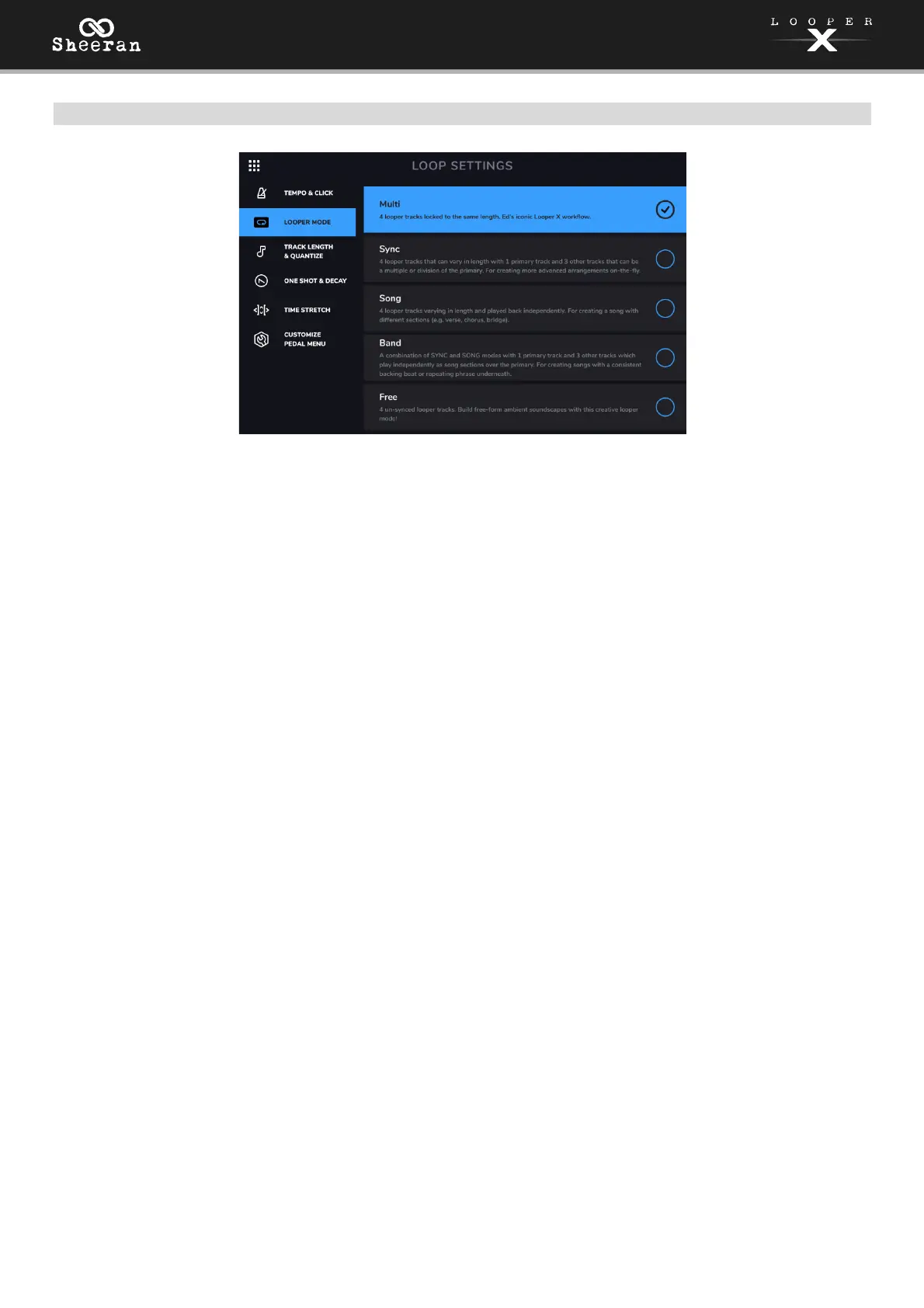
Use this tab to choose one of the five available Looper Mode settings:
• Multi Mode: Use this mode if you want four looper tracks locked to the same length. This is Ed
Sheeran’s iconic Looper X workflow.
• Sync Mode: Use this mode if you want four looper tracks that can vary in length, with one primary
track and three other tracks that can be a multiple or division of the primary track’s length, and will
be automatically quantized to keep them in sync with the primary track. This mode is useful for
creating more advanced arrangements on-the-fly.
• Song Mode: Use this mode if you want four looper tracks that can vary in length and be played
back independently. This mode is useful for creating different sections of a song (e.g., verse, chorus,
bridge, and outro).
• Band Mode: This mode is a combination of Sync and Song Modes, with one primary track and three
other tracks that can be played independently as song sections over the primary track. Like in Sync
Mode, the other tracks must be a multiple or division of the primary track’s length, and will be
automatically quantized to keep them in sync with the primary track. This mode is useful for
creating songs with a consistent backing beat or repeating phrase underneath.
• Free Mode: Use this mode if you want four un-synced, independently playing, free-form tracks.
This mode is useful for creating ambient soundscapes or other creative applications.



 To Next Page