35
(5.9.4) One Shot and Decay
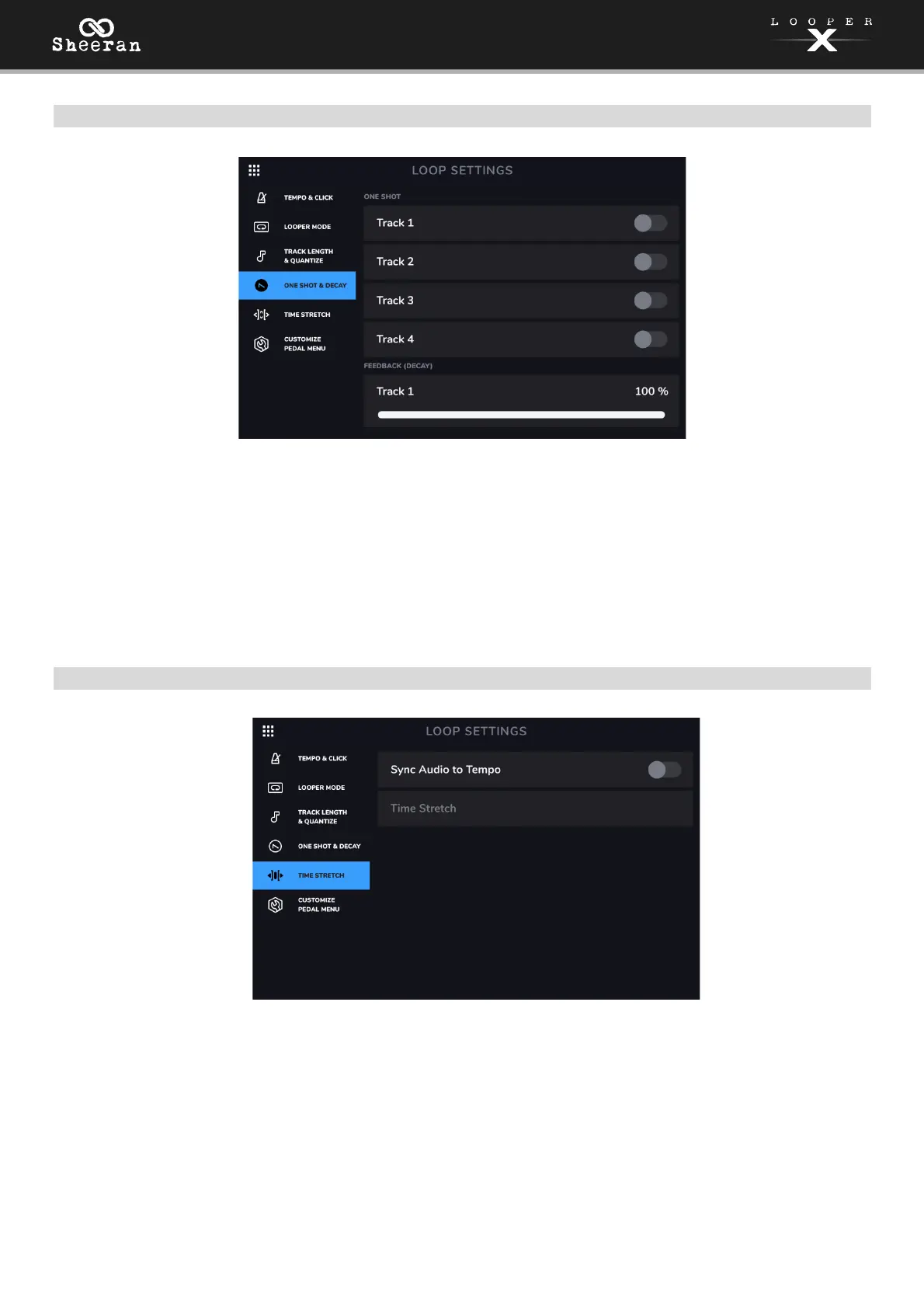
One Shot: This setting enables you to set an individual track to play just once and then stop by enabling
the One Shot setting for the track. This is particularly useful for playing backing tracks when loaded
directly to a looper track.
Feedback (Decay): This setting configures how each looper track decays over time when it is being
recorded or overdubbed. When this parameter is set to 100% for a track, it will not decay over time. As
you decrease this parameter, Sheeran Looper X will gradually fade out the track at this newly set rate. The
lower the number, the faster the loop will decay.
(5.9.5) Time Stretch
Sync Audio to Tempo: This setting determines whether changes in tempo affect your loop's audio. Set to
On to enable changes to your loop's audio according to changes in tempo. Set to Off to leave your loop's
audio unaffected by changes to the tempo.
Time Stretch: This setting determines whether changes in tempo affect your loop's audio and pitch. You
can stretch your recorded audio to be anywhere from half the speed of the original recording, all the way
to up to twice as fast as the original recording. For example, if you recorded your loop at 120 BPM, you
could stretch it to be as slow as 60 BPM or as fast as 240 BPM while still retaining the pitch of the original
recording without any unwanted artifacts. Set to On to enable or Off to disable.



 To Next Page