17
(4.4.2) Functions B
Bounce:
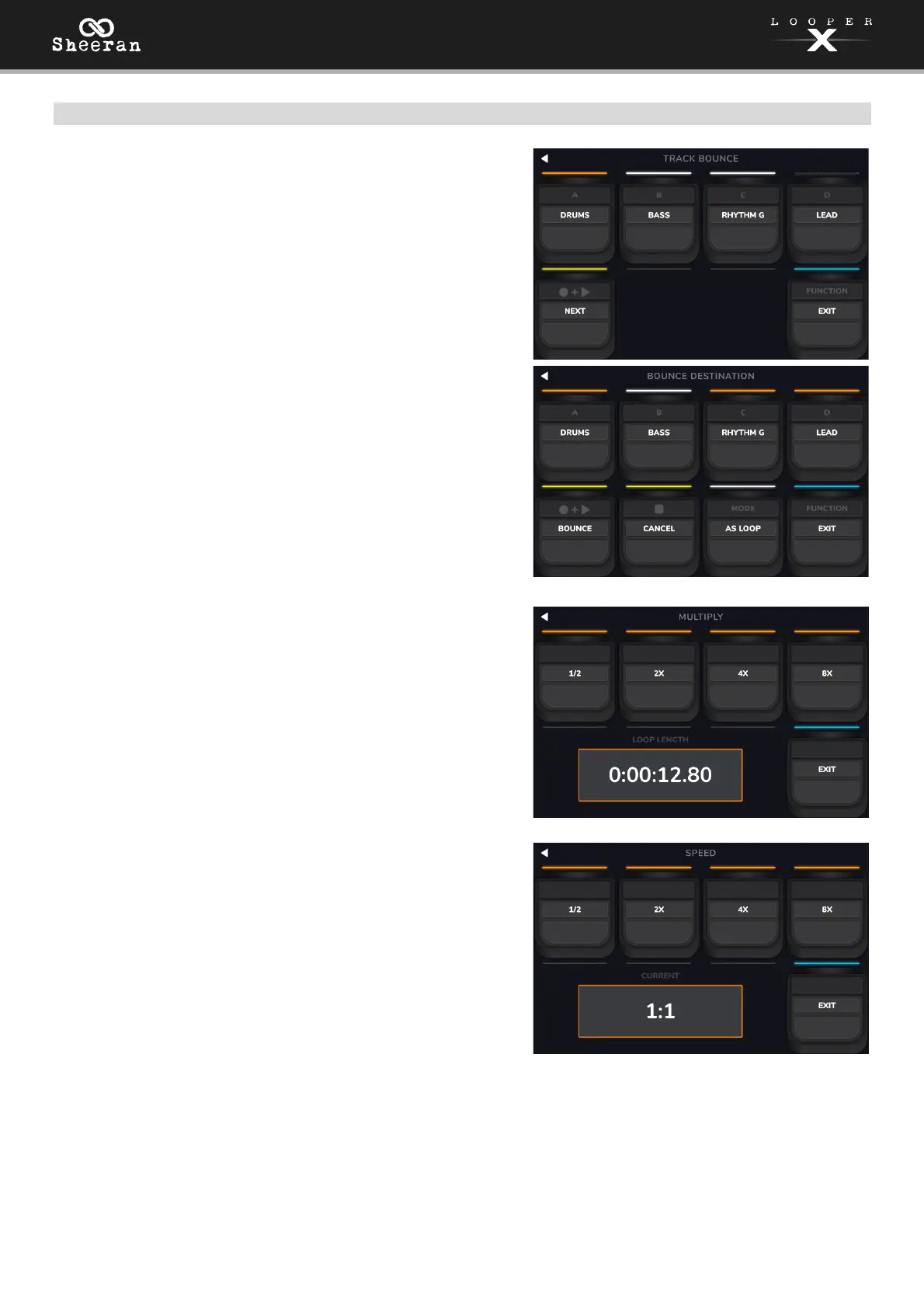
On the first Bounce page, use the Track 1–4 pedals to select
which tracks you would like to bounce. Then, press the
RECORD + PLAY pedal to navigate to the next page.
If the looper track is empty, the option will be grayed out.
On the next Bounce page, use the Track 1–4 pedals to select
the destination looper track for the bounce.
When As Loop is enabled (MODE pedal is pressed), reverb
and delay FX on each bounced track will not be cut off at
the loop point. When As Loop is disabled, reverb and delay
FX on each bounced track will be cut off at the loop point.
Press the RECORD + PLAY pedal to perform the bounce,
or press the STOP pedal to cancel and return to the
previous page. You can also press the FUNCTION pedal to
return to the last used view.
Multiply:
Use the Track 1–4 pedals to adjust the length of the full loop
by 1/2, 2X, 4 or 8X. If the minimum or maximum length limits
have been reached, unavailable options will be grayed out.
The total loop length will be shown in the box below.
Speed:
Use the Track 1–4 pedals to adjust the speed (and pitch) of
the full loop by 1/2, 2X, 4 or 8X. If the speed limits for the
loop have been reached, unavailable options will be grayed
out.
The current speed setting will be shown in the box below.



 To Next Page