15
(4.4) Functions
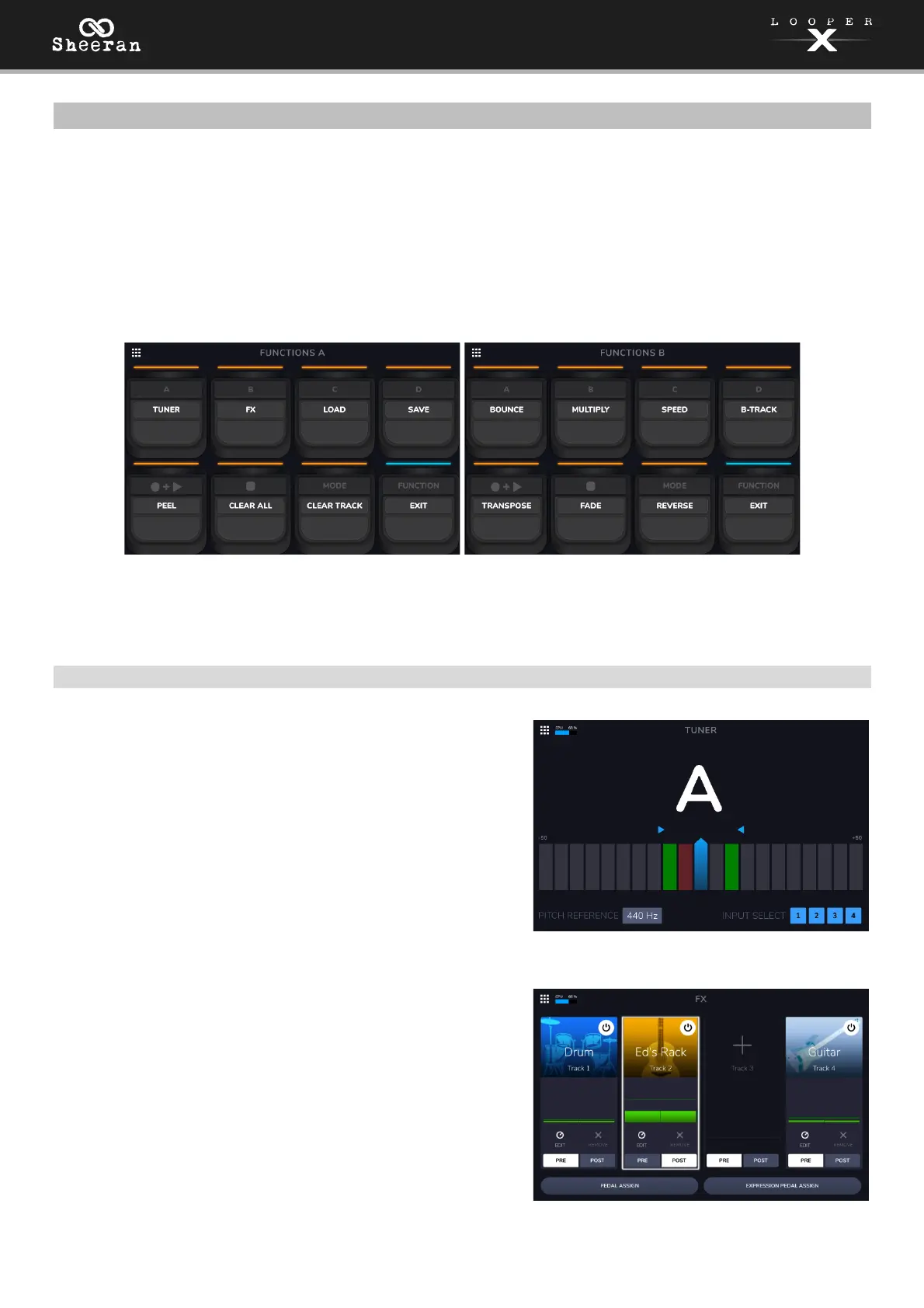
The two Functions menus provide access to various features of Sheeran Looper X through simple pedal
presses.
To open the Functions menu, press the FUNCTION pedal. The pedal indicator will be lit orange, and
the touchscreen will display the Functions A menu.
Press and hold the FUNCTION pedal to cycle between the Functions A and Functions B menus. You
can also press and hold the FUNCTION pedal when viewing another menu to directly open the
Functions B menu.
To select a function, press the corresponding pedal (labeled on the top panel in orange) or tap it on
the touchscreen.
To exit the Functions page, press the FUNCTION pedal again.
(4.4.1) Functions A
Tuner:
Opens the built-in tuner. See (5.6) Menu > Tuner to learn
more.
FX:
Opens the FX page. See (5.5) Menu > FX to learn more.



 To Next Page