6
(3.0) Features
(3.1) Top Panel
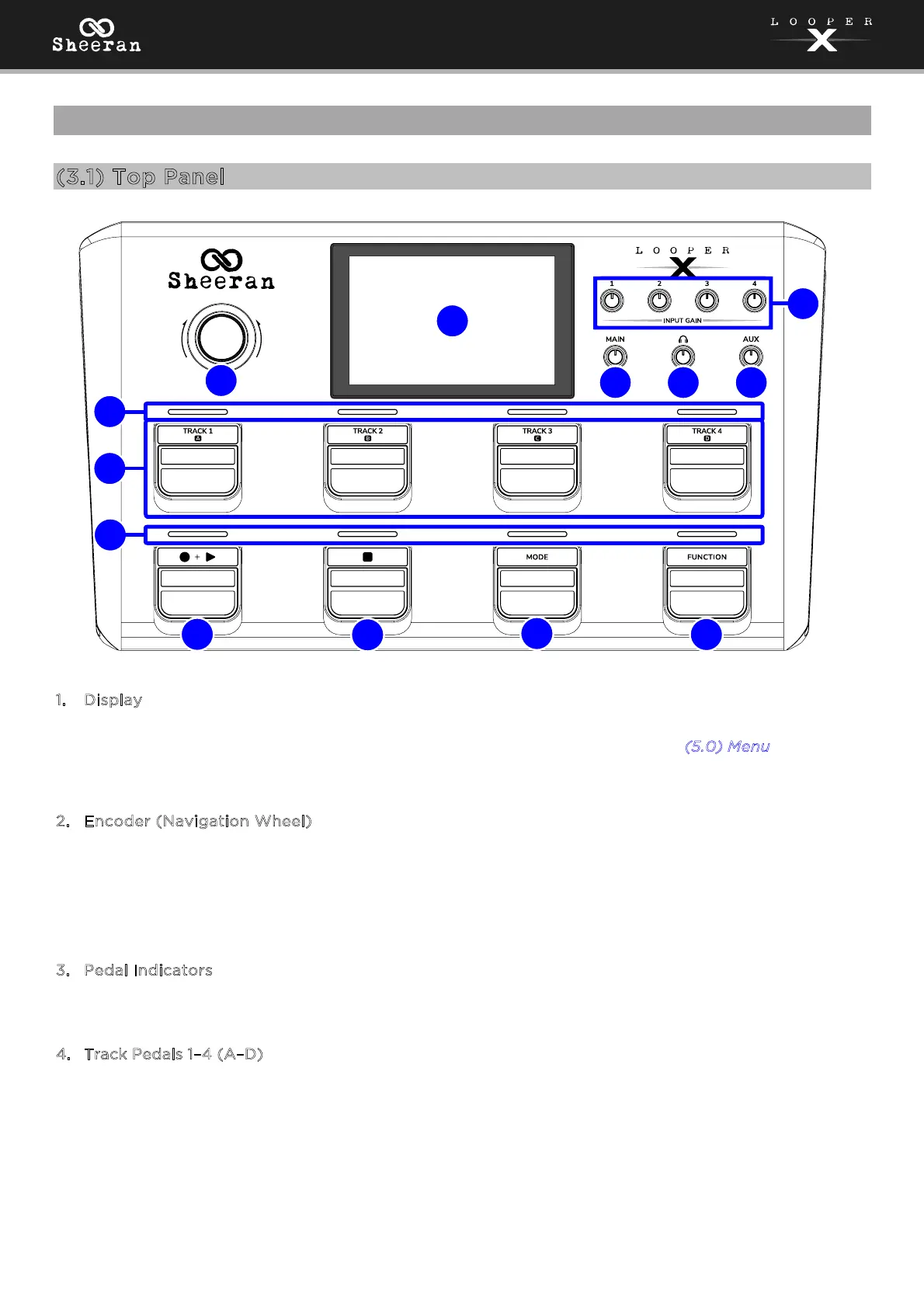
1
. Display
This full-color multi-touch display shows information relevant to Sheeran Looper X’s current operation.
Touch the display (and use the hardware controls) to control the interface. See (
5.0) Menu to learn how
it works.
2
. Encoder (Navigation Wheel)
Turn this encoder to scroll through the available menu options or adjust the parameter values of the
selected field in the display. Push the encoder to confirm your selection.
The LED surrounding the encoder will also light to indicate playback (green), recording (red), or
overdub (orange) status.
3
. Pedal Indicators
These lights indicate track and menu status.
4
. Track Pedals 1–4 (A–D)
Press these pedals to select and control loop tracks and sections.
Double-press a pedal to solo the selected track or section.
5
1
3
3
4
6
2
7
8
9
10
12
11



 To Next Page