37
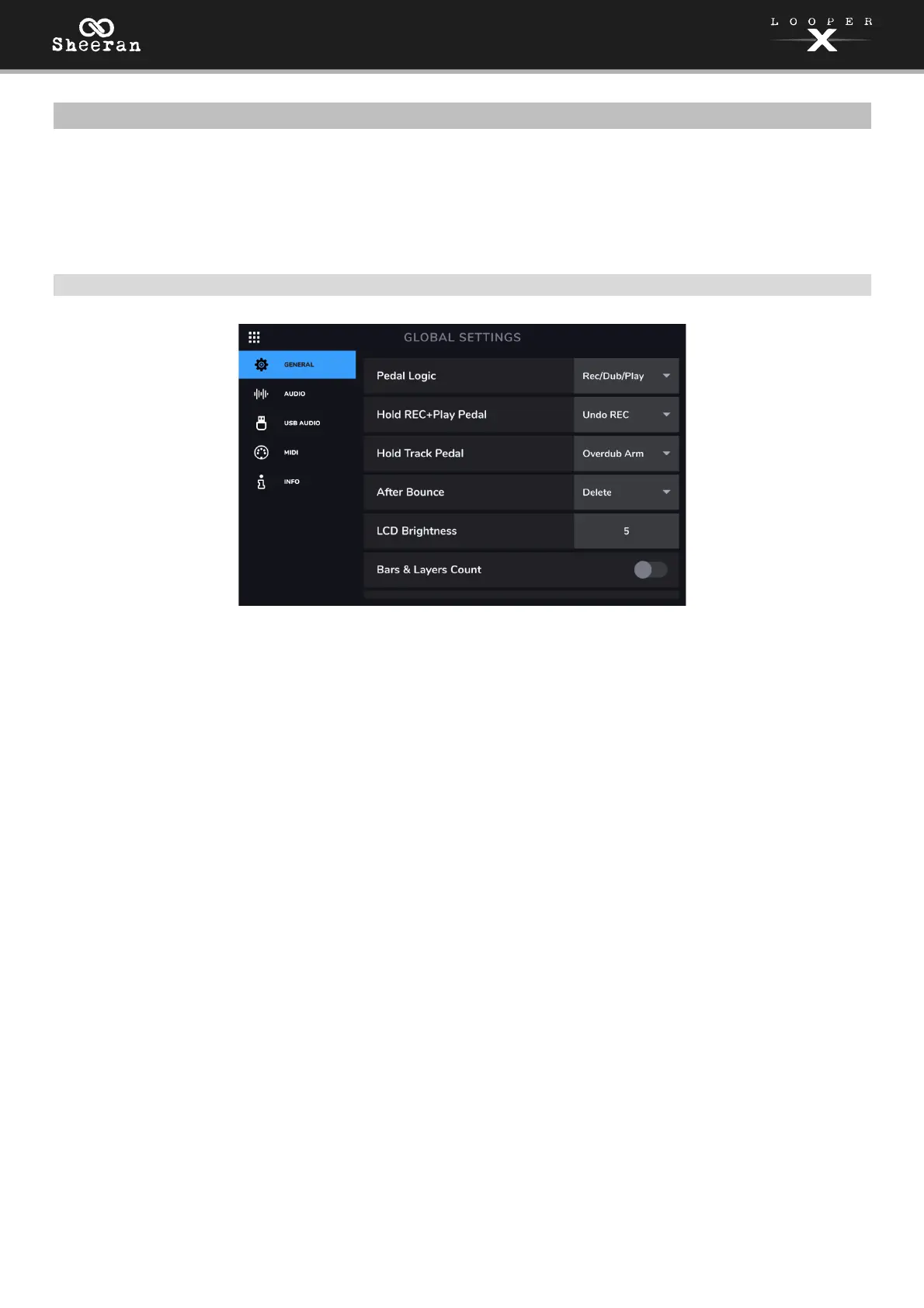
(5.10) Global Settings
Use the Global Settings page to configure Sheeran Looper X’s overall settings, including settings that affect
all loops.
To show the Global Settings, tap the Navigation Menu icon in the top-left corner of the touchscreen,
and then tap the Global Settings icon.
(5.10.1) General
Pedal Logic: This setting determines the behavior of the RECORD + PLAY pedal as you record a loop.
Select Rec/Dub/Play to immediately begin overdubbing after recording your first layer, then entering
playback. Select Rec/Play/Dub to immediately enter playback after recording your first layer, and then
begin overdubbing on subsequent presses.
Hold REC+Play Pedal: This setting determines the behavior of the REC+Play pedal when held. Select
Undo REC to undo the last audio recorded or overdubbed, or select Peel to clear the last recorded
layer.
Hold Track Pedal: This setting determines the behavior of the Track 1–4 pedals when held. Select
overdub Arm to arm tracks for overdub recording when the pedal is held while playback is stopped,
or select Clear Track to clear the entire selected track when the pedal is held.
After Bounce: This setting determines what happens to the source tracks after a bounce has been
performed. Set this to Delete to remove the source tracks after a bounce. Set this to Keep to retain
the source tracks after a bounce.
LCD Brightness: This setting determines the brightness of Sheeran Looper X’s touchscreen. Tap the
field and turn the encoder clockwise to increase the brightness. Turn the encoder counter-clockwise
to decrease the brightness.
Bars & Layers Count: Use this setting to enable or disable the tracks in Track and Wave views
displaying the bar count of each loop and the number of recorded layers in each loop.
Show Mixer Click & B.Track: Use this setting to enable or disable the Click track and Backing Track
from appearing in the Mixer page. When enabled, you can adjust the volume and panning of these
tracks from the Mixer.



 To Next Page