36
(5.9.6) Customize Pedal Menu
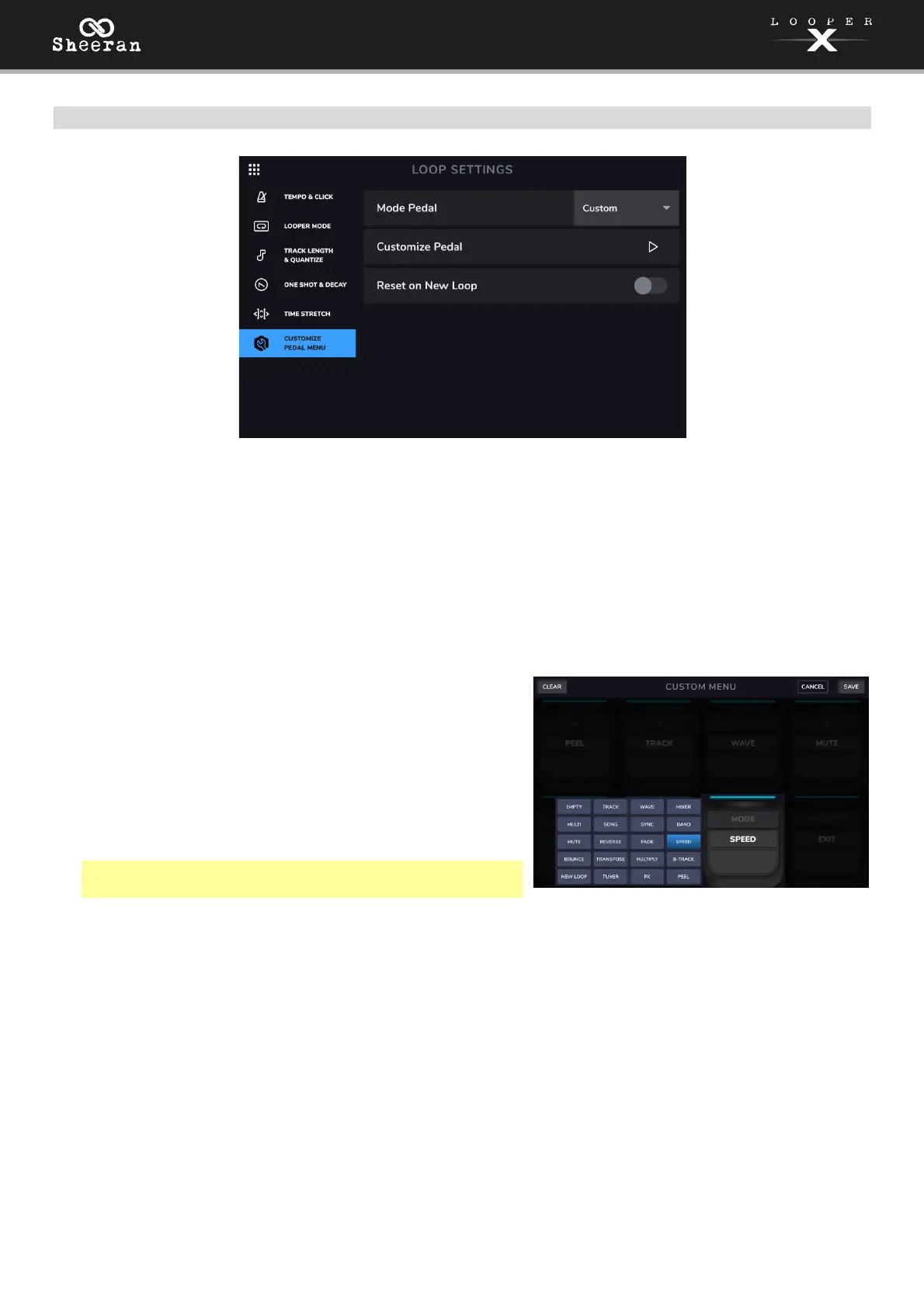
Mode Pedal: This setting determines the behavior of the Mode pedal. Use the dropdown menu to select
the desired function:
• Mute: Pressing the Mode pedal activates Mute. Press a Track 1–4 pedal to mute the selected track.
• Tuner: Pressing the Mode pedal opens the Tuner.
• FX: Pressing the Mode pedal opens the FX page.
• Custom: Pressing the Mode pedal opens a customizable arrangement of functions for all the pedals.
Customize Pedals: Select this setting to customize the Mode
pedal functions when using the Custom setting. When the
Mode pedal is activated, you can then use the pedals to
access other menus and functions, thus reducing the number
of pedal presses or touchscreen actions needed to access
your favorite Sheeran Looper X functions.
To select an assignment for a pedal, tap the function
name on each pedal to open the list of options. By
default, this will be shown as Empty. Tap to select a
different function and apply it to the pedal.
Note: The Function pedal is always tied to Exit in Custom
mode.
To clear all custom assignments, tap Clear in the top-left corner of the touchscreen.
To cancel editing, tap Cancel in the top-right corner of the touchscreen.
To save your custom assignments, tap Save in the top-right corner of the touchscreen.
Reset on New Loop: This setting determines status of the Mode pedal functions each time a new loop is
created. If you want the Mode pedal to return to the default functionality (a Custom layout, where each
pedal starts Empty) when you create a new loop, set this to ON. If you want your customized pedals from
your current loop to carry over when you create a new loop, set this to OFF.



 To Next Page