34
(5.9.3) Track Length and Quantize
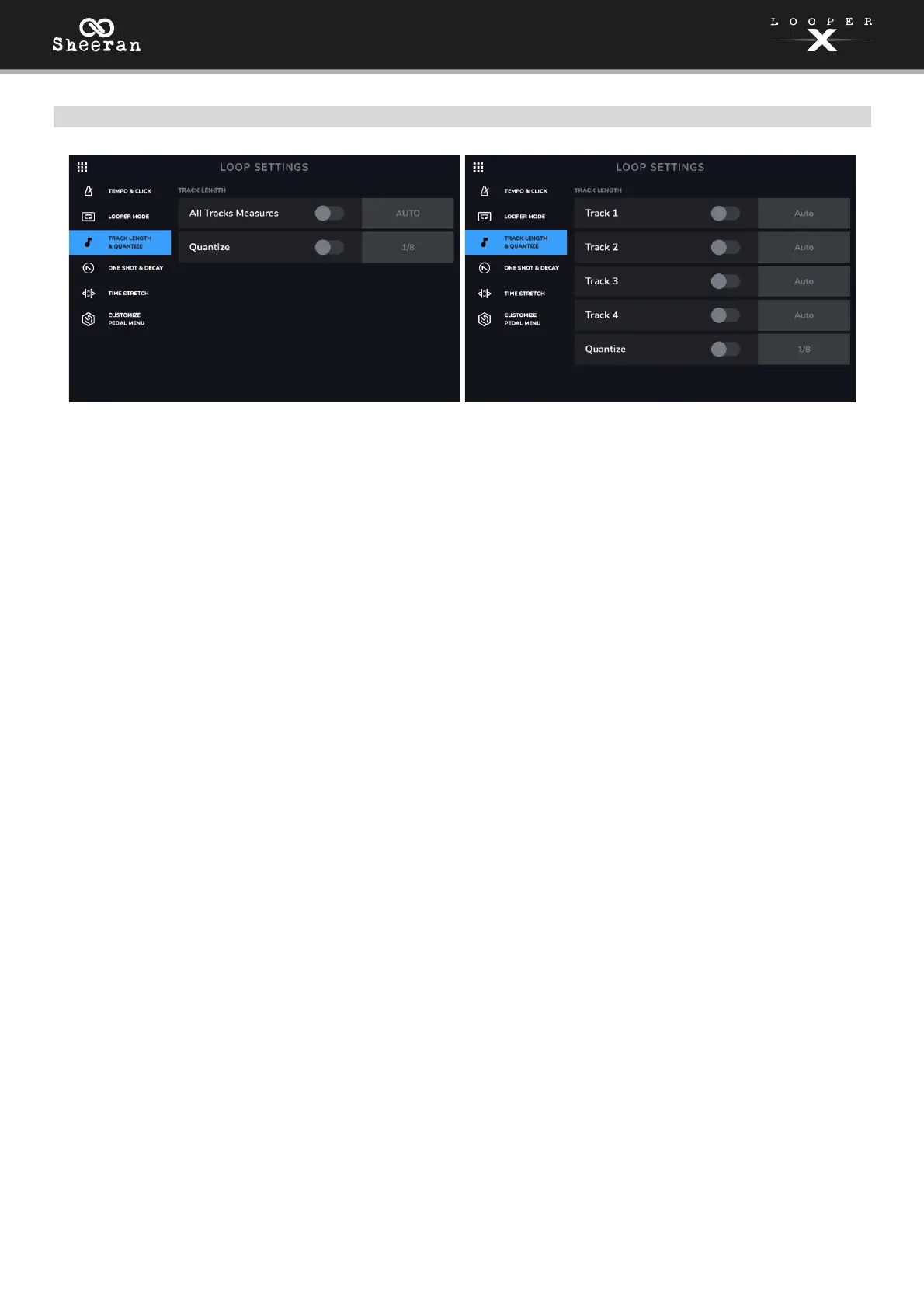
All Tracks Measures or Tracks 1–4: This setting enables you to predetermine the length of a looper track.
Use the On/Off switch to enable/disable this feature. You can then tap the field to the right of the On/Off
switch and use the encoder to set this parameter to AUTO or 1-64 bars.
When set to AUTO, Sheeran Looper X determines the tempo of your loop based on the first recorded
looper track. Any additional tracks also set to AUTO will match the same length as the first recorded track.
The loop tempo can still be changed after it has been automatically detected by the first recording.
When set to 1-64 Bars, Sheeran Looper X will set that individual track to be that specific length of bars,
based on the loop’s current tempo.
If you are using the Multi looper mode, there will be one TRACK LENGTH setting where you can set the
length for all four looper tracks at once. If you are using the other looper modes (Sync, Song, Band, Free)
you can select TRACK LENGTH for all four tracks individually.
When using the Sync and Band looper track modes, the TRACK LENGTH setting will only apply to the
first recorded track. This is to stay consistent with the existing rules of these modes and ensure that all
other looper tracks are either the same length, or a multiple of its length. In this case, AUTO will be selected
for all tracks recorded after the first track. The looper track’s length will be quantized to a number of bars
indicated as “AUTO (Bars)”. The only exception to this rule is when track lengths are set to be half, double
or quadruple of each other.
When the first recorded looper track is set to AUTO, and the CLICK is OFF, Sheeran Looper X will
automatically detect the tempo and number of bars of this track. If the CLICK is ON, Sheeran Looper X
will automatically detect the number of measures and leave the tempo unchanged.
When the first recorded looper track is set to 1-64 BARS, and the CLICK is OFF, the tempo will be
calculated and set automatically. If the CLICK is ON, Sheeran Looper X will finish recording the first layer
and start overdubbing after reaching the set number of bars.
This track length function is only available if MIDI CLOCK RECEIVE is set to OFF on the second page of
the (5.10) Menu >
Global Settings.
Quantize: This setting determines the quantization of the start and end points of your loop, if any. Set this
to On to enable quantization. Tap the time division to the right and then use the encoder to set the
amount of quantization, to the nearest 1 bar, 1/2 note, 1/4 note, 1/8 note or 1/16 note. Set this to Off to
disable quantization.



 To Next Page