23
(5.4) Mixer
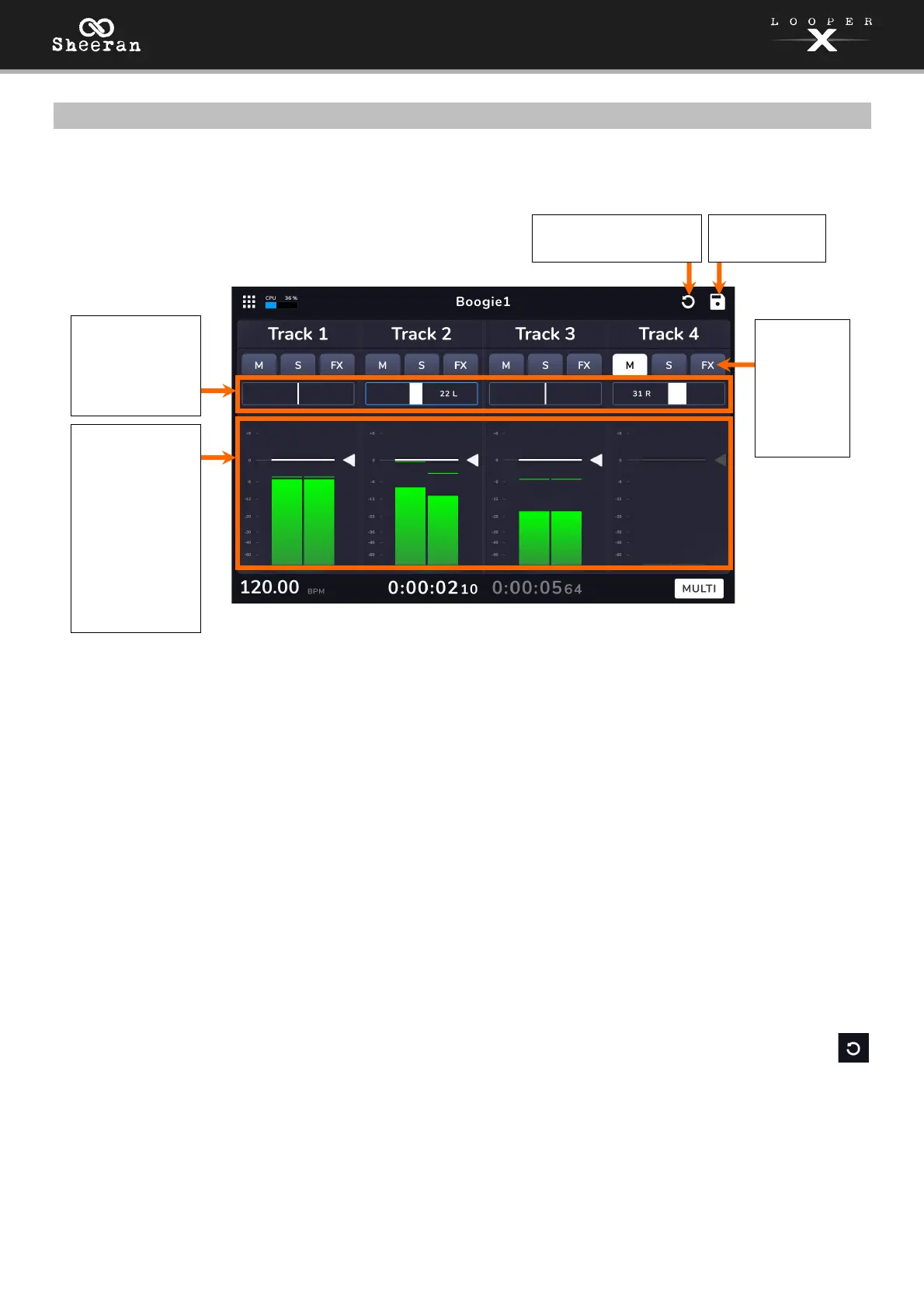
The Mixer page can be used as a third looping performance screen, while also providing tools to adjust
the audio mix of your tracks and add effects.
To mute a track, tap the M button.
To solo a track, tap the S button. All other tracks will be muted, and the track’s pedal LED will turn yellow.
You can solo multiple tracks by tapping each track’s solo button.
To view and edit a track’s effects, tap the FX button. See (5.5) Menu > FX for more information. If effects
are already loaded to a track tap the FX button to bypass the effects.
To adjust the track’s stereo balance, touch and drag the panning slider. You can also tap the parameter
slider and then turn the encoder for fine adjustment. Double-tap to return the stereo balance to center.
Touch and hold on the slider to bring up a larger slider for improved adjustment. When you are finished
with the larger slider, tap the X or anywhere outside the window to return to the mixer.
To adjust the track’s volume, touch and drag the level marker, indicated by a grey line with an arrow to
the right. You can also tap the volume slider and then turn the encoder for fine adjustment. Double-tap to
return the fader to the default 0 dB level.
To reset all changes to volume and panning, tap the reset icon in the top-right corner of the touch
screen.
Touch and drag
these sliders to
adjust the
balance of each
track.
These meters
show the
volume level of
the tracks as
they play. Tap
and drag the
white line at
the top of a
meter to adjust
the volume
level of a track.
Tap here to
save the loop.
Tap here to reset
changes to the Mixer.
Tap the
icons to
Mute and
Solo a
track, or
access and
bypass FX.



 To Next Page