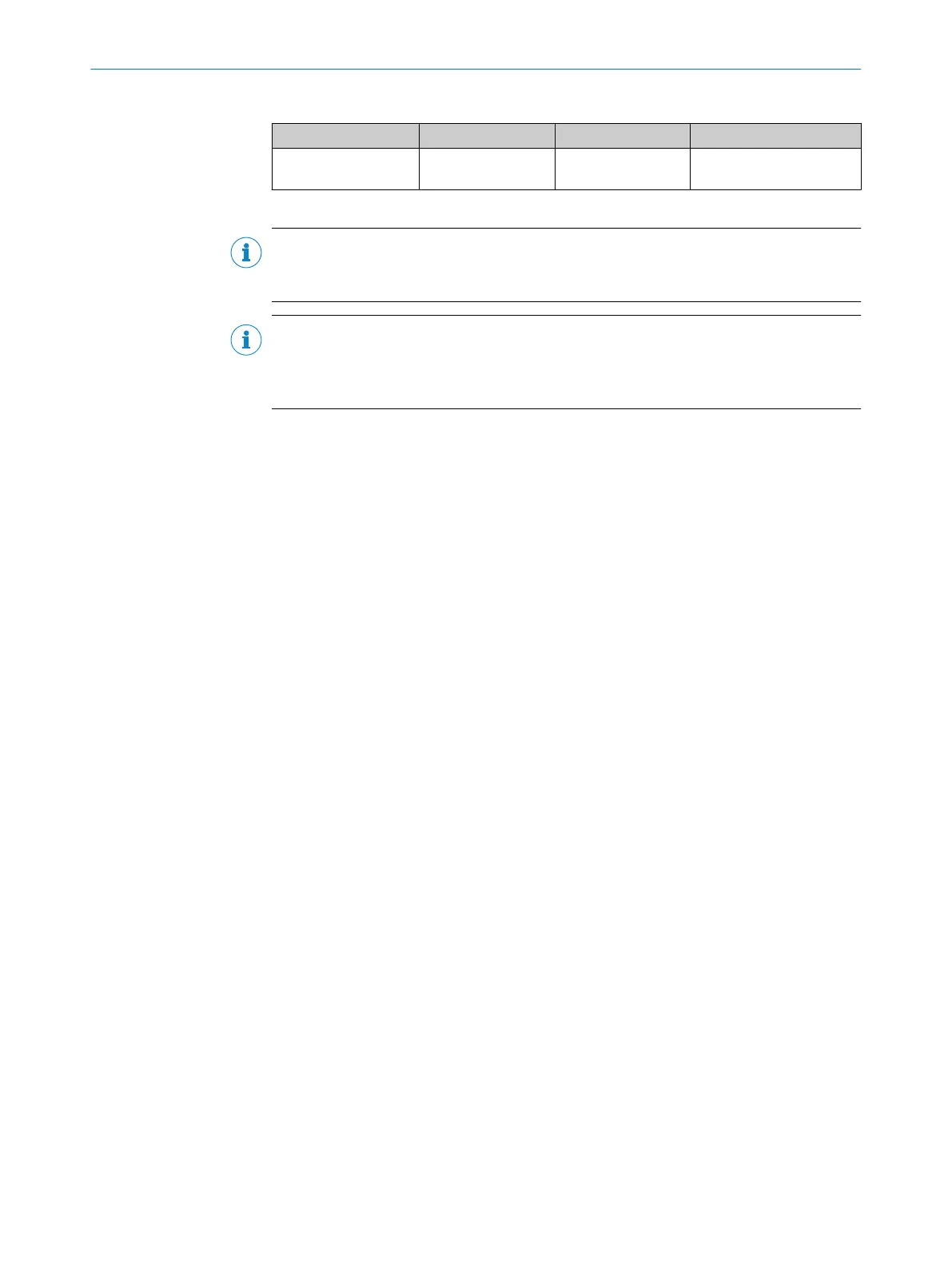
Table 22: Generic station description file DL100-xxxxx112
Name of the device ID no. GSD
1)
Bitmaps
DL100-1x/2x 6002 (hex) GSDML-V2.25- SICK-
DL100-<date>.xml
GSDML-0101-1_DL100.b
mp
1)
Example: For a file published on 2012-04-16, the file name is GSDML-V2.25-SICK-DL100-20120416.xml
NOTE
You can download the GSD file for the DL100 Pro distance sensor at www.sick.com/
DX100.
NOTE
The DL100-1x/2x GSD file supports only the device variants DL100-xxxxx112. It is not
compatible with the DL100 Pro PROFINET High Feature (DL100-xxxxx212) and DL100
Pro PROFINET/SSI (DL100-xxxxx213) device variants that are also available
10.1.2 Reading in generic station description (GSD)
When configuring the device for the first time via PROFINET IO, you need to first load
the generic station description file for the device into the hardware catalog of the
project planning tool (e.g., SIEMENS TIA Portal).
1. Download GSD file from the website www.sick.com/DX100.
2. Follow the instructions in the online help or in the user manual of the project
planning tool in order to read in the generic station description file.
✓
The device is displayed in the hardware catalog in the project planning tool.
You can then use the project planning tool to integrate the device in the hardware
catalog into the PROFINET IO network as well as configure and parameterize the device
for your application.
10.1.3 Configuring and parameterizing nodes
Defining the station name and IP address
Every PROFINET IO field device requires a unique system-specific station name in the
project plan. This must match the station name stored in the device.
The station name and IP address are defined as follows:
1. Configure a unique system-specific station name using the project planning tool.
2. In the project planning tool, select the option to automatically assign the IP
address or assign the IP address manually.
✓
During system startup, the PROFINET IO controller assigns the IP address based
on the device name.
Selecting GSD modules
To receive measured values from the device, at least one input module from the GSD
file must be added to the project from the hardware catalog of the project planning tool,
e.g., the 1-Dist/i2w module for transferring the distance value. For details on the GSD
modules see "GSD modules", page 54.
If necessary, perform the parameterization in the input module, e.g., by selecting the
desired resolution of the Distance measured value in the case of the 1-Dist/i2w module.
If required, add further GSD modules to the project plan and configure any optional
parameters in the modules for the application.
PROFINET IO INTERFACE 10
8015069/19H9/2021-10-15 | SICK O P E R A T I N G I N S T R U C T I O N S | DL100 Pro PROFINET
53
Subject to change without notice













 To Next Page