96
Managing SimpleShare Network
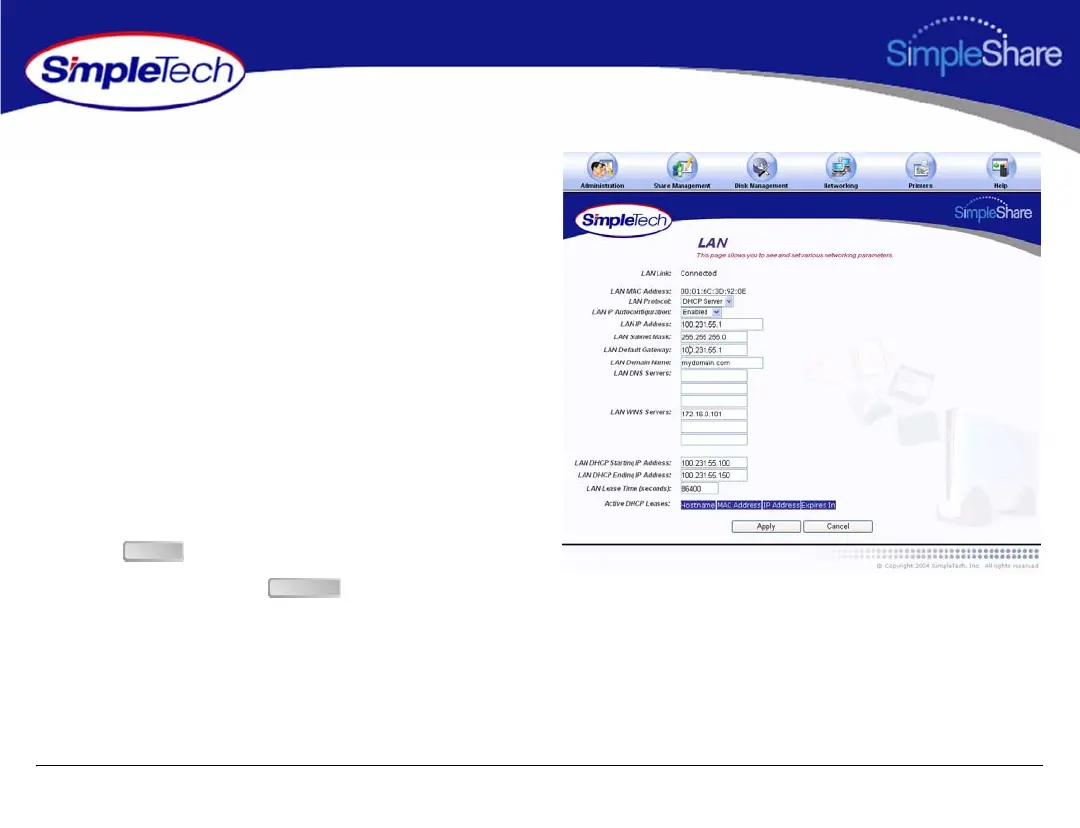
1 Click the Networking menu.
2 Select DHCP Server from the LAN Protocol list.
3 In LAN IP Address, enter a static IP address for
SimpleShare. Make sure the IP address you specify is
on the same LAN segment as the computer running
SimpleShare Administrator.
4 Set the following IP addresses, as necessary, to
configure SimpleShare on your local network:
• LAN Domain Name
• LAN DNS Servers (preferred server and up to two
alternates)
• LAN WINS Servers (preferred server and up to two
alternates)
5 Click .
6 On Apply screen, click .
Apply
Continue



 To Next Page