77
Managing SimpleShare Disk Pool
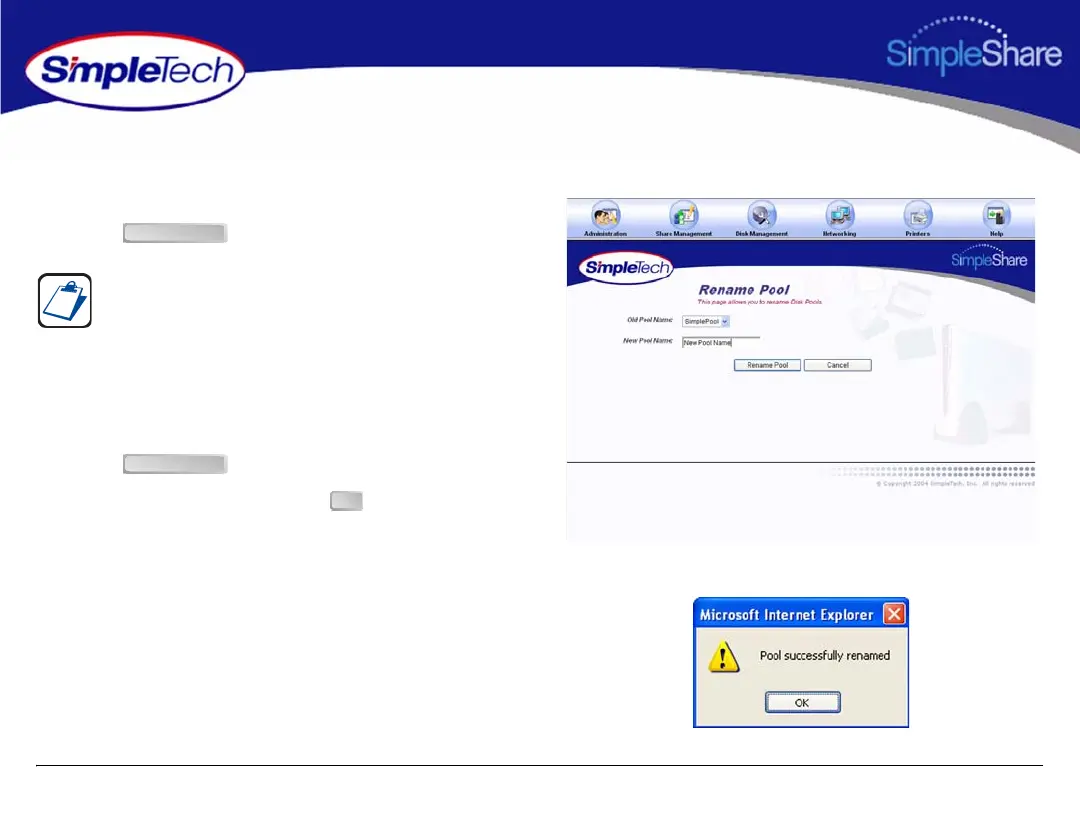
RENAMING A POOL
1 In the Disk Management menu click Basic.
1 Click .
2 Select the pool to be renamed from the Old Pool Name
list.
3 Enter the new descriptive name in New Pool Name.
4 Click .
5 In the confirmation dialog, click .
The Rename Pool button is located at the bottom of the Disk
Management page. It may be necessary to use the scroll bar
to see the button.
Rename Pool
Rename Pool
OK



 To Next Page