49
Managing SimpleShare Basic Disk
RUNNING DISK DRIVE SELF-TESTS
SimpleShare's internal disk drive supports self-tests as part of
its health monitoring system. These self-tests check the
operation of the disk drive inspect internal components and
calibration of the disk drive attempting to detect failures or
potential failures. These self-tests do not modify or destroy
user data.
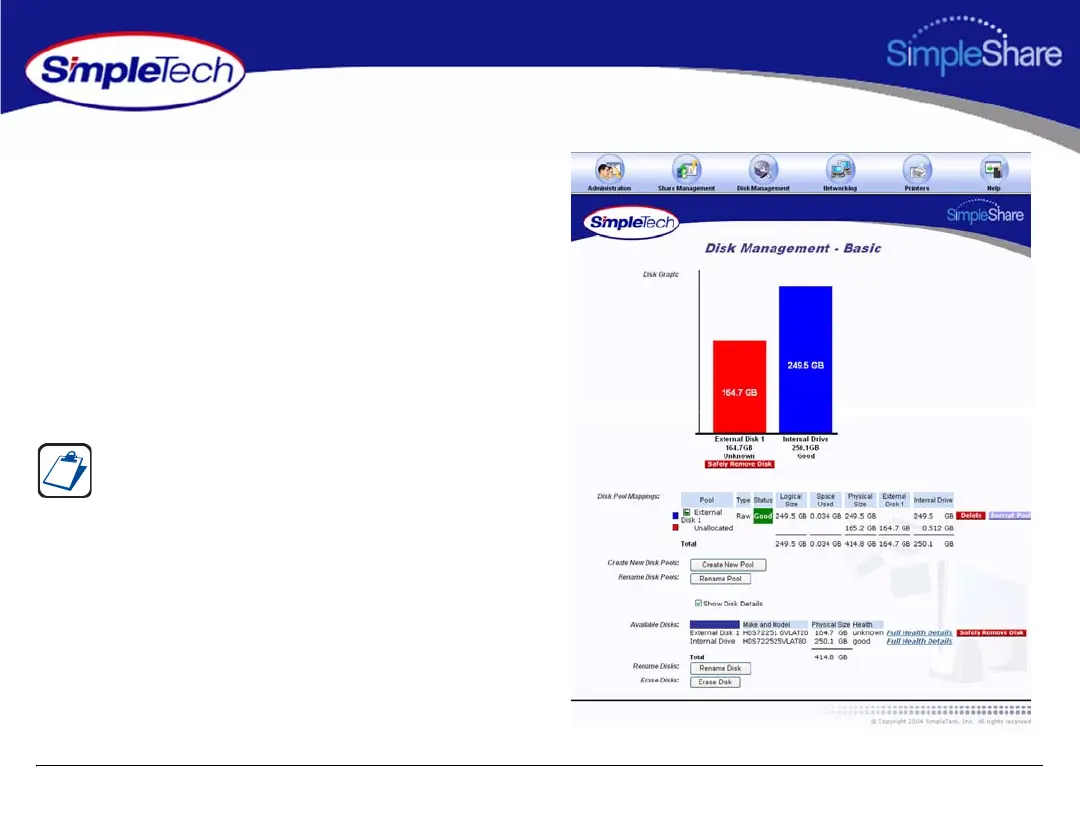
1 In the Disk Management menu, click Basic.
2 Select Show Disk Details.
3 In Available Disks, click the Full Health Details
hyperlink to the right of SimpleShare’s internal disk
drive.
The Show Disk Details checkbox is located at the bottom
of the Disk Management page. It may be necessary to use
the scroll bar to see the checkbox.



 To Next Page