16
Accessing Shares
A
CCESSING SIMPLESHARE FROM MAC OS X
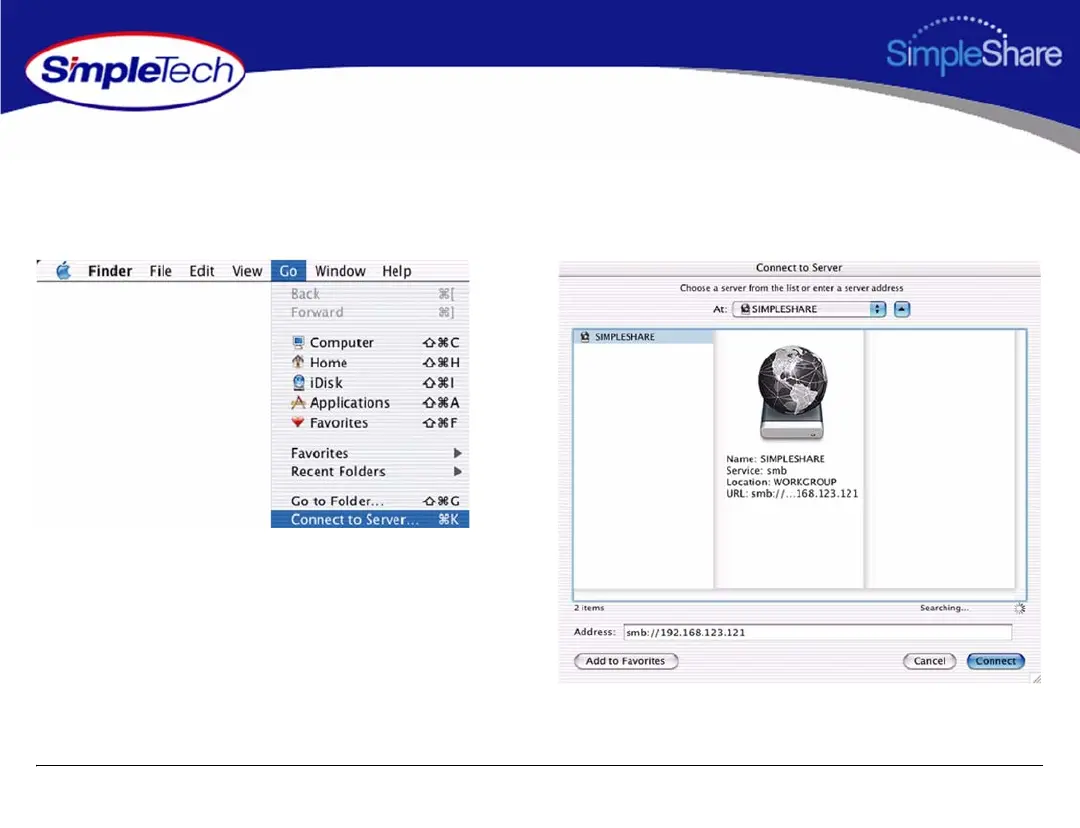
1 Open the Go menu in Finder and click Connect to
Server.
2 In the Connect to Server window, select your
SimpleShare from the servers listed in the left pane.
If Workgroup names are listed, check the Workgroup in
which your SimpleShare is a member. If you can't locate
your SimpleShare, enter its URL in the Address box
(where the URL consists of the protocol “smb://” and the
network name or IP address of your SimpleShare).
3 After selecting your SimpleShare, click Connect.



 To Next Page