29
Managing SimpleShare Administration
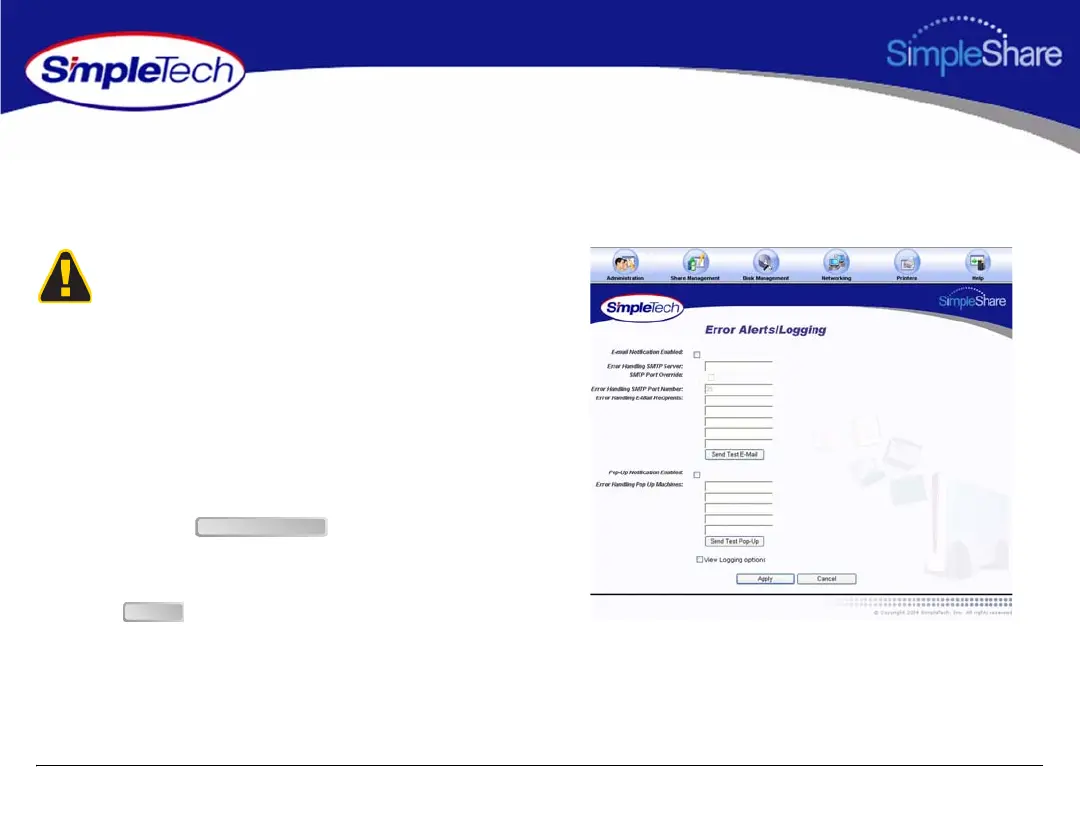
SETTING UP POPUP ALERT NOTIFICATION
Email Notification allows SimpleShare to inform network users of system error conditions through onscreen messages.
1 In the Administration menu, click Alerts/Logging.
2 Select Pop-Up Notification Enabled.
3 In Error Handling Pop Up Machines, enter the network
name of each computer to receive alert notification
popup messages. You can specify up to five computers.
4 To confirm that popup alert notification is working
properly, click , then verify that the
selected computers received the test alert popup
message.
5 Click .
Before setting up Popup Alert Notification on SimpleShare,
make sure the message popup service has been enabled on
each computer selected to receive the messages.
Send Test Popup
Apply



 To Next Page