47
Managing SimpleShare Basic Disk
VIEWING DISK DRIVE HEALTH
I
NFORMATION
SimpleShare’s internal disk drive supports SMART
(Self-Monitoring Analysis and Reporting Technology) for
monitoring drive health. SMART monitors the operation of the
disk drive for signs of impending failure. Health is information
is reported to SimpleShare and can be viewed on the Health
Report page.
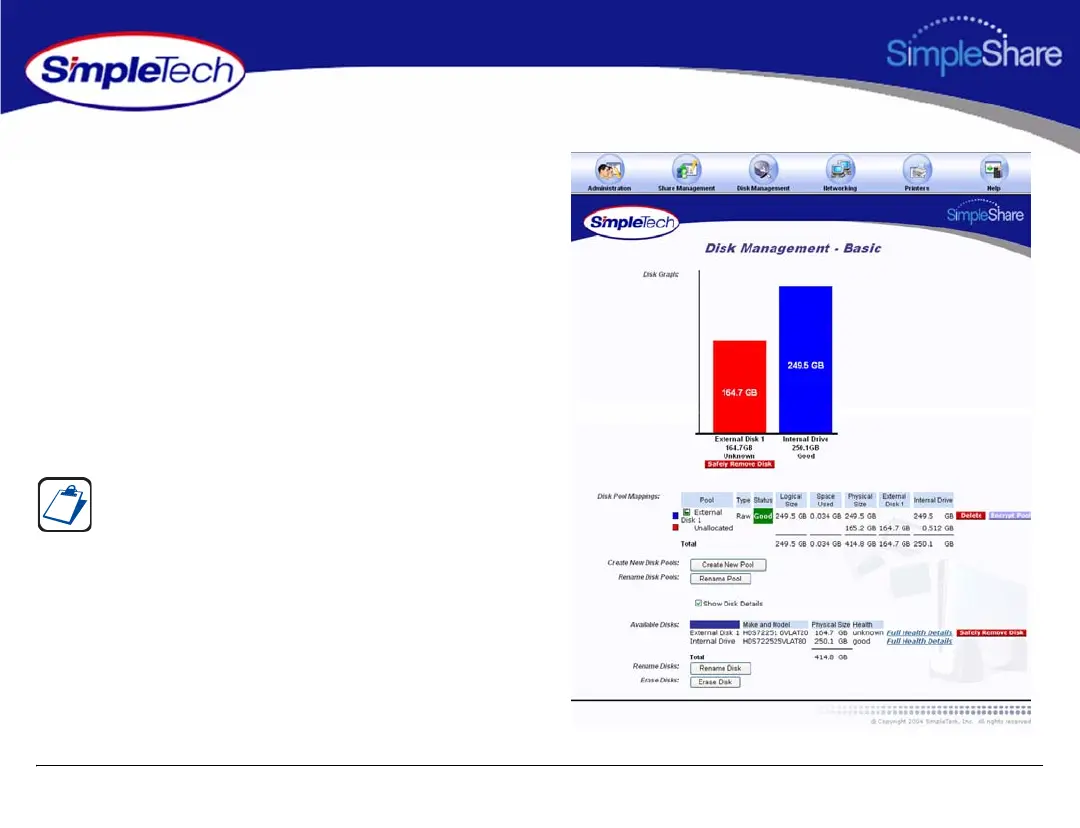
1 In the Disk Management menu, click Basic.
2 Select Show Disk Details.
3 In Available Disks, click the Full Health Details
hyperlink to the right of SimpleShare’s internal disk
drive.
The Show Disk Details checkbox is located at the bottom of
the Disk Management page. It may be necessary to use the
scroll bar to see the checkbox.



 To Next Page