58
Managing SimpleShare Foreign and
CLAIMING A BLANK DISK FOR
S
IMPLESHARE
Claiming a disk places the disk under the exclusive control of
SimpleShare and allows you to manage the disk using
SimpleShare Administrator. Once SimpleShare claims a disk
it is no longer readable by Windows or Mac OS computers and
any data that existed on the drive is destroyed.
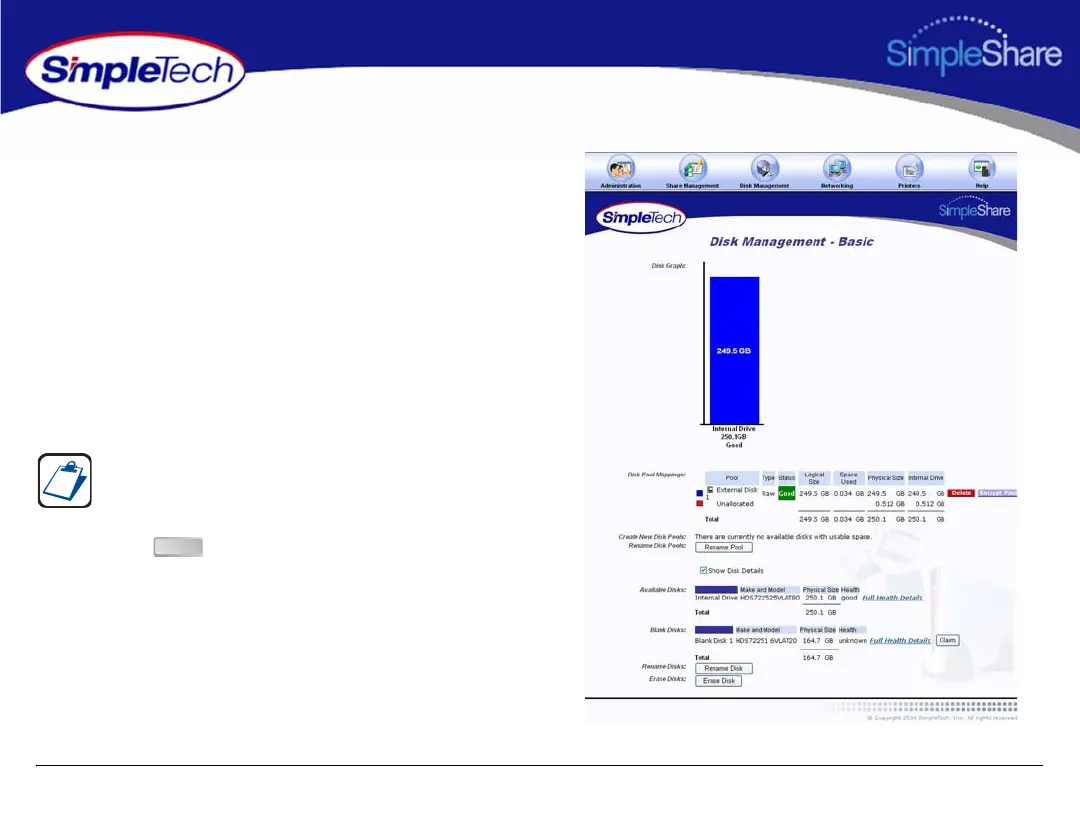
1 In the Disk Management menu, click Basic.
2 Select Show Disk Details.
3 Click the button located to the right of the Blank
disk you want to claim.
The Show Disk Details checkbox is located at the bottom of
the Disk Management page. It may be necessary to use the
scroll bar to see the checkbox.
Claim



 To Next Page