59
Managing SimpleShare Foreign and
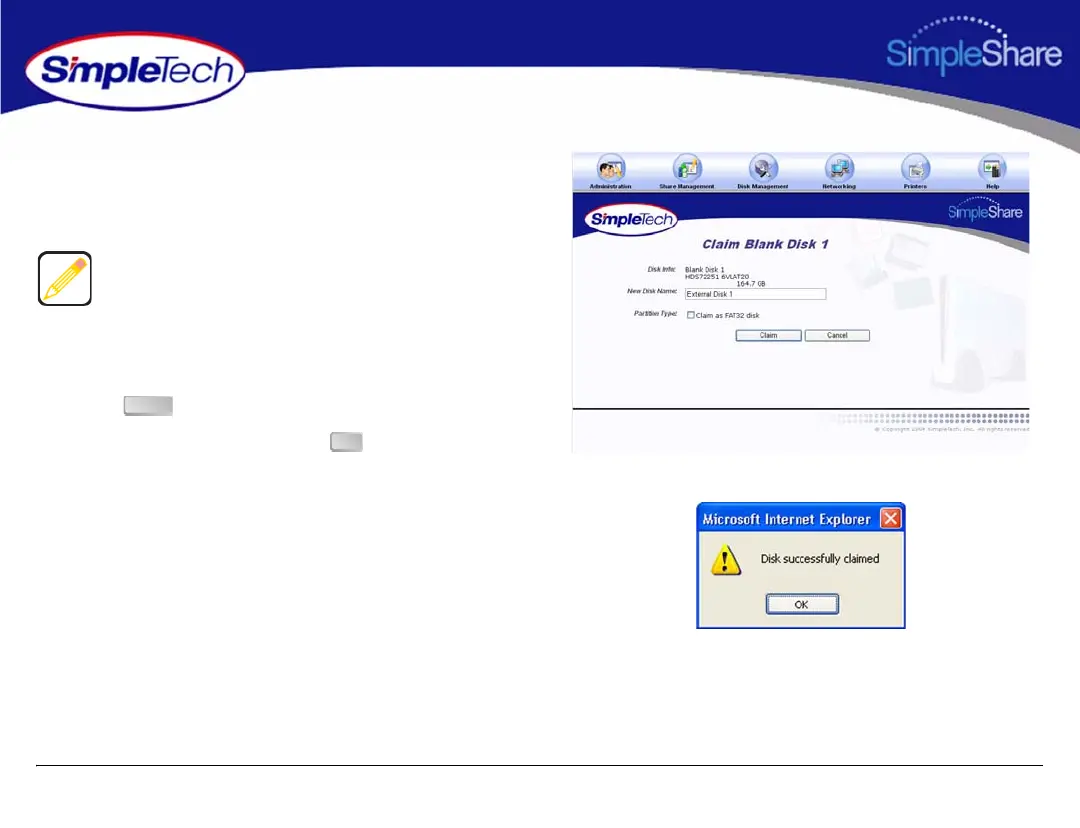
4 In New Disk Name, enter a descriptive name for the disk
being claimed.
5 Make sure Claim as FAT32 Disk is not selected.
6 Click .
7 In the confirmation dialog, click .
“Claim as FAT32 Disk” is intended for disks that may be
attached to Windows or Mac OS computers in addition to
SimpleShare. To enable all SimpleShare capabilities, make
sure Claim as FAT32 Disk checkbox is not selected. “Foreign
and Blank Disk Management” on page 52 provides detailed
information on the limitations of using FAT32 disks.
Claim
OK



 To Next Page