31
Managing SimpleShare Administration
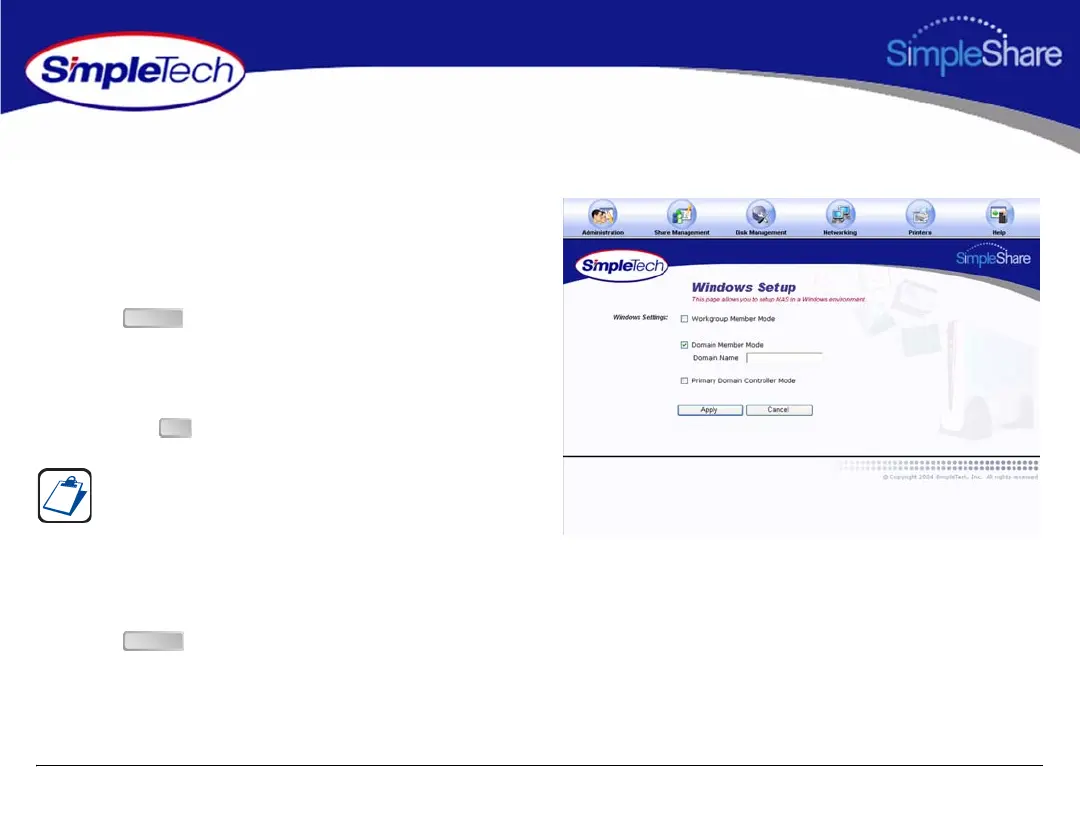
ADDING SIMPLESHARE TO AN EXISTING DOMAIN
1 In the Administration menu, click Windows Setup.
2 Select Domain Member Mode, then in Domain Name
type the name of the domain to which you are making
SimpleShare a member.
3 Click .
4 In Domain Authentication dialog, enter the username
and password you use to log onto Windows as the
administrator or a member of the administrator’s group,
then click .
5 In the Administration menu, click Basic.
6 Click to restart SimpleShare and apply your
changes.
You must be logged on Windows as an administrator or a
member of the Administrator’s group in order to join a
domain and complete this procedure. If your computer is
connected to a network, network policy settings may also
prevent you from completing this procedure.
Apply
OK
Reboot



 To Next Page