101
Managing SimpleShare Printer
INSTALLING PRINTER DRIVERS ON WINDOWS COMPUTERS
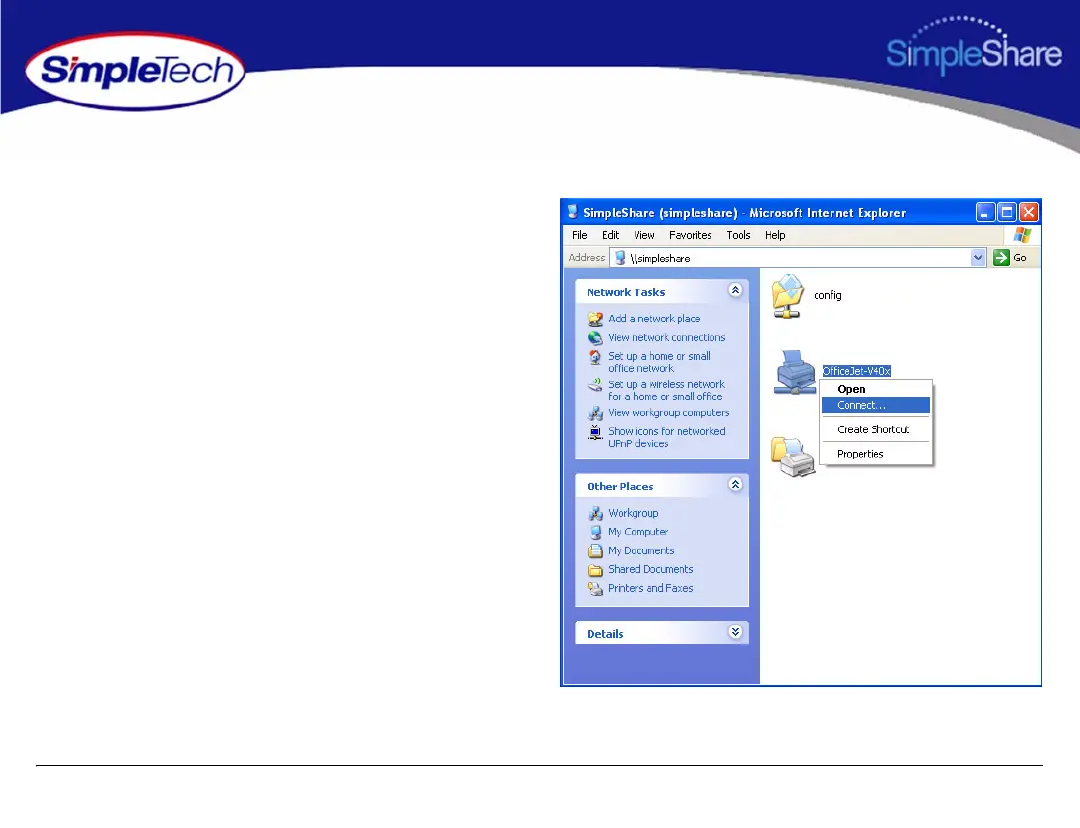
1 In the Address line of your browser, enter
\\<SimpleShare name> to open the SimpleShare root
directory (where <SimpleShare name> is the network
name of your SimpleShare server).
2 Right-click on the printer icon, and then click Connect to
start the Add Printer Wizard.



 To Next Page