30
Managing SimpleShare Administration
ADDING SIMPLESHARE TO AN EXISTING WORKGROUP
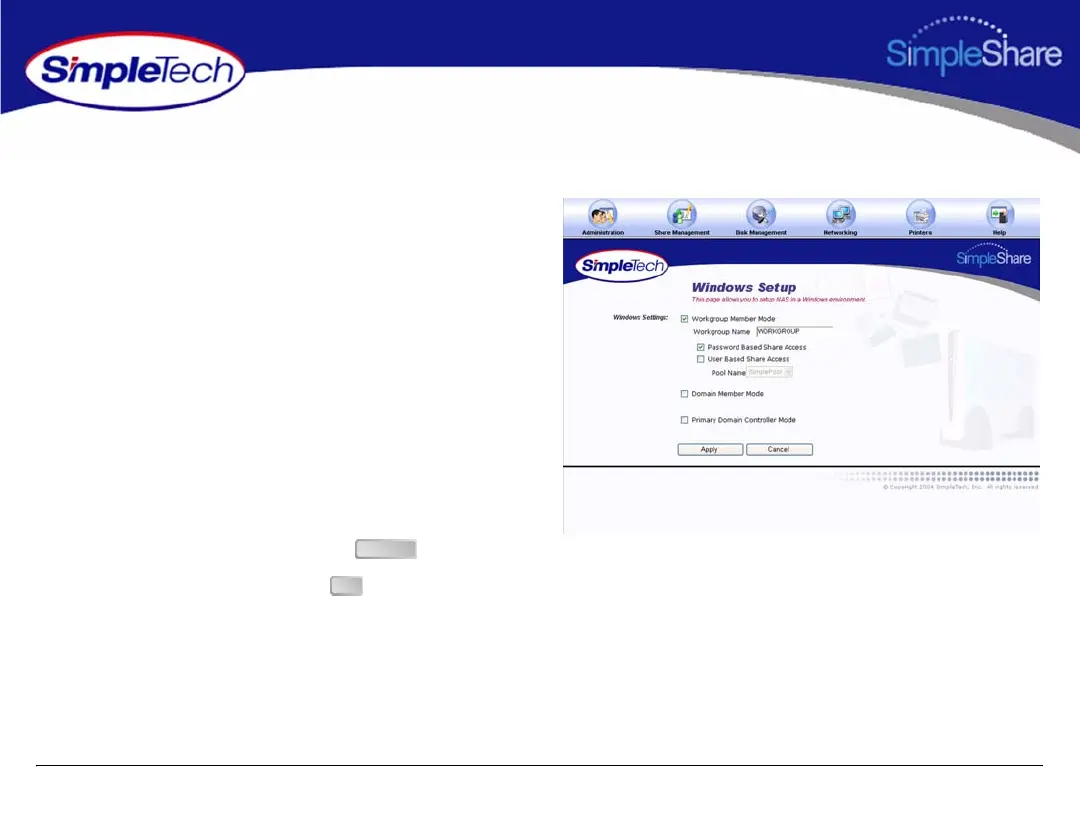
1 In the Administration menu, click Windows Setup.
2 Select Workgroup Member Mode, then in Workgroup
Name, type the name of the workgroup to which you are
making SimpleShare a member.
3 Select the share access method to be enabled on
SimpleShare.
• To provide share access to all users in a Workgroup,
select Password Based Share Access.
• To limit share access to selected users in a
Workgroup, select User Based Share Access, then
from the Pool Name list choose the disk pool to
which access is being granted.
4 After making your selections, click .
5 In the confirmation dialog, click .
Apply
OK



 To Next Page