Home
SimpleTech
Network Hardware
SimpleShare
Page 102 (Static IP Network Setup)
SimpleTech SimpleShare - Static IP Network Setup
120 pages
Manual
Save Page as PDF
To Next Page
To Next Page
To Previous Page
To Previous Page
Loading...
88
Managing SimpleShare
Disk Pool
C
HANGING
THE
E
NCRYPTION
P
ASSWORD
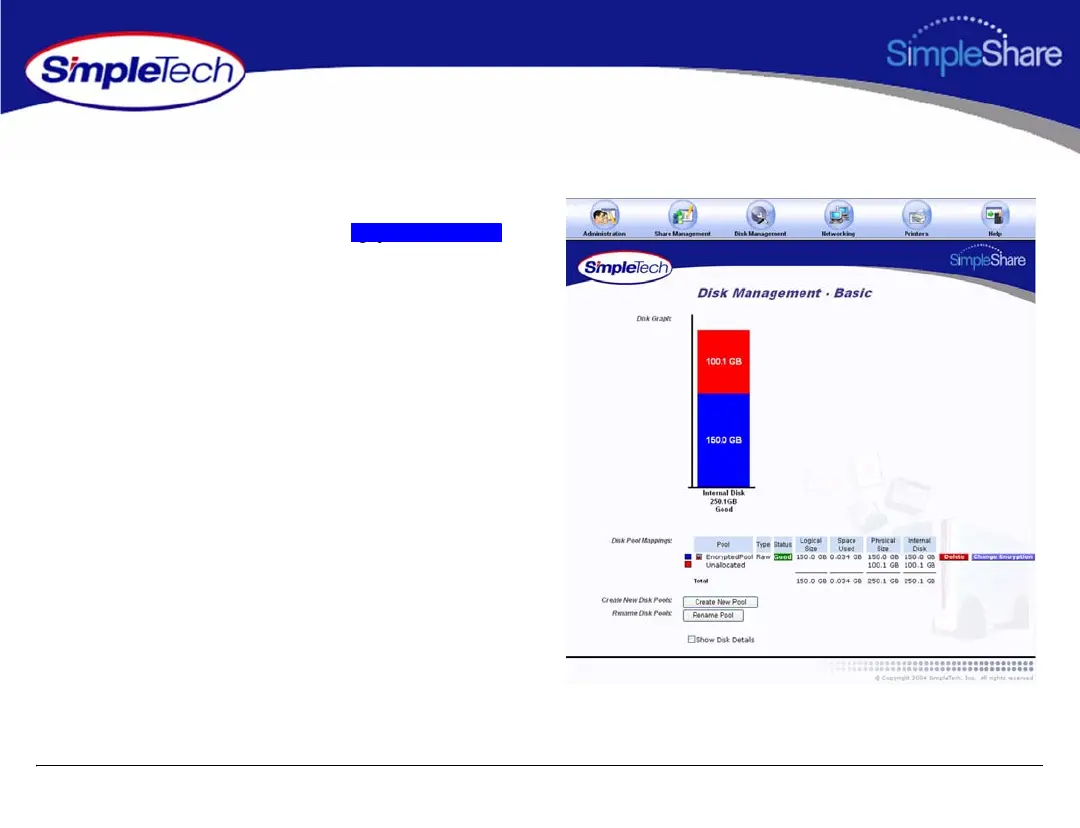
1
In the
Disk Management
menu, click
Basic
.
2
In
Disk Pool Mapp
ings
, click the
button next to th
e pool whose encryption pa
ssword you
want to change.
Sf
Change Encryp
tion
101
103
Table of Contents
Main Page
Features and Benefits
6
Registering Simpleshare
6
Using this Guide
8
Fcc Declaration of Conformity
10
Table of Contents
11
Specifications
14
Product Support
14
Certification and Warranty
14
Installing Simpleshare
15
System Requirements and Recommendations
15
Requirements
15
Recommendations
15
Installing Simpleshare Server
16
Setting up Simpleshare for the First Time
17
Setting up Simpleshare for the First Time
24
Expanding Simpleshare's Capabilities
24
Connecting Ausb Printer
24
Connecting Ausb Drive
25
Accessing Shares
26
Accessing Simpleshare from Windows
27
Accessing Simpleshare from Mac os X
30
Managing Simpleshare
32
Running Simpleshare Administrator
33
Setting the Simpleshare Network Name
34
Setting the Administration Username and Password
35
Setting the Date and Time Manually
36
Acquiring the Date and Time from Your Browser
38
Synchronizing the Date and Time with an NTP Server
39
Upgrading Simpleshare Firmware
41
Setting up Email Alert Notification
42
Setting up Popup Alert Notification
43
Adding Simpleshare to an Existing Workgroup
44
Adding Simpleshare to an Existing Domain
45
Restoring Factory Setting
46
Restarting Simpleshare
47
Setting File System Support on Simpleshare
48
Creating a Share
49
Deleting a Share
51
Renaming a Share
52
Enabling Security on an Existing Share
53
Disabling Security on an Existing Share
54
Renaming a Disk Drive
56
Erasing a Disk Pool
57
Erasing a Disk Drive
58
Enabling Disk Power Management
60
Viewing Disk Drive Health Information
61
Running Disk Drive Self-Tests
63
Removing External Drives
65
Viewing Foreign Disk Information
67
Claiming Foreign Disk for Simpleshare
68
Claiming a Foreign Disk as FAT32
70
Claiming a Blank Disk for Simpleshare
72
Claiming a Blank Disk as FAT32
74
Checking Foreign Disk File System Integrity
76
Creating a Basic Pool
78
Creating a Mirror Pool
81
Creating a Striped Pool
85
Deleting (Wiping) a Pool
89
Renaming a Pool
91
Resizing a Pool
92
Adding a Mirror to an Existing Pool
94
Removing a Mirror or Spare
97
Creating an Encrypted Pool
99
Changing the Encryption Password
102
Disabling Pool Encryption
104
Mounting Encrypted Pools
106
DHCP Client Network Setup
108
DHCP Server Network Setup
109
Static IP Network Setup
111
Enabling the Print Server
112
Disabling the Print Server
114
Installing Printer Drivers on Windows Computers
115
Specifications
117
Product Support
118
Simpletech Technical Support
118
Worldwide Headquarters
118
Certification and Warranty
119
FCC Compliance
119
Limited Warranty
120
Modifications
120
GPL Statement
120
Related product manuals
SimpleShare STI-NAS/160
8 pages
SimpleTech SimpleDrive
28 pages
SimpleDrive SP-U25/120
8 pages
SimpleTech SP-U25/80
2 pages
SimpleTech STI-U2F36/160
8 pages



 To Next Page