17
Accessing Shares
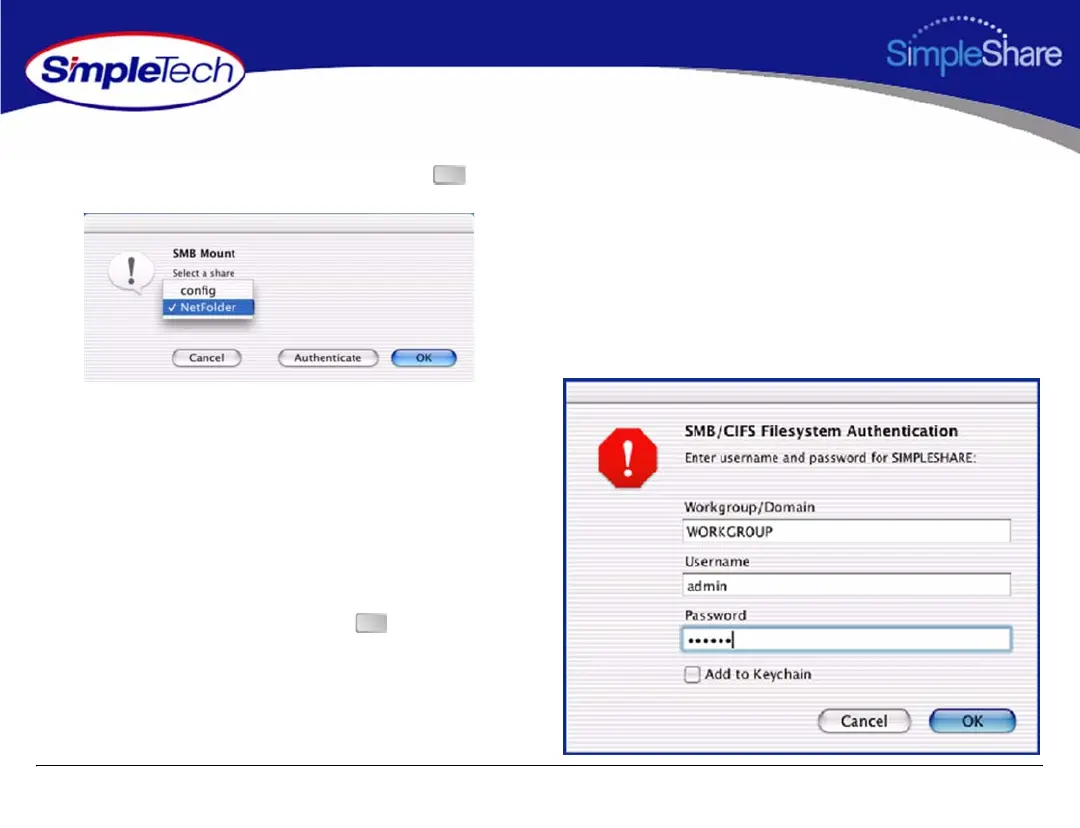
4 In the SMB Mount dialog box, select the share you want
to access from the drop-down list, then click .
5 In the SMB/CIFS Filesystem Authentication dialog, enter
your SimpleShare administration username and
password. If you are logging onto SimpleShare for the
first time, enter the default username “admin” and
password “simple.”
6 If you want the system to remember your authentication
information, select Add to Keychain.
7 After making your selections, click .
A desktop icon for the mapped share appears on your
desktop.
OK
OK



 To Next Page