76
Managing SimpleShare Disk Pool
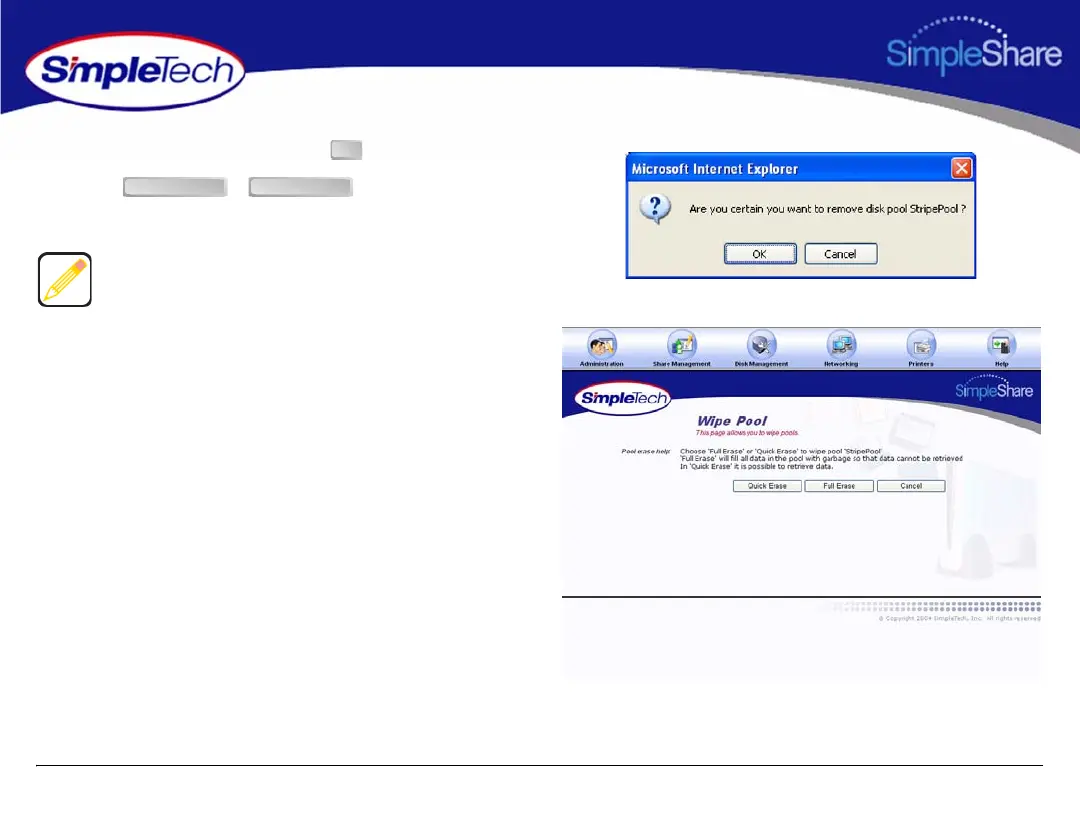
3 In the confirmation dialog, click .
4 Click or , depending on the
type of erase process you want to perform.
Quick Erase erases data from the disk pool. However, data
can be recovered using special data recovery utilities. Full
Erase overwrites the entire disk pool with random data,
making data recovery impossible.
OK
Quick Erase Full Erase



 To Next Page