69
Managing SimpleShare Disk Pool
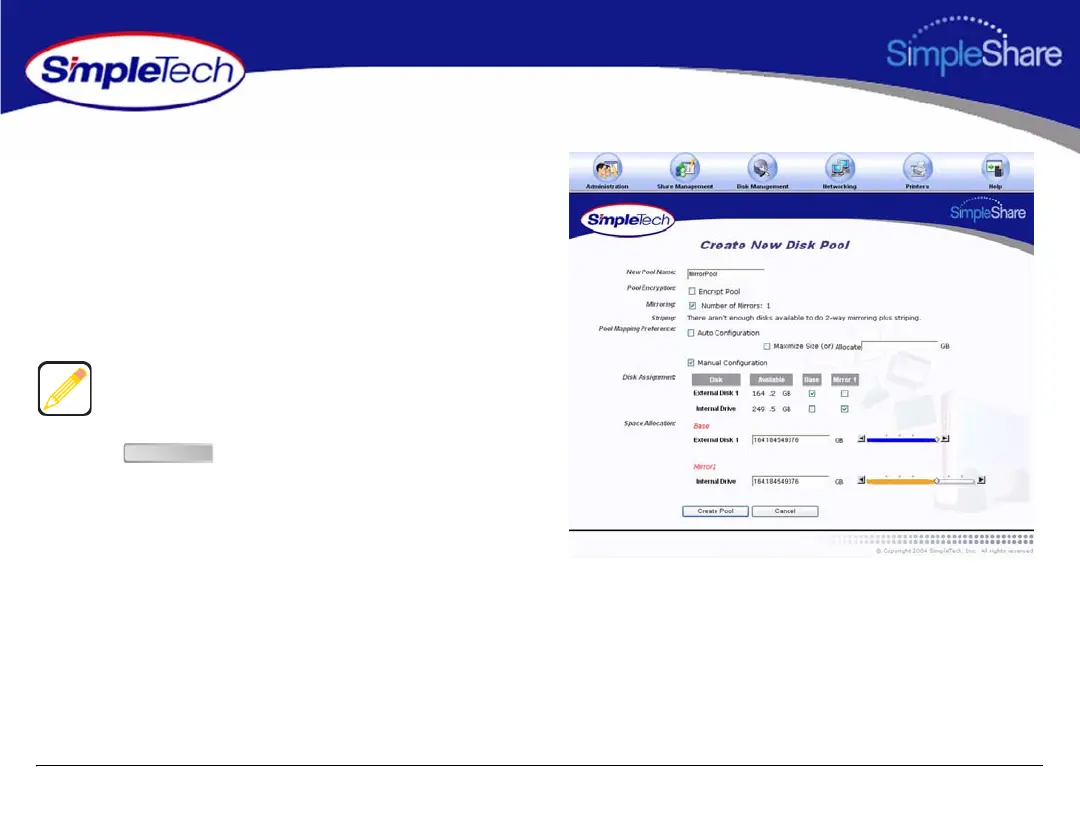
5 To configure the pool manually, select Manual
Configuration.
6 In Disk Assignment, select the drive to store the Base
pool and the drive to store the Mirror pool.
7 In Space Allocation, enter the size (in gigabytes) of the
Base pool. The pool size can be set by entering the
capacity in the text box or using the slider control.
8 Click .
When entering the size of the Base and Mirror manually, you
must enter the same value for each disk.
Create Pool



 To Next Page