OPERATION
37 988-12718-003
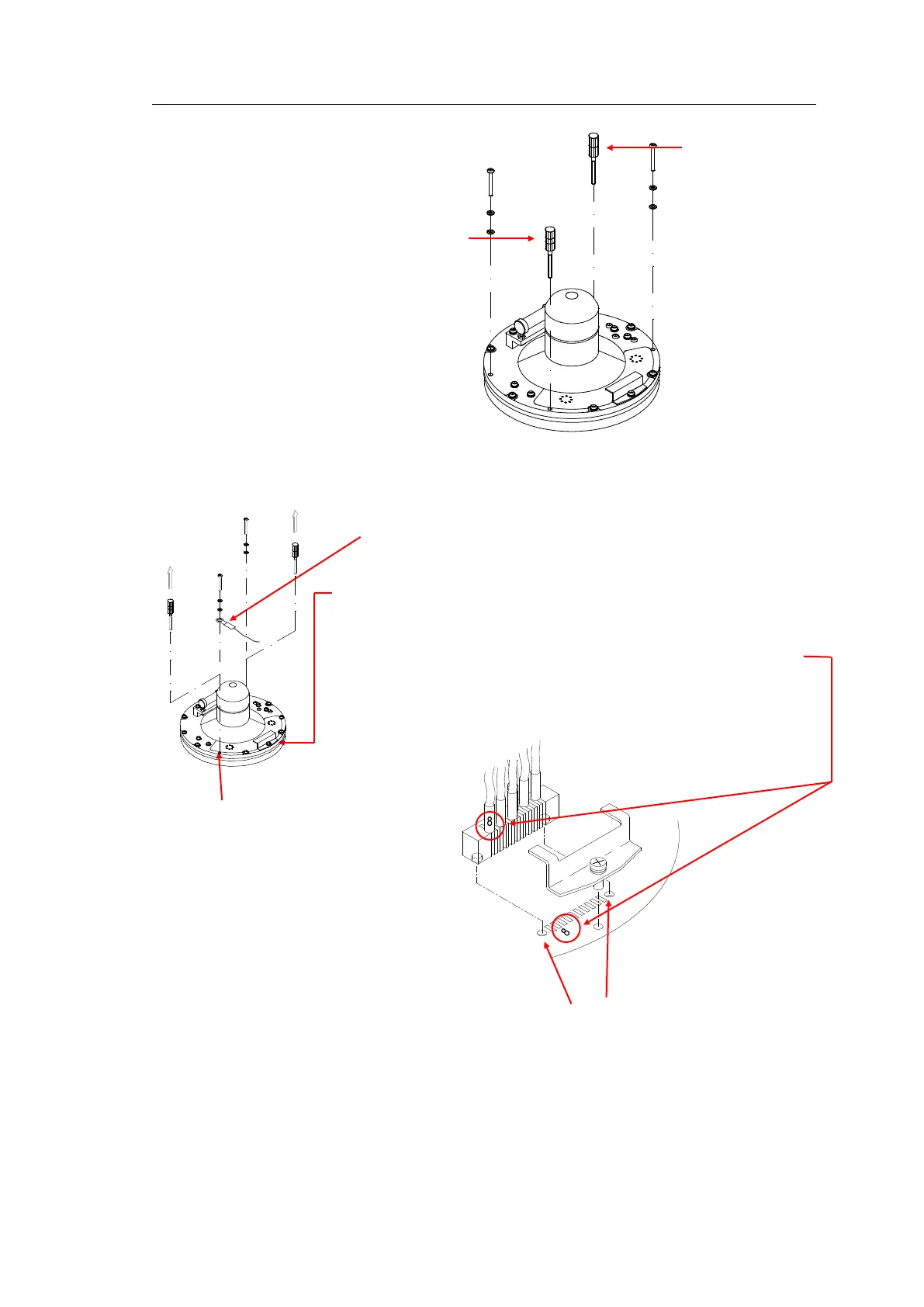
10 Replace the assembly jigs with the 2 remaining screws after placing
the ground wire as shown in the figure.
11 Loosen the screw on the plug holder on the Sensitive element, and
lift the holder 2-3 mm upwards.
12 Connect the plug to the connectors on the Sensitive element’s PCB
according to the labelling on the PCB and on the wires. Make sure
that the pin guides on the plug are properly entered, and that the
wires are not twisted.
13 Firmly tighten the screw on the holder.
Ground wire
connection
Pin guides
ASSEMBLY JIG
WITH 2 CIRCLES
ASSEMBLY JIG



 To Next Page