65 71 165 D3639
D3639.201.01.02.02 10.2016
31
Sirona Dental Systems GmbH 4Transport and commissioning
Operating Instructions CEREC SpeedFire 4.6Commissioning
båÖäáëÜ
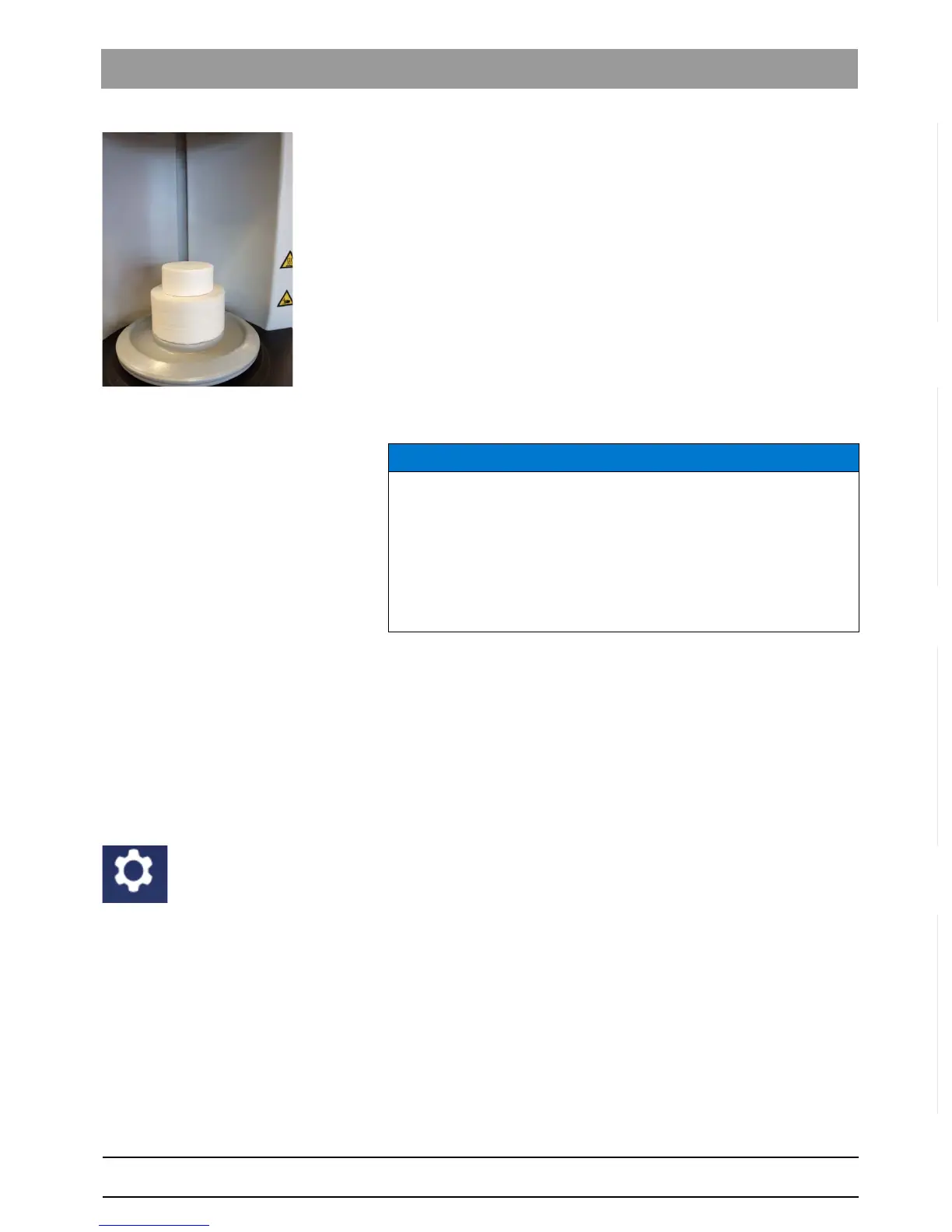
3. Insert the top door insulation onto the bottom door insulation.
Fragment Warranty ex cluded
The door insulation is a consumable and suffers wear from each use. It is
therefore excluded from the warranty. After use, wear is visible on the
insulation as abrasion and cracks. The cracks have a negative impact on
the quality of the process. As soon as it is no longer possible to load the
furnace safely or the contact surface is damaged, replace the door
insulation.
If the unit is to be transported, remove the door insulation from the unit
and close the door prior to transportation.
4.6.4 Installing and configuring the unit
4.6.4.1
Installing the unit
You must establish a connection to your CEREC recording unit before
you can operate the unit.
The CEREC SpeedFire can be operated with both a static as well as an
automatically assigned IP address. In the factory the unit is always
configured with a static IP address. The default IP address is as follows:
192.168.230.xy. The digits x and y are made up from the last two digits of
the unit serial number. These can be found on the label on the rear of the
device If the serial number ends in "00" then the xy value is always "100".
The settings for the IP address, subnet mask and default gateway of the
CEREC SpeedFire are shown in the furnace app in the Settings menu /
"LAN-Settings"
.
NOTICE
The CEREC SpeedFire can only be used in conjunction with the CEREC
acquisition unit, CEREC software and a connected CEREC grinding
unit. Prerequisites for transferring the jobs to the CEREC SpeedFire:
-CEREC SpeedFire is turned on,
- CEREC SpeedFire is configured and connected as a device in the
software,
- CEREC SpeedFire is activated as a production unit for the case.



 To Next Page